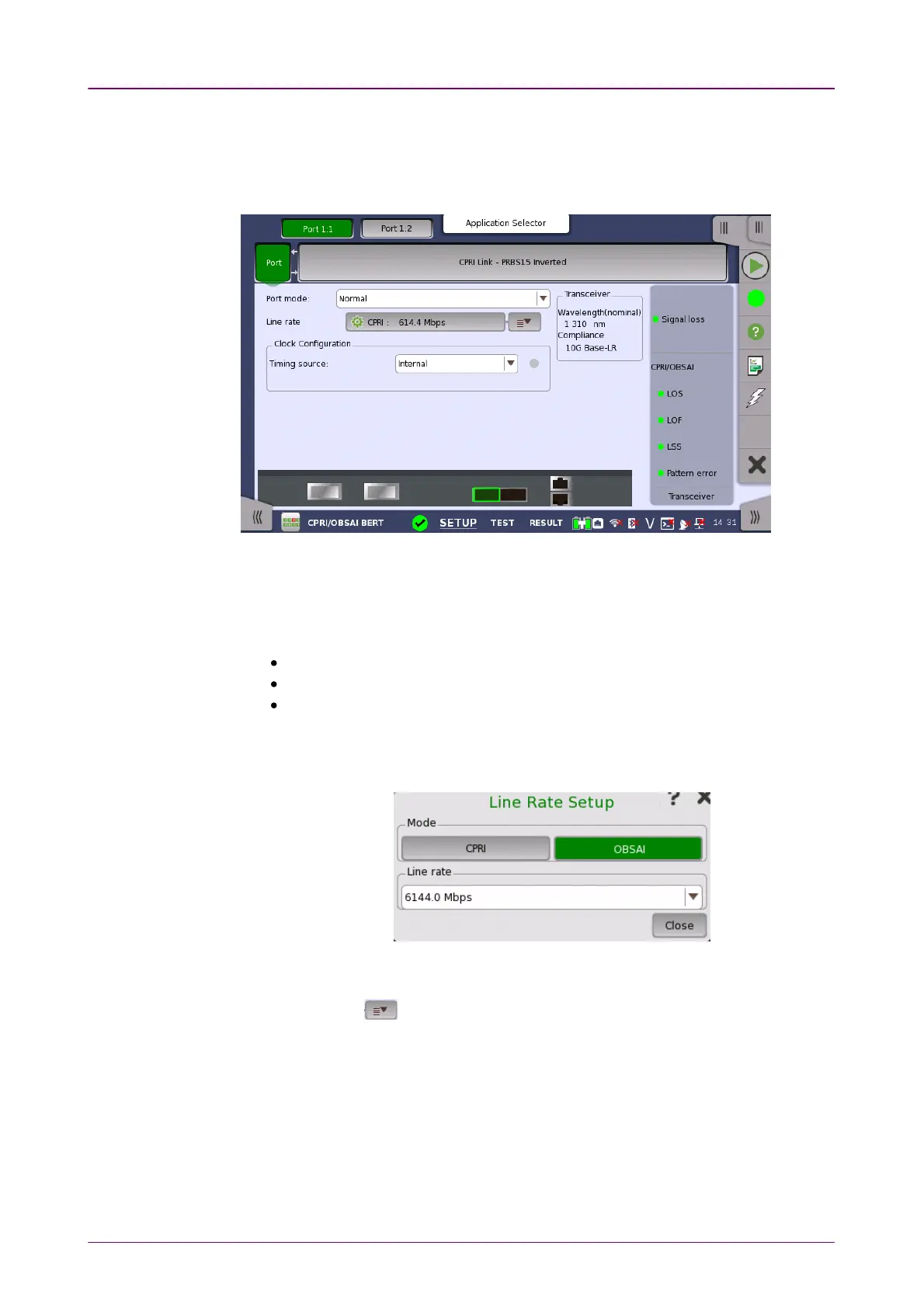
Port modePort mode
Line rateLine rate
Clock ConfigurationClock Configuration
88..11..11 Physical Port SetupPhysical Port Setup
When the port is set up with a CPRI/OBSAI interface, touching the PortPort button
in the navigation area will display the following screen.
This screen allows you to specify the physical port configuration of the
currently selected CPRI/OBSAI port. It can also be used to inspect the current
status of the selected port.
Select the port mode from the drop-down menu. The possible values are:
OffOff: The transmission will be disabled.
NormalNormal: The Network Master generates and transmits the signals.
ThroughThrough: This option is available when Contents in the CPRI/OBSAI frame
setting is set to CPRI linkCPRI link. If ThroughThrough is selected when Contents is set to
UnframedUnframed or OBSAI linkOBSAI link, Contents is forced to set to CPRI linkCPRI link.
Left-side button: Opens the Line Rate SetupLine Rate Setup dialog box.
Touch CPRICPRI or OBSAIOBSAI and select a line rate. Select the bit rate of the line from
the drop-down menu.
Right-side button ( ) : Displays the
quick setup menu
.
Use the drop-down menu to select the clock source. This is fixed to ReceivedReceived
when the Port mode is set to ThroughThrough.
Timing Source
InternalInternal: Internal clock of the module
ExternalExternal: The clock input to the connector
GPSGPS: The clock provided from the external GPS sensor
ReceivedReceived: The clock generated from the received signal



 To Next Page