FECFEC
TransceiverTransceiver
ContentContent
PatternPattern
When ExternalExternal, GPSGPS or ReceivedReceived is set, the indicator on the right is on if the
clock is detected.
The FEC enableFEC enable checkbox is available if Line rateLine rate is set to CPRI 12165.12
Mbps or CPRI 24330.24 Mbps.
If this check box is selected, Reed-Solomon Forward Error Correction is
applied to 64B/66B encoded CPRI blocks.
Displays the Transceiver information.
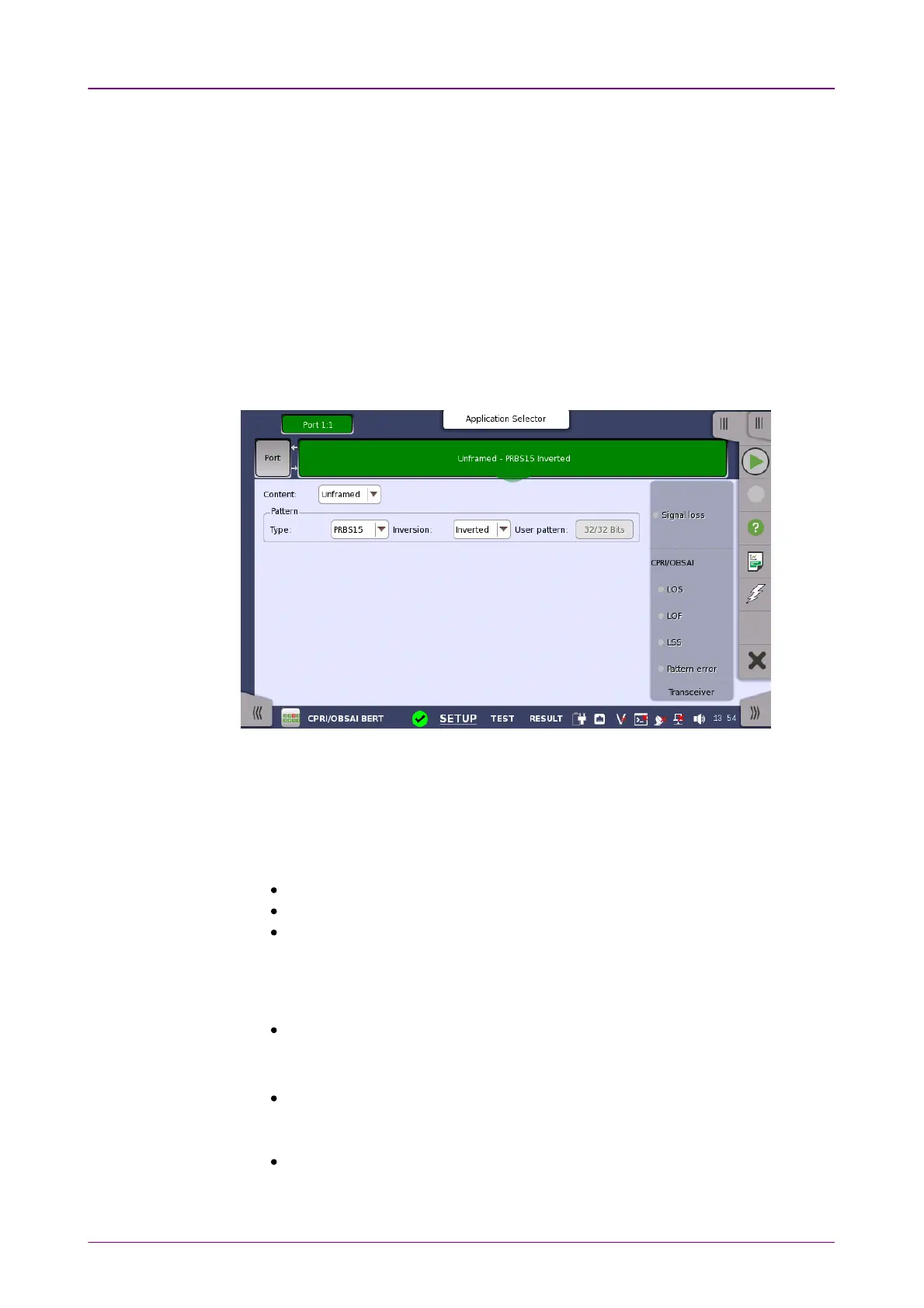
88..11..22 CPRI/OBSAI Frame SetupCPRI/OBSAI Frame Setup
The UnframedUnframed, CPRI LinkCPRI Link or OBSAI LinkOBSAI Link button appears in the navigation area.
Touching the button will display the screen to set frame contents.
This screen allows you to specify the frame structure of the currently selected
port.
The configuration options available in the setup area of the screen are
described below. The status information is described in a separate section.
Select the frame type. Available options depend on the Line rate setting.
UnframedUnframed: Pattern data without frame.
CPRI LinkCPRI Link: CPRI frame structure
OBSAI LinkOBSAI Link: OBSAI frame structure
Select a predefined pattern or define a user pattern.
TypeType
PRBS15PRBS15 to PRBS31PRBS31: Pseudo-random bit sequence. The number indicates the
bit length of sequence.
For example, bit length of PRBS15 is 2
15
-1=32767.
User [32] bitUser [32] bit: Pattern of 32-bit length.
You can edit the pattern by touching the User patternUser pattern field.
This option is not available when Content is set to UnframedUnframed.
OffOff: No patterns are transmitted.
This option is not available when Content is set to UnframedUnframed.



 To Next Page