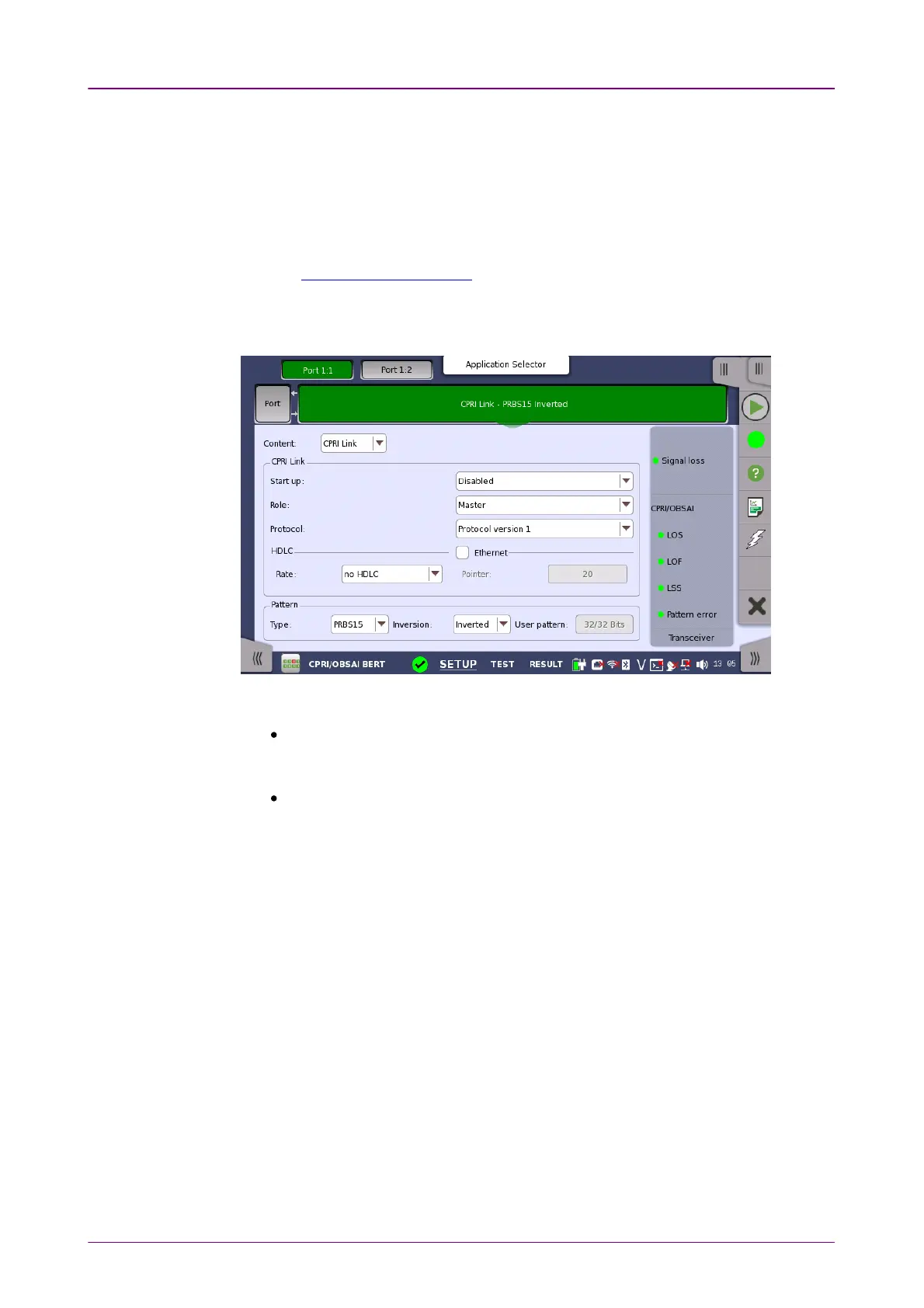
CPRI LinkCPRI Link
InversionInversion
Select whether or not to invert the bit pattern when Type is set to PRBS15PRBS15 to
PRBS31PRBS31.
User patternUser pattern
This is enabled when Type is set to User [32] bitUser [32] bit.
Touch the field to open the dialog box where you can define the bit pattern.
Refer to The User Pattern Editor.
Set the CPRI Link conditions, if ContentContent is set to "CPRI Link" and Port modePort mode is
set to "Normal".
Start upStart up
EnabledEnabled: The line rate, protocol version, and C&M Channel will be decided by
auto-negotiation. You can confirm the negotiated settings in Link of the status
information.
DisabledDisabled: The specified line rate, protocol version, and C&M Channel are
applied.
RoleRole
Select the port role from MasterMaster or SlaveSlave.
Timing setting will be changed to "Received" if setting to Slave.
ProtocolProtocol
If Start up in CPRI Link is set to DisabledDisabled, select the CPRI Protocol version
from 1 or 2.
Protocol version 2 appears if the line rate is set to 4915.2 Mbps or more.
HDLCHDLC
Touch the drop-down menu to specify the RateRate of slow C&M Channel.
Options depend on the line rate.
EthernetEthernet



 To Next Page