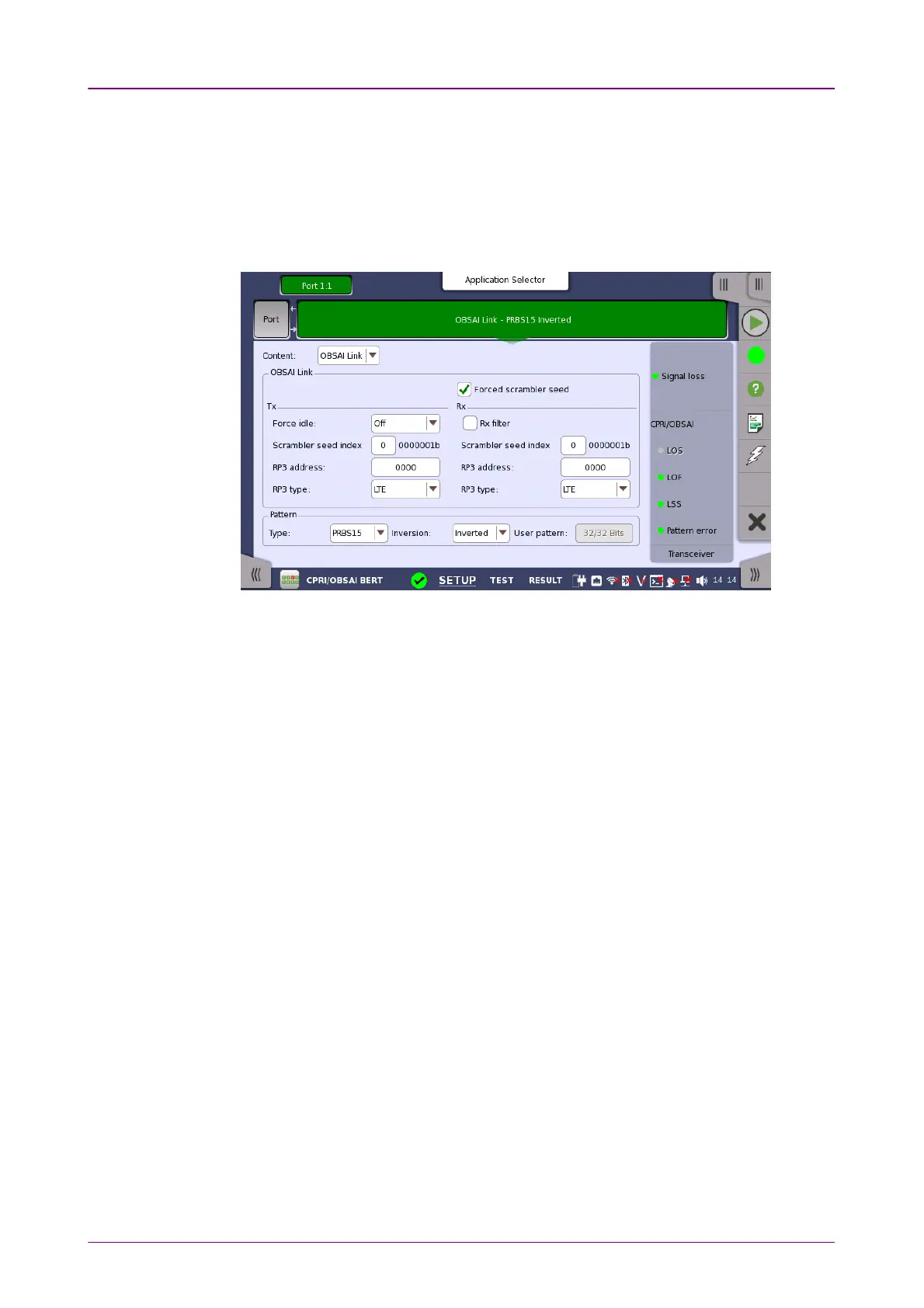
OBSAI LinkOBSAI Link
Select the check box if setting fast C&M Channel.
Touch the field to specify the PointerPointer. To set maximum Ethernet bit rate, set
"20" to the pointer. Actual Ethernet bit rate is proportional to the line rate
excluding 10137.6 Mbps.
Set the OBSAI Link conditions, if ContentContent is set to "OBSAI Link" and Port modePort mode
is set to "Normal".
Forced scrambler seedForced scrambler seed
This check box is displayed when Line Rate is set to 6144.0 Mbps6144.0 Mbps.
When not selected: The seed value is displayed in Scrambler seed indexScrambler seed index of Rx
upon completion of exchange of scrambler seeds. Until the scrambler seeds are
exchanged, the most recently used seed value is used.
When selected: Scrambling and de-scrambling are processed by using the
scrambler seed values set by the user for Rx and Tx, without exchanging the
scrambler seeds.
Force idleForce idle
When Line Rate is set to other than 6144.0 Mbps6144.0 Mbps, idle patterns are sent if
selecting OnOn.
When Line Rate is set to 6144.0 Mbps6144.0 Mbps and the Forced scrambler seedForced scrambler seed check
box is selected, you can select IDLE_REQIDLE_REQ and IDLE_ACKIDLE_ACK.
Scrambler seed indexScrambler seed index
These items appear when Line Rate is set to 6144.0 Mbps6144.0 Mbps.
Tx: Outgoing messages are scrambled based on this value.
Rx: Incoming messages are descrambled based on this value.
RP3 addressRP3 address
Tx: Specify the address of outgoing messages.
Rx: Specify the address of incoming messages.
RP3 typeRP3 type
Tx: Specify the data type of outgoing messages.
Rx: Specify the data type of incoming messages.



 To Next Page