Port definitionPort definition
88..44..11 Ports Setup and StatusPorts Setup and Status
88..44..11..11 Physical Port SetupPhysical Port Setup
The first step in running an application is to set up the port interfaces. This is
done on the Ports SetupPorts Setup screen, which also provides port status information.
The setup options and status information related to the Ethernet interface are
described in the following section:
Ethernet Setup and Status
The Ethernet setup screen for eCPRI/RoE BERT is different from the Ethernet
application setup screen in the following points.
ButtonButton DifferenceDifference
WAN Not displayed.
Stream
UnframedUnframed cannot be set.
Radio FrameRadio Frame setting is added in Stream Setup dialog box.
Settings InbandInband tab is not displayed.
Filter Not displayed.
88..44..11..22 Port configuration parametersPort configuration parameters
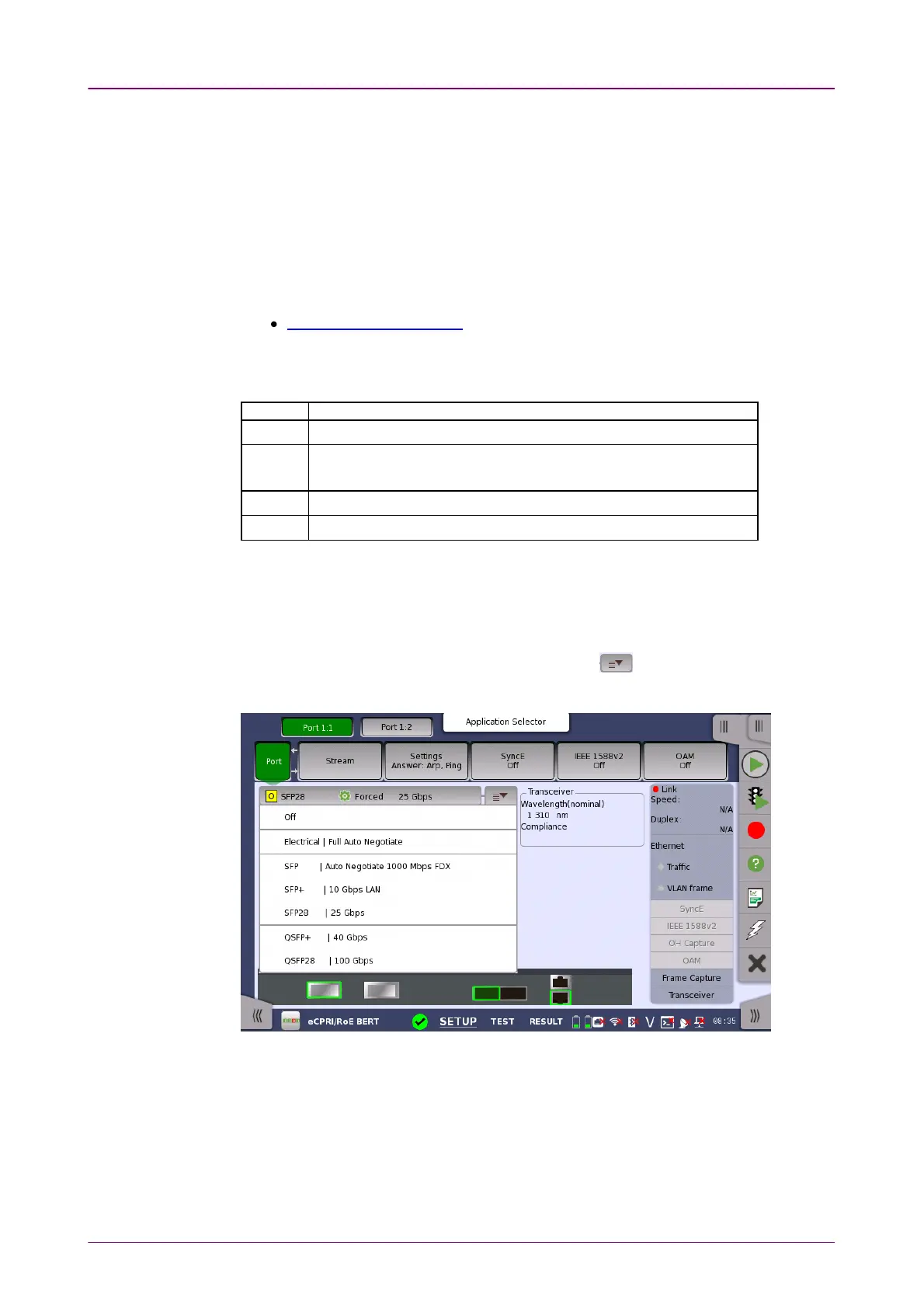
You can use either a 'quick mode' or a 'detailed mode' to set up the port.
Touching the long button at the top of the setup area will launch the Port Setup
dialog box. Touching the right part of the button ( ) will open the quick
setup menu.
The quick setup menu contains a number of predefined port configurations
(e.g. Electrical | Forced 100 Mbps FDXElectrical | Forced 100 Mbps FDX). The detailed mode dialog allows you
to specify the configuration yourself.
Touching the wide button above the setting area launches the Advanced Mode
(Port Settings) dialog box.



 To Next Page