3-7 LMR Digital Demodulation Signal Analyzers Quick Start Guide
3-22 PN: 10580-00318 Rev. P S412E UG
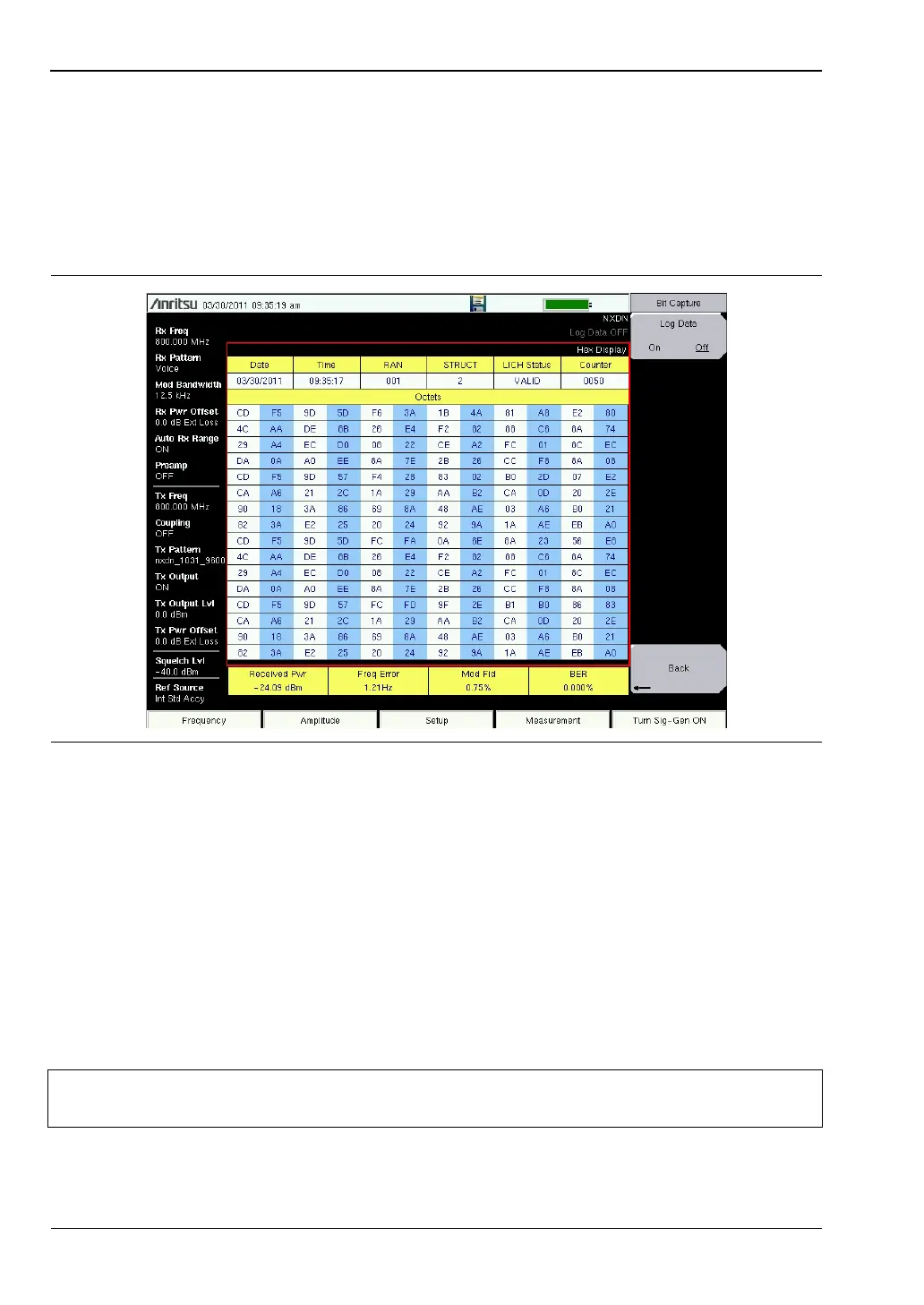
Bit Capture Measurement (not available in dPMR, PTC, or TETRA modes)
1. Press the Setup main menu and set the Rx Pattern to Voice.
2. Press the Measurement main menu key, then press the P25 Bit Capture,
P25p2 Bit Capture, NXDN Bit Capture or DMR 2 Bit Capture submenu key.
3. To save bit capture data for additional analysis, insert a formatted USB flash drive into
the LMR Master and turn Log Data On. (Figure 3-14).
IQ Capture Measurement
1. Insert a formatted USB flash drive in the USB port of the LMR Master.
2. Press the Measurement main menu key, then press the P25 IQ Capture, P25p2 IQ
Capture, NXDN IQ Capture, dPMR IQ Capture, DMR 2 IQ Capture, PTC IQ Capture, or
TETRA IQ Capture submenu key.
3. After a few second the LMR Master will display the message “IQ Capture Complete”.
4. The IQ data is stored on the USB flash drive under the /usr folder in a date stamped
folder. The file will be IQ_CAPTUREyearmonthdaytime.p25 (or .p252, .nxdn, .dpmr,
.dmr2, .ptc, or .tetra).
Figure 3-14. Bit Capture Measurement
Note
These measurements are captured on an external USB flash device. The captured
data file can not be recalled and displayed on the instrument screen.



 To Next Page