A7 Plus – OPERATOR'S MANUAL
• To edit turbine rotating speed, touch icon buttons or or scroll
the relevant bargraph with your finger.
• Use the foot control lever to start the instrument (see paragraph 5.2.).
the turbine cord can also be used to connect the air
micromotors equipped with 4-way connector and conforming
to ISO 13294 Standard - Dental Air Motor.
The instrument is supplied non-sterile.
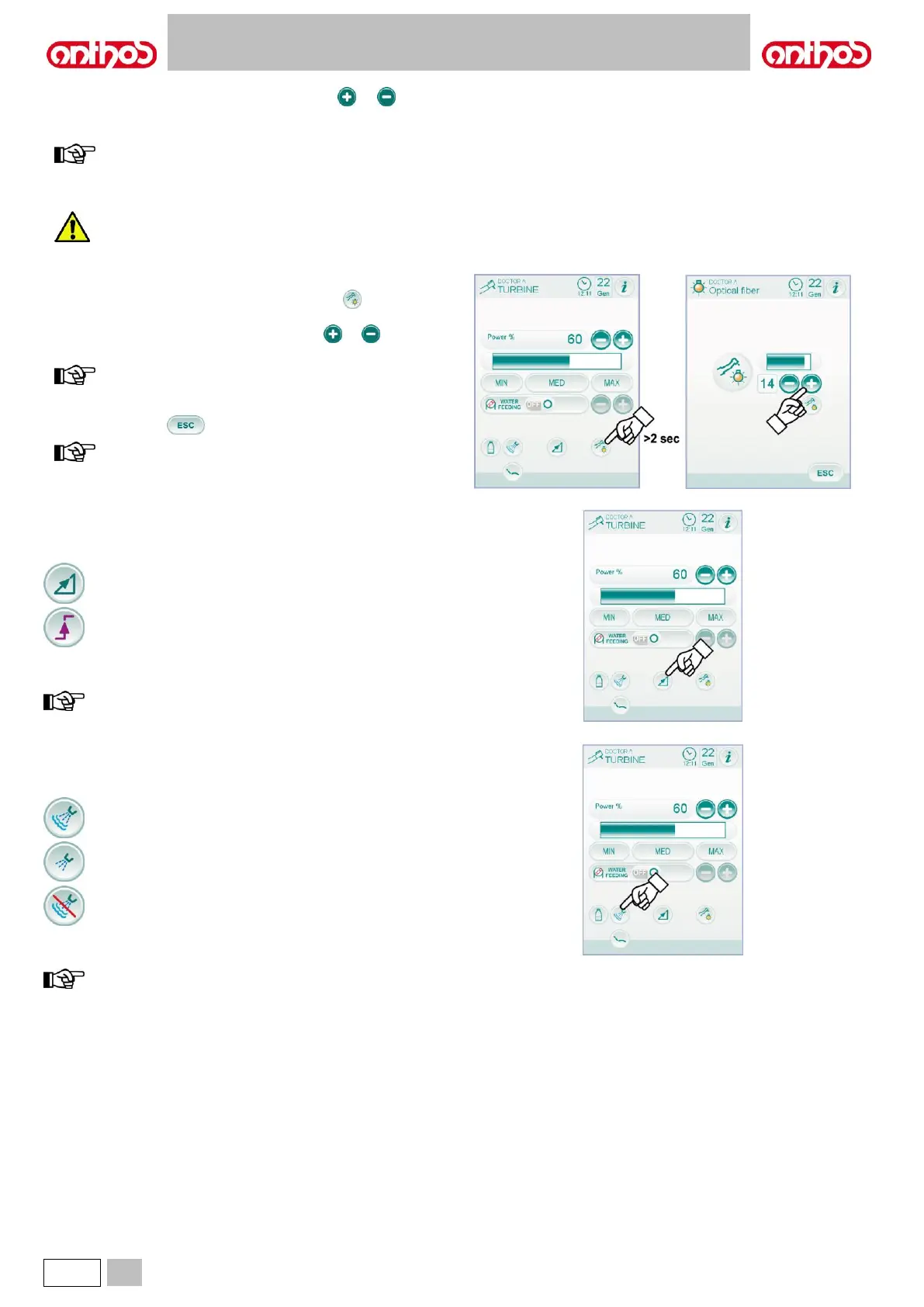
Fibre optic brightness adjustment.
• To adjust fibre optic brightness, touch icon button (for at least 2
seconds).
• Adjust brightness level by touching icon buttons or or scrolling
the bargraph with your finger.
value setting range: 1 to 16.
• To confirm the selected brightness, simply quit this sub-menu by
touching icon button .
the fibre optic switches off when the instrument (foot control
lever off) is not used for 30 seconds.
Editing turbine operating speed.
With the instrument in working position, select the turbine operating
speed variation mode by touching the following icon buttons:
Linear variation, proportional to foot control lever movement.
ON/OFF variation entailing the supply of the max. power set
upon foot control lever activation.
The icon corresponding to the active mode is shown on the TOUCH
DISPLAY.
data settings are automatically saved.
Spray to instrument control button.
With the instrument in working position, select the type of delivered spray
by touching the following icon buttons:
Water + air spray operation.
Water only spray operation.
The variation is cyclical upon every touch and the icon corresponding to
the active mode is shown on the TOUCH DISPLAY.
data settings are automatically saved.



 To Next Page