Patient monitor User’s manual
Chapter 16-4
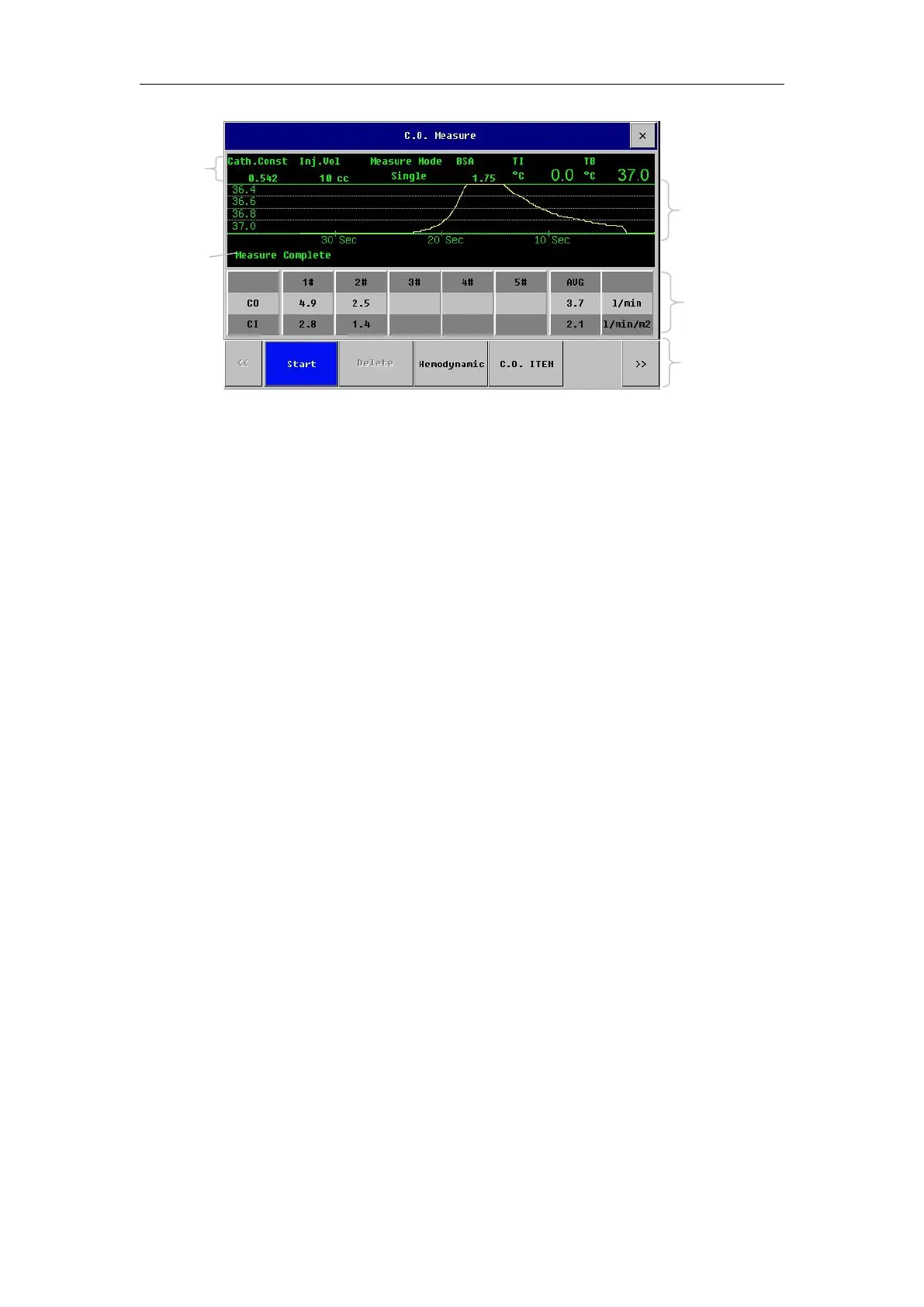
Below the C.O. measurement window, the following function buttons are
1)
【
Start
】
: Start a C.O. measurement.
2) 【 Delete 】 : Selectively delete the measured values in the historical
3)
【
Hemodynamic
】
: Open the menu of
【
Hemodynamic
】
. See 1.5.4 of this
chapter for the detailed content of the menu.
4) 【C.O. ITEM】: Open the C.O. item to browse the measurement results.
5)
【
Setup Scale
】
: Open the menu of scale setting to adjust the scale range.
6) 【Setup C.O.】: Open the menu of【Setup C.O.】. See 1.5.2 of this chapter
for the detailed content of the menu.
7)
【
Record
】
: Record the latest measurement curve and measurement result.
Select the 【Setup C.O.】 to set the items in the C.O. setting window in
1
) 【
Measure Mode
】
:
【
Single
】
mode or
【
Continuous
】
mode is optional.
2) 【 TI Source 】 : The temperature source of injectate can be input by the
user or measured by the injectate temperature probe. The options include
【
Manual
】
and
【
Auto
】
. When
【
Auto
】
is set, the temperature of injectate
can be obtained through the In-line Injectate sensor cable in real time.
3) 【Setup TI】: When the【TI Source】is automatic, the TI is unadjustable;
when the
【
TI Source
】
is manual, the TI is adjustable.
4) 【Inj.Vol】: 3cc, 5cc or 10cc is optional.
5) 【 Cath.Const 】 : The set value of the constant can be obtained in the



 To Next Page