Patient monitor User’s manual
Chapter 4-10
To enter other bed screen:
Select【Main Menu】smartkey→【Main Screen Select】→【Other
Or select【Main Screen】smartkey→【Other Bed】.
After your monitor is connected to the central monitoring system, you can
realize other bed monitoring by selecting the monitors for other beds in the same
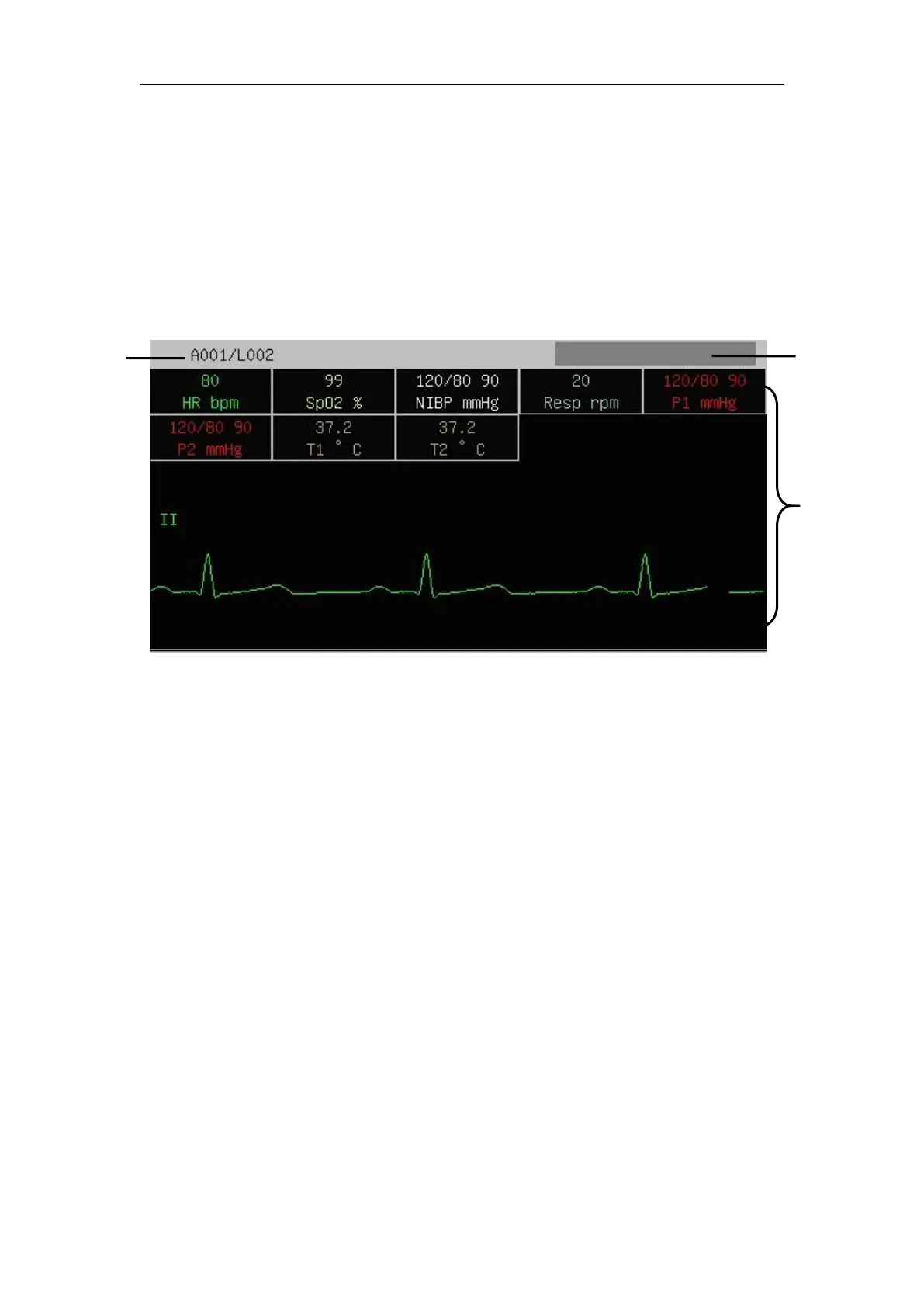
network. The other-bed-monitoring screen can display all the parameter data of
other bed and a certain physiological parameter waveform. You can select at most
10 other-bed monitors to constitute “another-beds-monitoring group”.
The other-beds-monitoring screen in the above figure consists of the following
1. Patient’s information region: Display patient’s room number, bed number,
2. Information display setting region: Display the device numbers of the set
other-bed monitors and whether they are receiving data.
3. Other-bed-monitoring region: Display all the physiological parameter data
and a certain physiological parameter waveform.
To perform other-bed monitoring, you can do the following:



 To Next Page