18
3.2 Accessing the service program
Note!
You must enter your access rights code before you can
change anything in the program. If the numerical value
LVÀDVKLQJLWFDQEHFKDQJHG,ILWLVQRWÀDVKLQJHLWKHULW
cannot be changed or you do not have the access rights to
change it.
Note!
You must be in line number mode to quit the service
program.
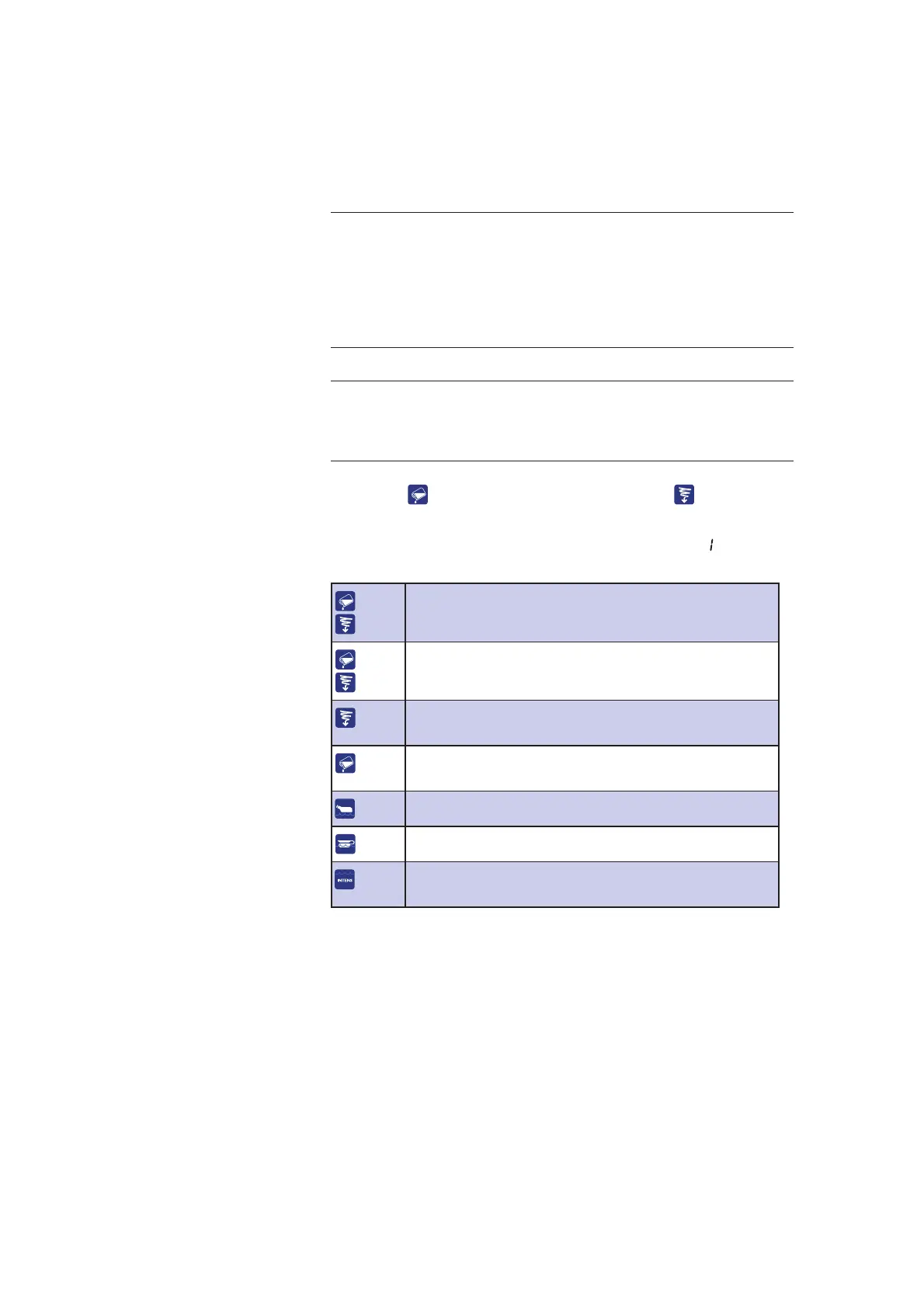
First press
and keep it pressed in. Then press and keep
pressing both buttons for 10 seconds.
The machine is now in service mode and line numbers
appear on
the display.
+
Enter the service program (keep both buttons
pressed for 10 seconds).
+
Quit the service program (press the buttons for four
seconds).
Increase line number or numerical value. For rapid
feed, hold the button down.
Decrease line number or numerical value. For rapid
feed, hold the button down.
Cancel entry without saving the new value.
Jump back to the previous display window reading.
Go to sub-line/go to numerical value/save numerical
value/go to next numerical value.
3.3 Operator password (line number 0)
The machine has four authorization levels:
• Level A for users; display only (code 0000)
• Level B for users; change (code 2000)
• Level C for service personnel, change
• Level D for production purposes
The code only protects against changes.
The authorization code must be entered in the same way as other
numerical values as described in the next section.



 To Next Page