VAR8 and Variants Operation, Commissioning, Fault Finding, and Maintenance Guide
sue: 02 complete, approved
-
Is
Page 49 of 166
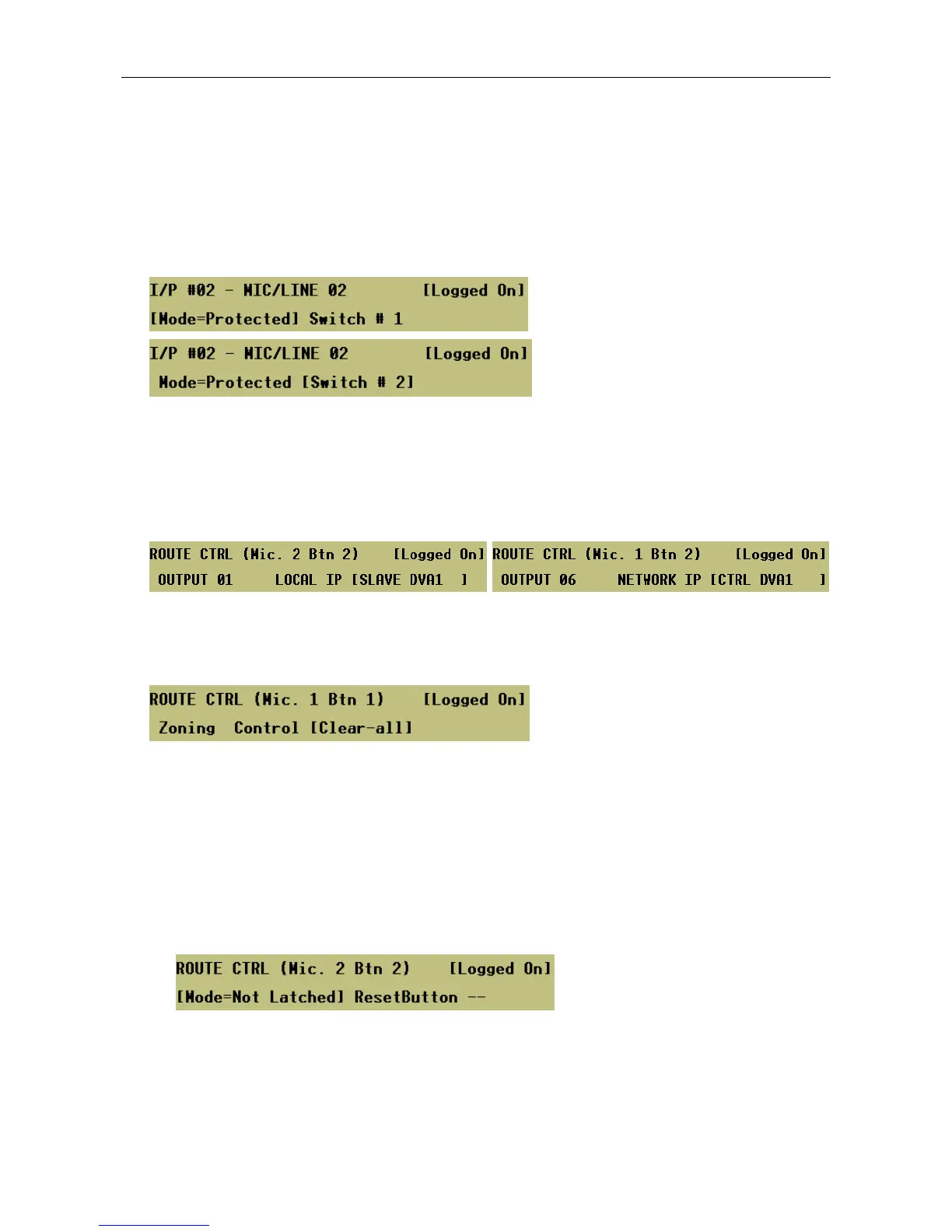
3. For microphones provided with security key, program the security key as required by selecting the
‘Protected’ mode, and then the key-switch. By default the button is ‘Not Protected’.
When protected, the key must be turned on for the button function to be allowed. One key-switch may be
configured to protect more than one button.
The security key is intended to safeguard emergency DVA triggers from inadvertent operation.
Menu: ConfigurationÆSystemÆRouterÆInputsÆMic/LineÆI/P #<nn>Æ<mic type>ÆButtons
ÆSecurity
4. Program the combination of outputs and inputs that will be selected when the button is pressed.
Menu: ConfigurationÆSystemÆRouterÆInputsÆMic/LineÆI/P #<nn>Æ<mic type>ÆButtons
ÆDVA RoutingÆZoning
The input may be any of the local or Audio Control Unit (network) audio sources, including the Mute input
(see Section “12 Mute Input Configuration”).
Local Inputs: Audio Control Unit Inputs:
When re-configuring the route associated to a ‘DVA Routing’ button, the user has the option to clear
down the route associated with a DVA Routing button at once by selecting the following menu.
Menu: ConfigurationÆSystemÆRouterÆInputsÆMic/LineÆI/P #<nn>Æ<mic type>ÆButtons
ÆDVA RoutingÆClear-all
5. Select the routing mode.
Menu: ConfigurationÆSystemÆRouterÆInputsÆMic/LineÆI/P #<nn>Æ<mic type>ÆButtons
ÆDVA RoutingÆControlÆLatching
• Not-Latched:
This mode is useful for the control of both DVA routes and other sources, such as background
music.
When configured for non-latching operation the first press of a DVA Routing button initiates a route,
and the second press terminates it.
This is the system default setting.


 To Next Page