VAR8 and Variants Operation, Commissioning, Fault Finding, and Maintenance Guide
sue: 02 complete, approved
-
Is
Page 80 of 166
15 Remote I/O Unit or Fire Loop Interface Configuration
The VAR8 supports Remote I/O Units and Fire Loop Interfaces connected to its RS485 port. Each of these
units has an address on the RS485 bus.
To Configure a Remote I/O Unit or Fire Loop Interface connected to the RS485 Port:
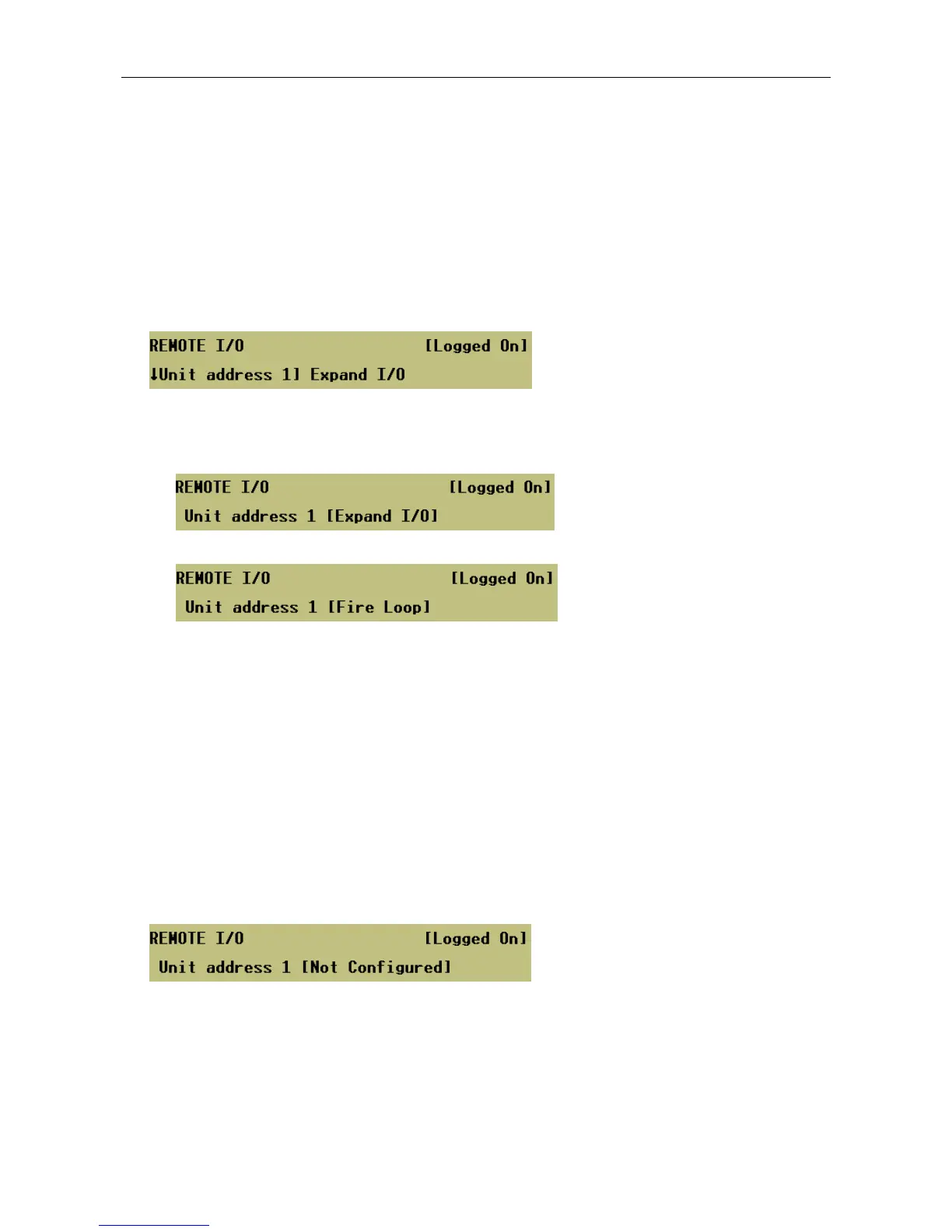
1. Select the unit address.
Menu: ConfigurationÆSystemÆRouterÆCtrlÆRemote
2. Select the unit type.
Menu: ConfigurationÆSystemÆRouterÆCtrlÆRemote
a. Remote I/O Unit
b. Fire Loop
3. Pressing the SELECT key will configure the unit at the selected address and display the unit
configuration menu, which enables the user to program the selected unit type:
a. For Remote I/O Unit see Sections:
“16 DVA or Route Triggers via Contact Configuration"
“18 Ambient Noise Sensor (ANS) Configuration”
“19 Volume Control Configuration”
“20 Programme Selector Configuration”
“21 External Fault Configuration”
“22 Busy Indication Configuration”
b. For Fire Loop Interface see Section:
“17 DVA or Route Triggers via Third Party Fire Loop Interface”
4. Any address on the RS485 bus that is not used should be configured as ‘Not Configured’.
Menu: ConfigurationÆSystemÆRouterÆCtrlÆRemoteÆ Not Configured


 To Next Page