Getting Started
QL-E100 User Guide 9
Choosing an Installation Location
Select an installation location that meets the requirements described below. These requirements
will help ensure safe operation and optimal printing results.
• The printer power cable must be able to connect to an appropriate power outlet. This power
outlet must be easily accessible.
• Avoid installing the printer near water sources such as faucets, water heaters, humidifiers, or
refrigerators.
• The environment temperature must be within 59°F to 89°F (15°C to 32°C).
• The environment humidity must be within 20% to 80% RH (non-condensing).
• The environment must be well ventilated and free of dust.
• No printer feet should float. The printer must be held level constantly.
• The installation surface must be sturdy and stable enough to support the weight of the printer
and any accessories.
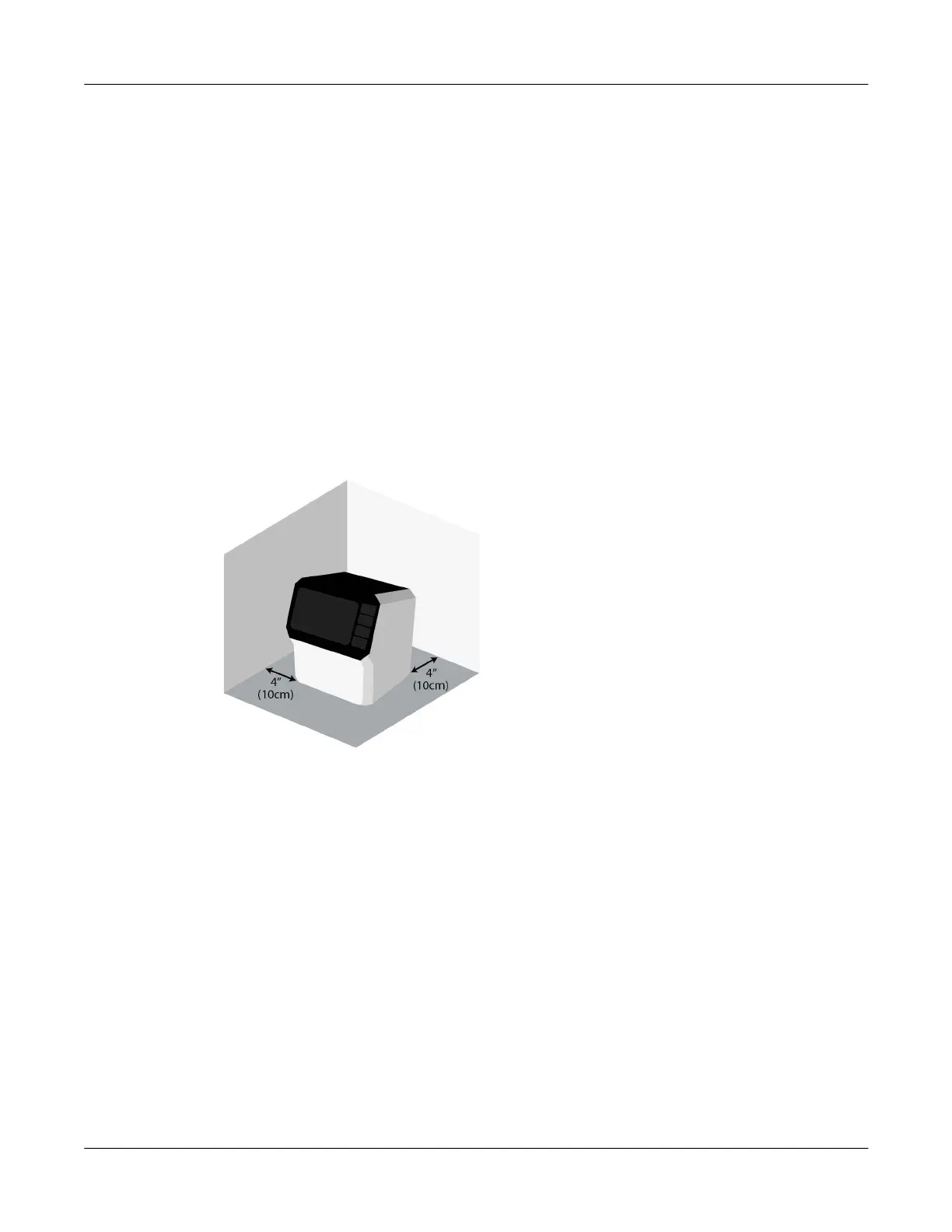
• A minimum of 4 inches (10 cm) of free space is required on each side of the printer.
System Requirements
Verify that your PC meets the following system requirements.
• Microsoft Windows® 11, 10, 64/32-bit Driver
• Microsoft .NET Framework 3.5 SP1
• 8 GB RAM
• 350 MB free hard drive space
• Internet access
• One available USB 2.0 port for USB installation



 To Next Page