Getting Started
QL-E100 User Guide 11
Installing the Printer
This section describes the tasks required to install the printer.
Connecting the Power Cable
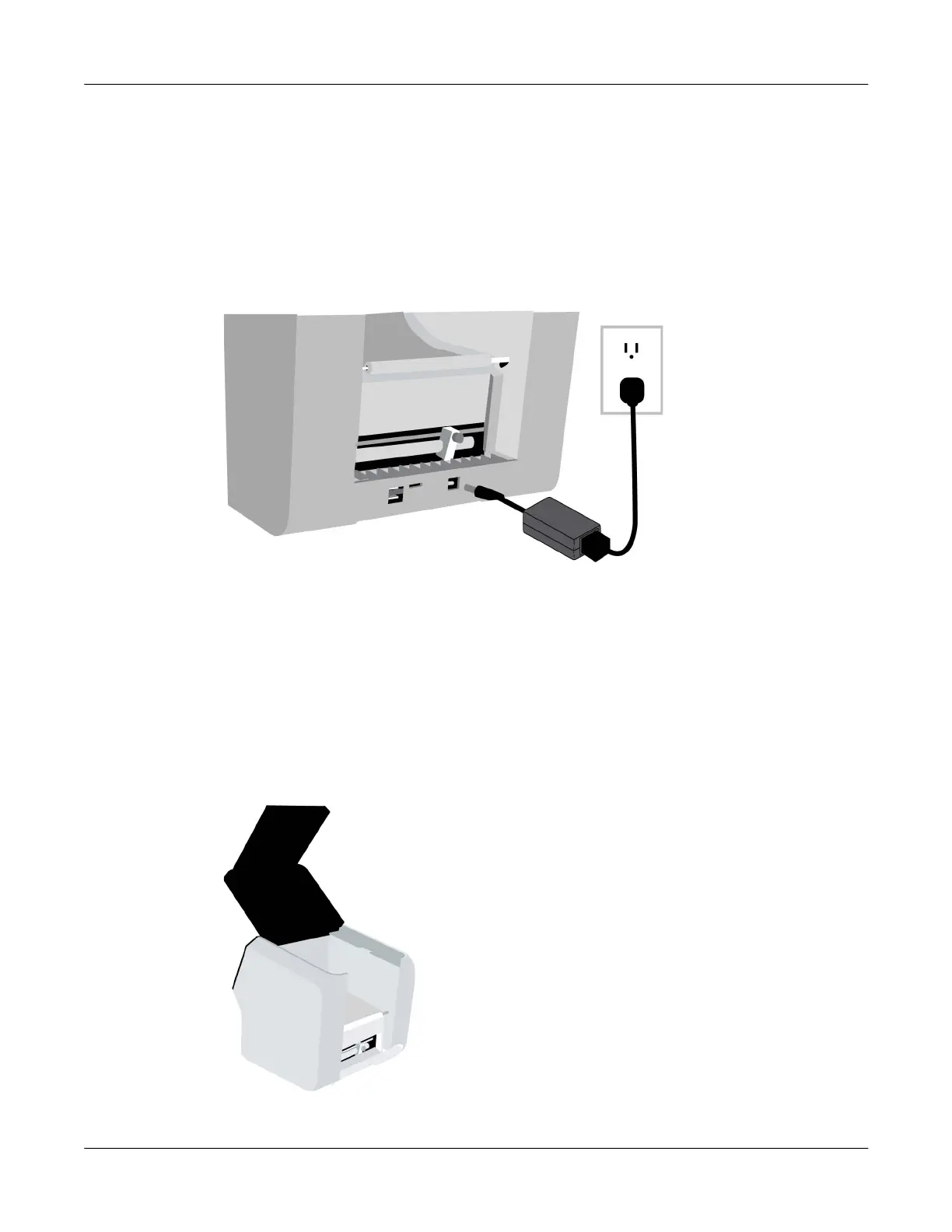
Use the included power adapter to supply power to the printer.
1. Connect the power cable to the power adapter. Plug the adapter’s power cord into the printer’s
power inlet. The power inlet is located on the back of the printer.
2. Plug the power cable into an AC power receptacle. The power button on the front of the printer
will light red when power is connected.
Note: Do not turn the printer’s power on at this time.
Preparing Roll Media
The printing system uses roll media. You will load a roll of labels on the roll holder in the correct
orientation, and then set the roll holder in the printer. During printing, the roll holder will turn freely
and unwind labels as they are fed into the printer.
1. Open the upper lid.



 To Next Page