Touchscreen Controls and Functions
QL-E100 User Guide 64
Media Settings Tab (QuickPrint Functions)
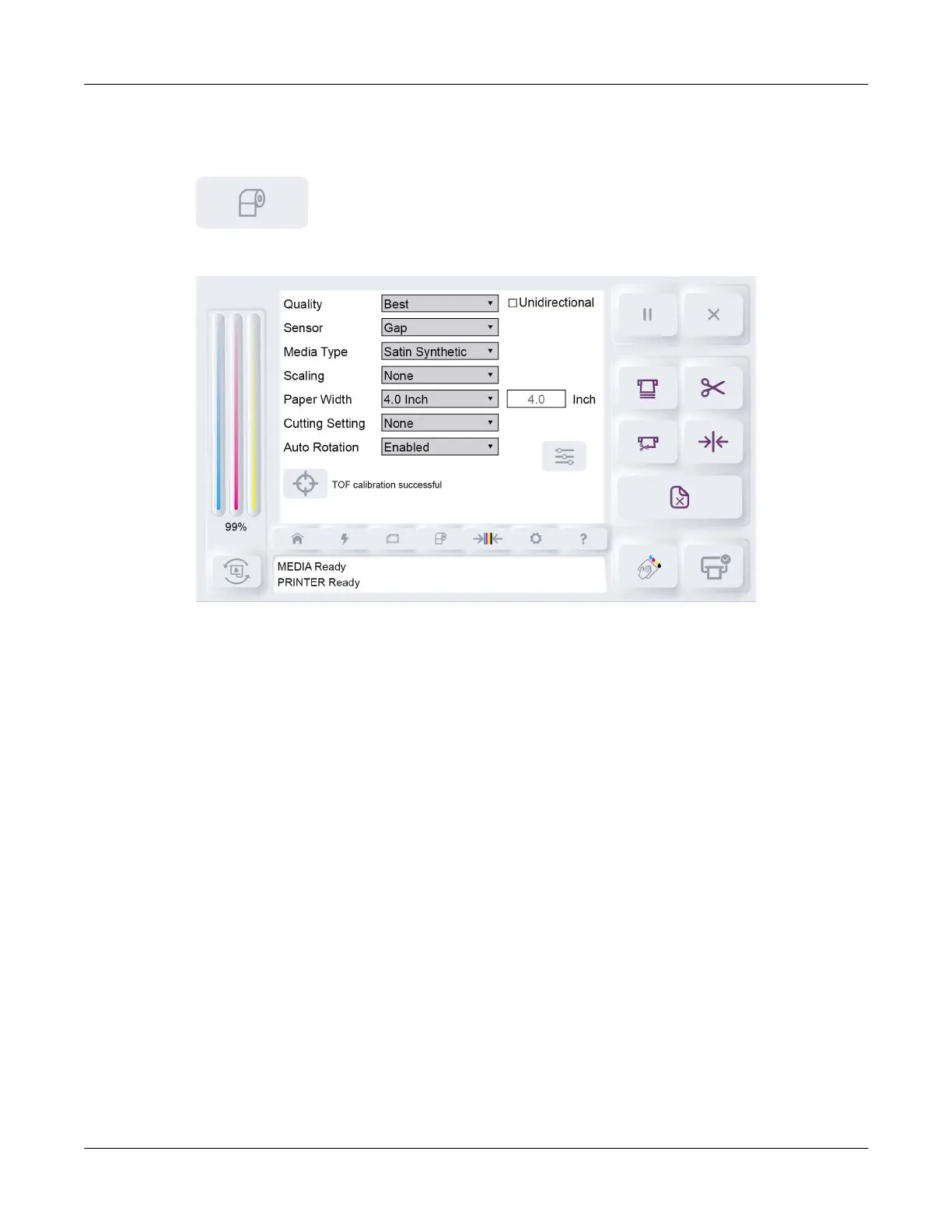
Tap the Media Settings icon.
The Media Settings tab will open.
The Media Settings tab shows label and print settings that are used for QuickPrint printing.
Detailed QuickPrint instructions are provided in a dedicated chapter. See “QuickPrint Printing from
USB or Printer Memory” on page 50.
These settings apply only to QuickPrint printing. If you are printing from a computer, these settings
are not used.
Quality
Select a print quality.
• Best - If you select this option, labels will be printed with the best possible quality. Labels will
be printed with a resolution of 1200 x 600 dots per inch. In this mode, the printhead will pass
over the same area multiple times while printing.
• Normal - If you select this option, labels will be printed with a resolution of 1200 x 600 dots per
inch.
• Economy - If you select this option, labels will be printed with a resolution of 600 x 600 dots
per inch.
• Draft - If you select this option, labels will be printed with a resolution of 300 x 300 dots per
inch. It provides the lowest possible resolution and saves the maximum amount of ink.
Use a higher print quality for printing production labels. Use a lower print quality for printing label
proofs.



 To Next Page