Touchscreen Controls and Functions
QL-E100 User Guide 56
Chapter 6: Touchscreen Controls and
Functions
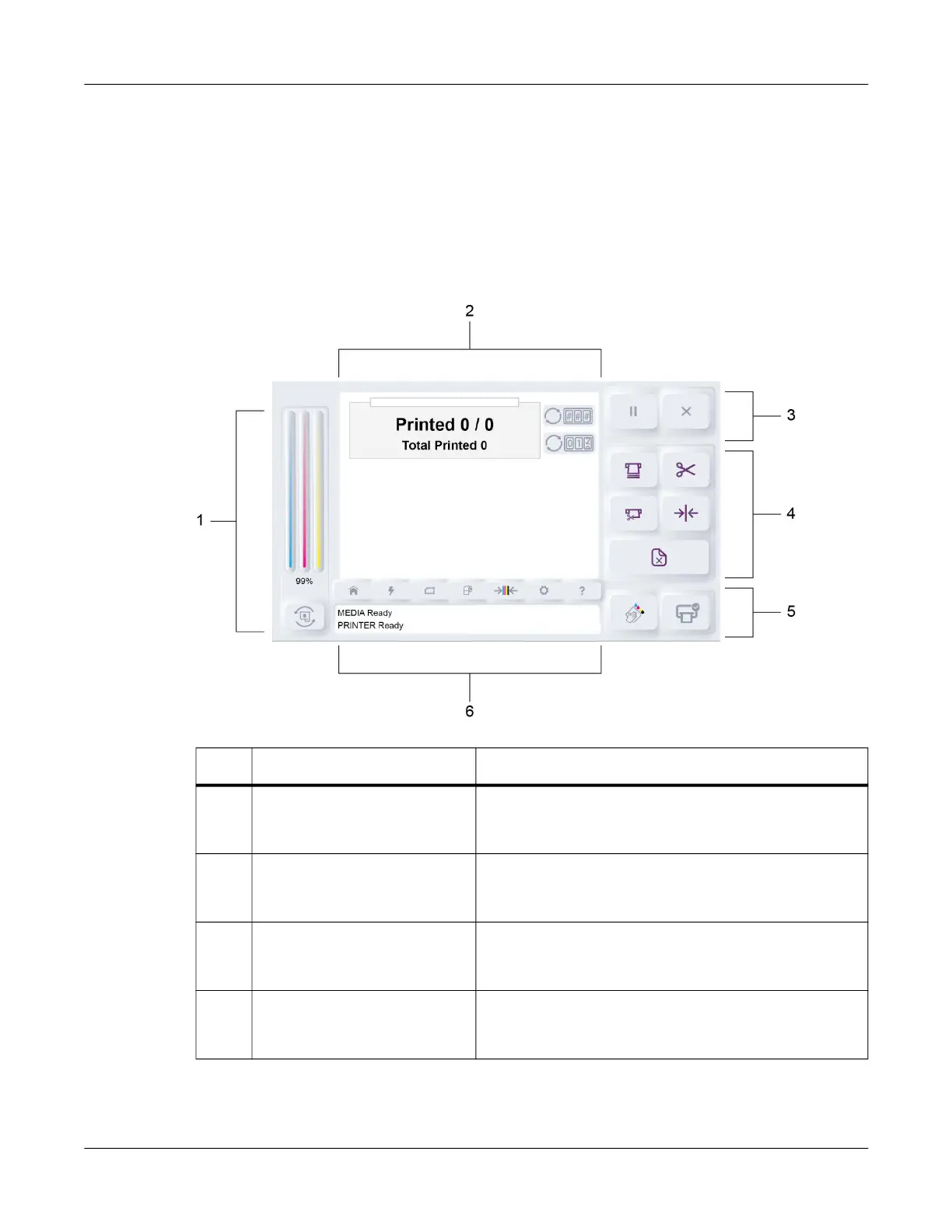
Main Screen Orientation
# Name Description
1 Ink Level and Ink Change
Controls
The ink level is displayed in this area. An icon is
available for replacing the ink cartridge. See “Ink Level
and Ink Change Controls” on page 57.
2 Main Area The main area is a tabbed interface that provides
access to various settings and features. See “Main
Area” on page 57.
3 Printing Controls These icons perform functions such as pausing,
resuming, and canceling a print job. See “Printing
Controls” on page 57.
4 Media Controls These icons perform functions such as loading,
cutting, and unloading media. See “Media Controls” on
page 58.



 To Next Page