Touchscreen Controls and Functions
QL-E100 User Guide 68
System Settings Tab
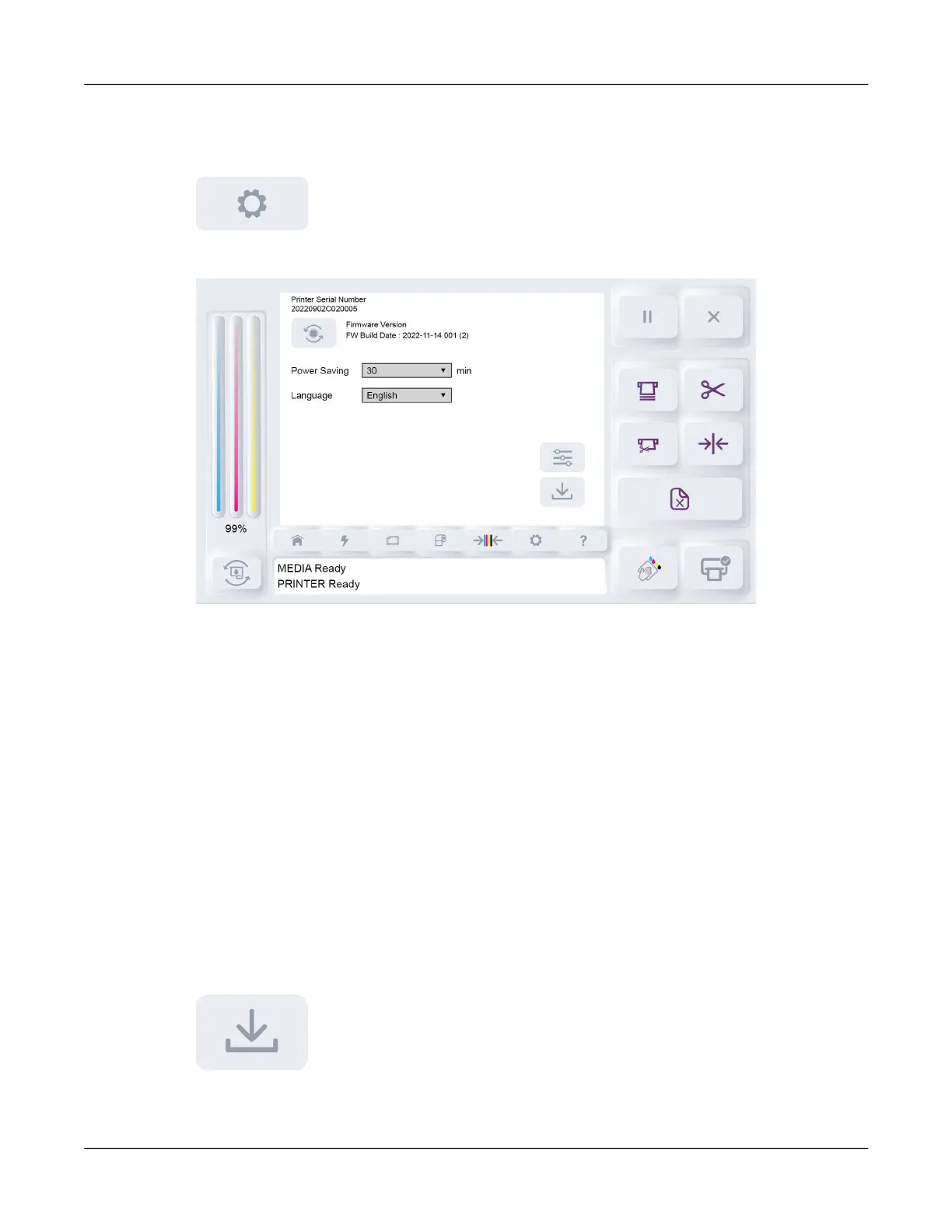
Tap the System Settings icon.
The System Settings tab will open.
The System Settings tab shows information about firmware, power saving, and language
features.
Printer Firmware Information
The installed firmware version is shown in this screen. You can upgrade the firmware as new
versions are released. See “Upgrading the Printer Firmware” on page 73.
Power Saving
The power saving feature dims the touchscreen when the printer is not in use. Use the Power
Saving field to select the number of idle minutes after which the screen will be dimmed. You can
disable power saving by selecting “Off” from the list.
Language
Use the Language option to select a language for the text on the touchscreen.
Save Changes
Tap the Save icon to save the changes you made in the System Settings tab.



 To Next Page