8. GUI – Installation
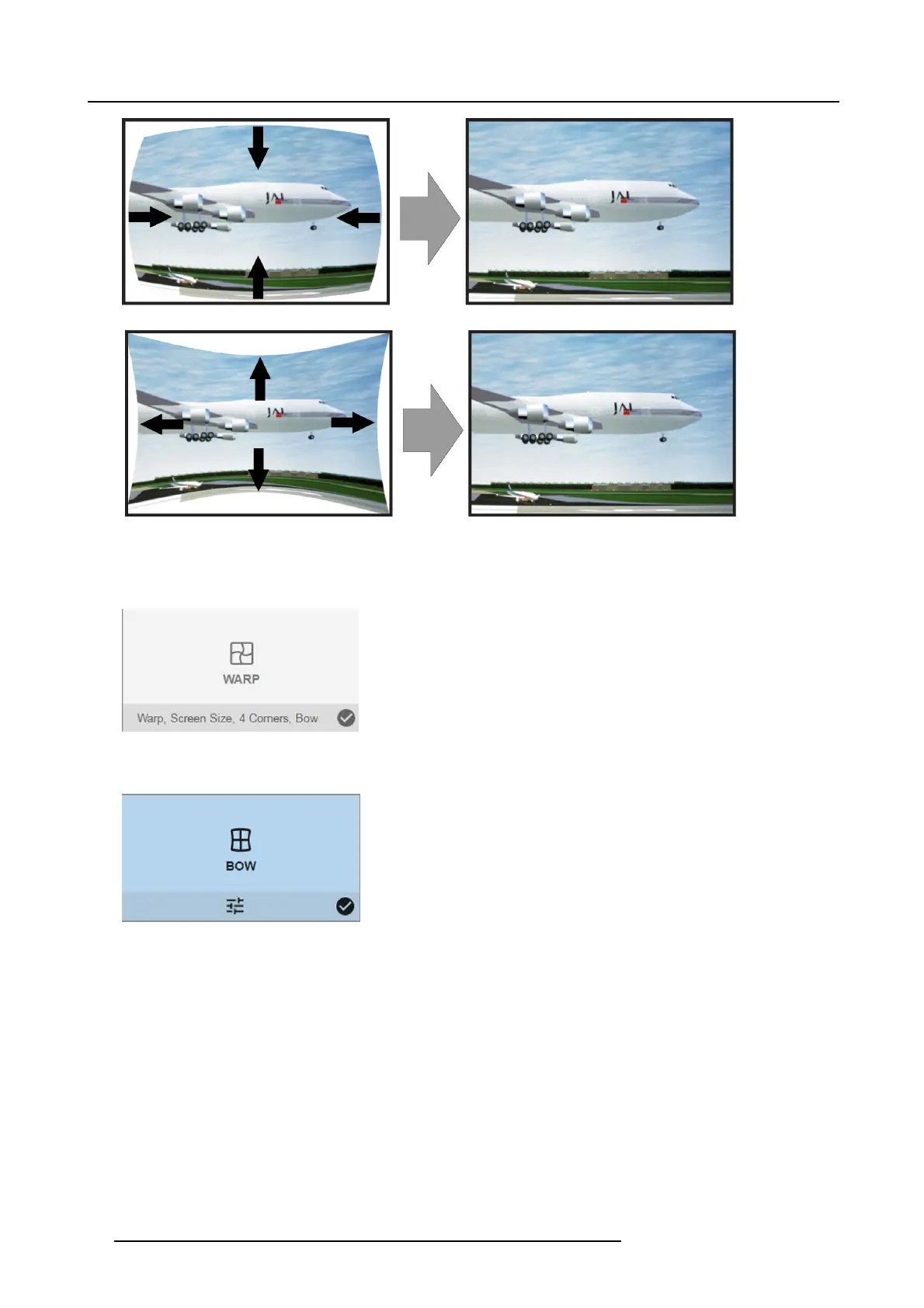
Image 8-14
Bow distortion
How to adjust
1. In the main menu, select Installation → Warp.
Image 8-15
Installation menu, Warp
2. In the Warp menu, select Bow.
Image 8-16
Warp menu, Bow
A check symbol at th e bottom right corner indicates that the bow function is activated.
3. To enable Bow correction, make sure the Bow slider is set to On.
The slider is enabled whe n set t
o the right an d when it is colored blue.
48
R5906852 F80 SERIES 21/09/2017



 To Next Page