22 of 285
Secure Mode
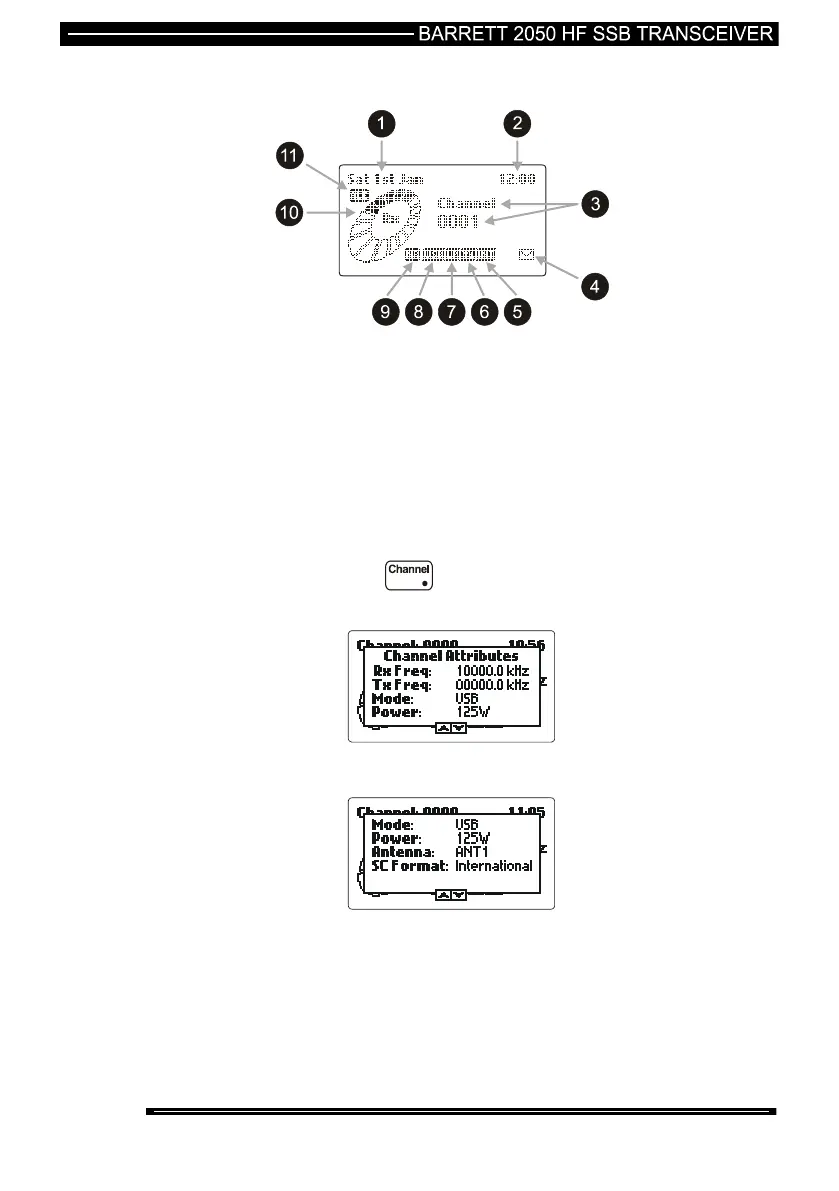
In secure mode the LCD display shows:-
1 Date 7 Power setting
2 Time 8 Mode
3 Channel number 9 Noise reduction activated
4 Missed Selcalls received 10 Receive signal strength
5 Selective Call mode. 11 ALE active
6 Antenna in use
Channel Attributes
Pressing and holding down the key for more than 2 seconds will reveal
more details about the currently selected channel:-
Using the Scroll keys to scroll down will reveal further details:-
Note:- When in Secure mode the channel attributes do not show frequencies.



 To Next Page