53 of 285
Call History
Whenever a Selcall, Telcall, Allcall, Group call, Sub group call, Pagecall, Statcall
GPS or Emergency call is received or transmitted its details are held in a first in
first out call history buffer.
Received calls that have not been viewed before are held in a section called “New
Calls”, received calls that have been viewed are held for future viewing in the “Call
Inbox” all transmitted calls are stored in the “Call Outbox”. Each history buffer can
store up to 30 entries.
Call history can be entered as follows:-
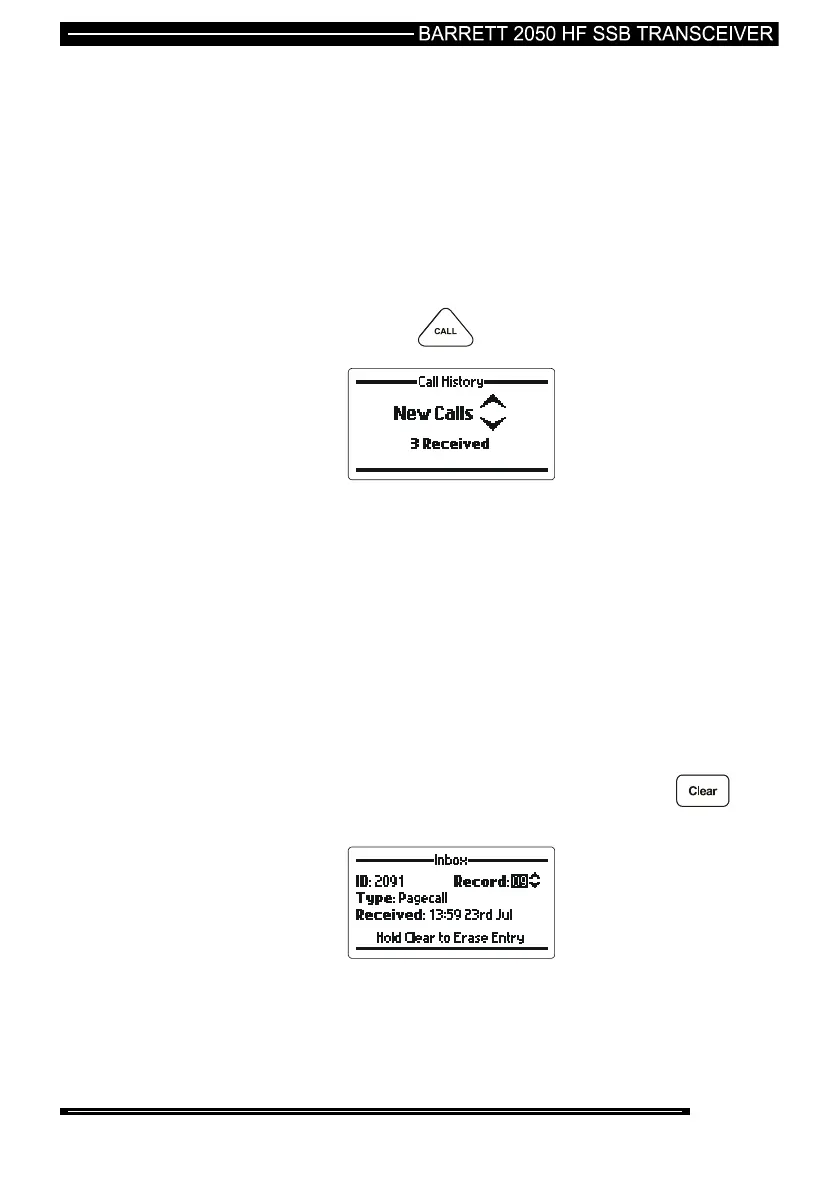
Either Press and hold the key for 2 seconds:-
Or Select Call history in the Standard Menu section
Note:- A full description of navigating the call history section is described in the
Standard Menu section of this manual.
Erasing Calls From History
Individual or all entries can be deleted from the Outbox, Inbox or New Calls section
of the Selcall history. Below is an example of how to delete an individual call from
the Inbox of Selcall history.
Enter Selcall history as described above.
Go to the Inbox menu.
Use the scroll keys to select the call to be deleted then press and hold the
key. The display will show the following:



 To Next Page