63 of 285
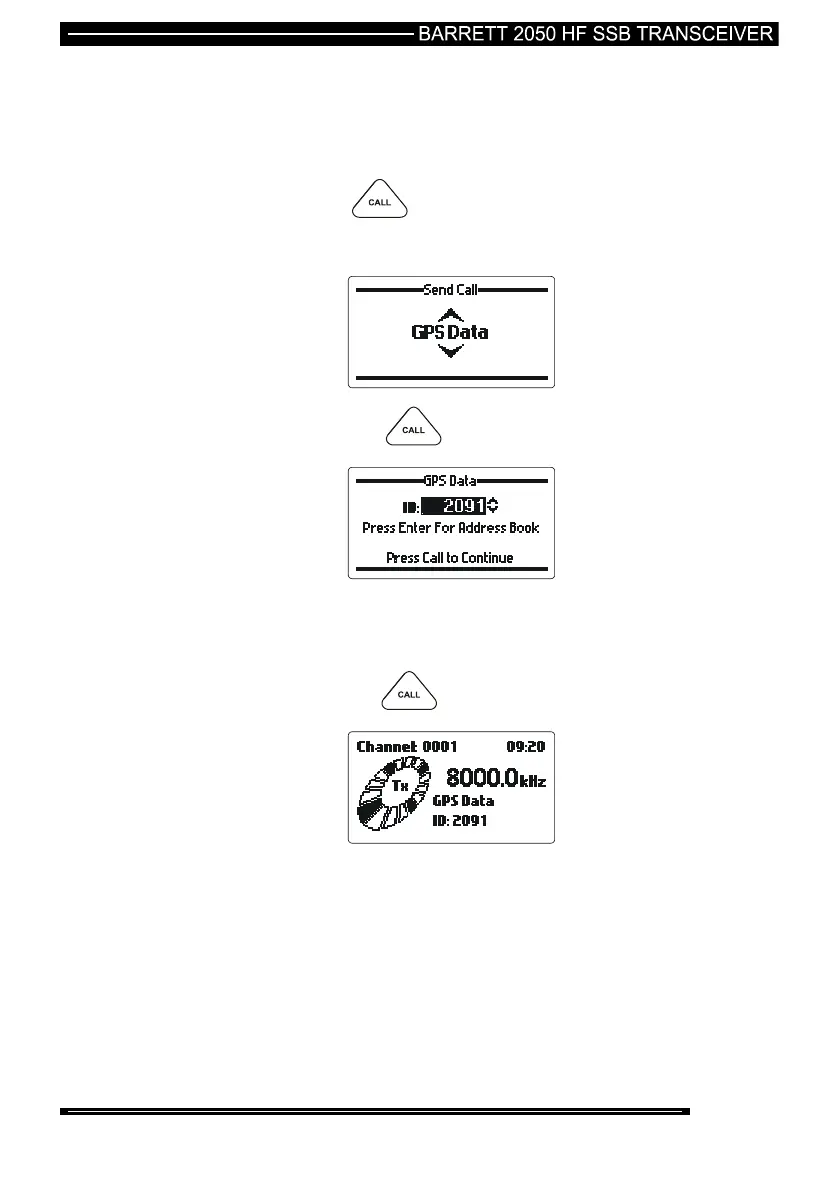
Sending Your GPS Position to Another Station
select the channel you want to send the GPS call on. (“Beacon
Call” can be used to select the best channel)
listen for traffic on that channel, if no traffic is heard then continue.
press the key
select “GPS Send” with the scroll keys:-
then press the key
enter the identification of the station you want to send your GPS
position to (see “Entering station IDs and using the address
and telephone books”)
then press the key
Your GPS position will is now be transmitted, wait for a revertive
tone from the remote station to confirm the call was received, if no
revertive tone is heard repeat the process or change to another
channel and repeat the process.
Note:- The GPS interface option BCO205004 must be fitted and the GPS receiver
P/N BCA20009 must be connected and receiving position information when using
the GPS call option.



 To Next Page