34 of 285
Changing Self IDs During a Call
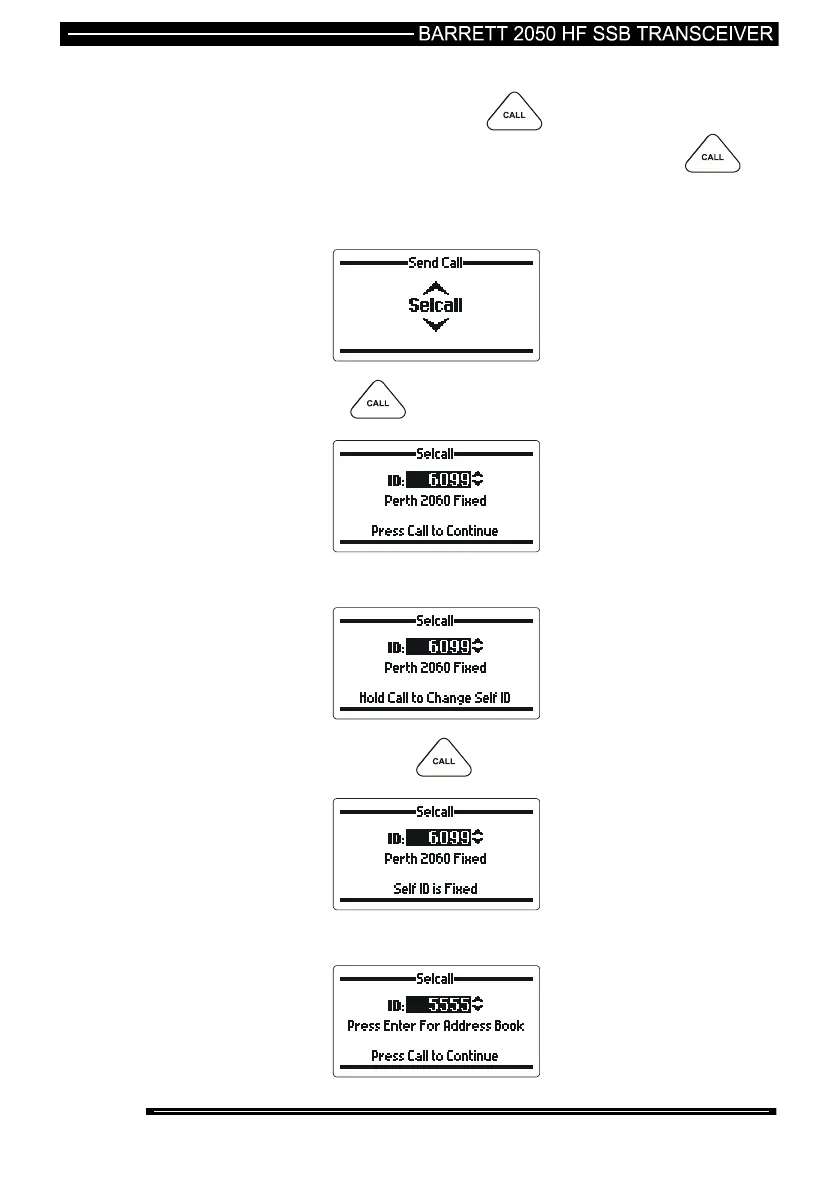
During any selective call process pressing the button after the destination
address has been entered will continue on with the call process. If the
button is pressed and held for 2 seconds then the option of changing the self ID of
the call will become available. If the destination address is a fixed address entry
then the operator cannot change self IDs during the call.
press the key
Use the scroll keys to select the address required
press and hold the key for 2 seconds
this address book entry ID is fixed so the self ID cannot be
changed.



 To Next Page