7 | Commissioning Baumer
32 Operating Manual OX100 | V2
7.4 IO-Link setup
Download IODD file for the sensor at www.baumer.com/OX200 or at IODDfinder (https://
ioddfinder.io-link.com). You can track the matching IODD file using the sensor's product num-
ber.
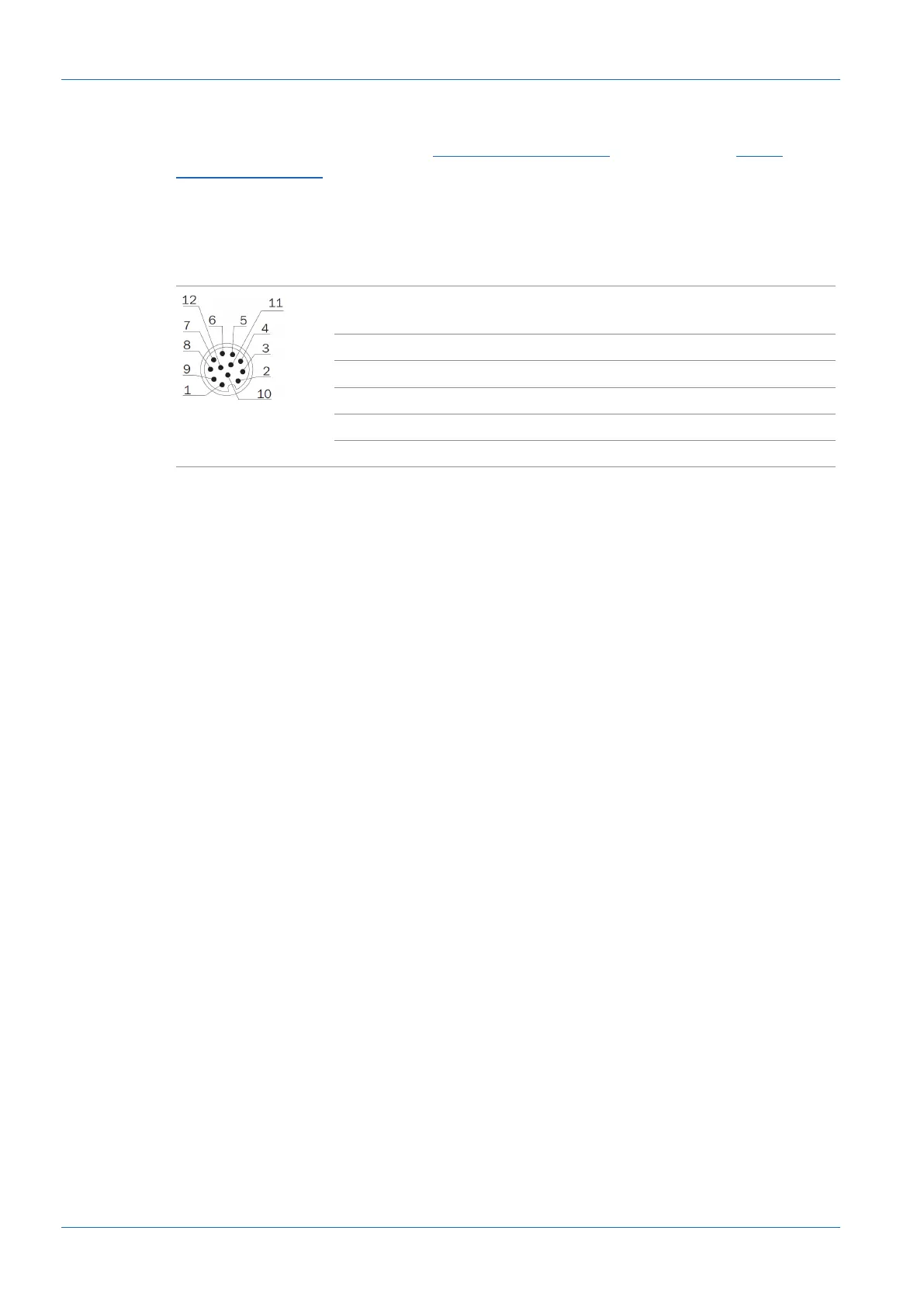
The sensor requires an IO-Link master of port class B (additional power supply via pin 11 and
pin 12). If the IO-Link master supplies sufficient current, the sensor can also be operated in a
port class A configuration. Pin 11 must also be connected to voltage for this purpose.
1 Power (18...30VDC) /
IO-Link P24 (2L+)
2 GND /
IO-Link N24 (2M)
3 n. c. 4 Analog Out
5 n. c. 6 OUT 1 / IO-Link C/Q
7 RS485 / TX/RX+ 8 OUT 2
9 IN 1 (sync in) 10 RS485 / TX/RX-
11 Power / IO-Link L+ 12 GND /IO-Link L-
For more information about the IO-Link interface, see IO-Link [}23].



 To Next Page