Baumer Web interface description | 8
V2 | OX100 Operating Manual 33
8 Web interface description
8.1 Functions and tasks
The web interface offers users the option of configuring the sensor in a simple yet precise way.
The web interface can be used for the configuration of sensor parameters as well as parametri-
sation of the application-specific measuring tasks. The web interface allows you to visualise
what the sensor "sees", so you can use this information to precisely adjust the sensor to the
given conditions.
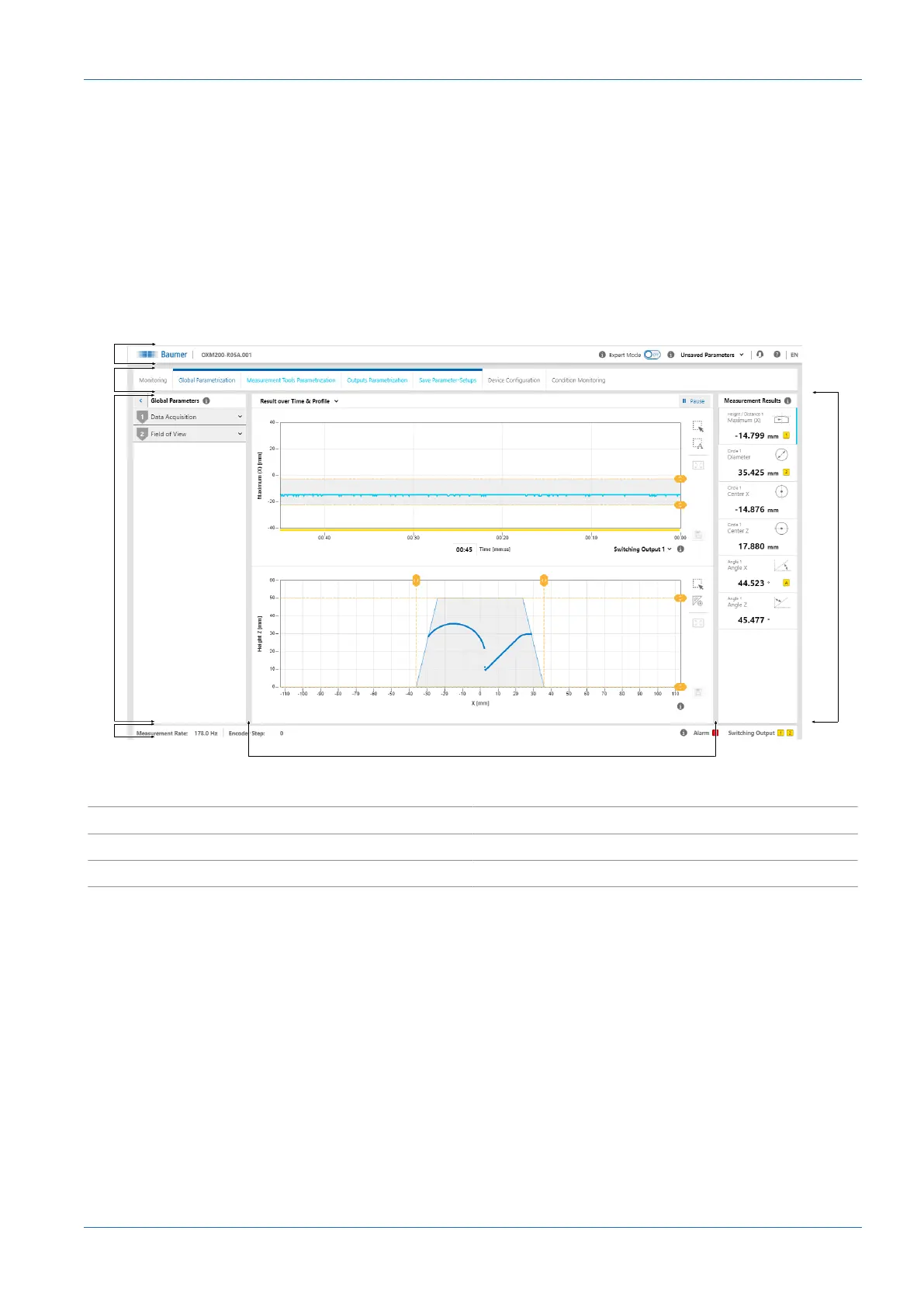
8.2 Description of the user interface
Ill.11: Web interface – user interface
1 Header area 2 Menu bar
3 Parametrisation area 4 Footer area
5 Visualisation area 6 Measurement Results window



 To Next Page