9 | Web interface operation Baumer
38 Operating Manual OX100 | V2
9.1.1 Saving measured data as a CSV file
The web interface offers you the option of saving the displayed measured data as a CSV file.
The CSV file stores the time curve of the measured data, the status of the signal quality and the
status of the switching outputs.
To save the measured data as a CSV file, proceed as follows:
Instruction:
a) In the visualisation area click the button IIPause.
ü The currently displayed measured data are frozen.
b) Click the diskette symbol in the visualisation area.
c) The file is saved in the .csv format.
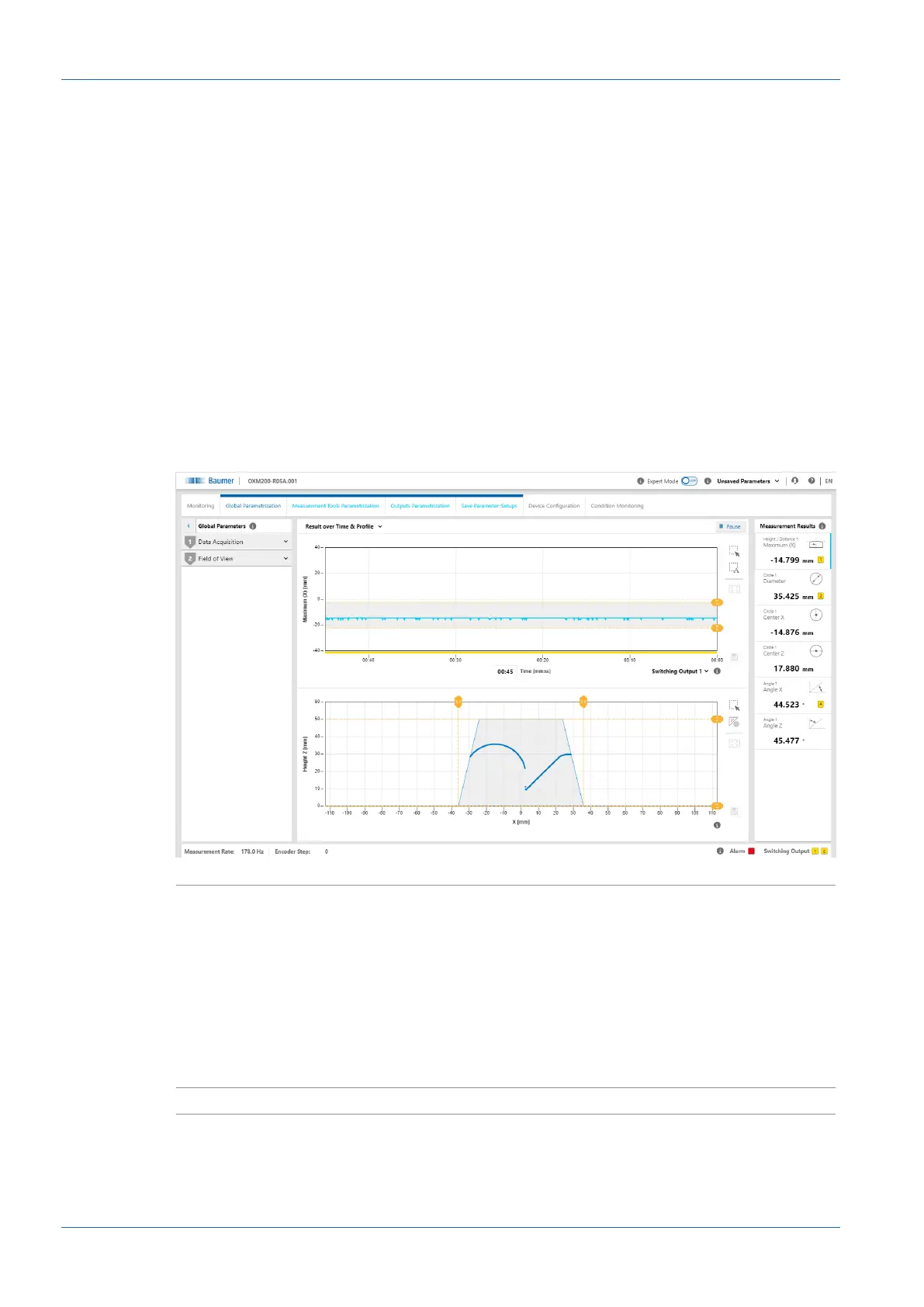
9.2 Mode Global Parametrization
In Global Parametrization mode, you can carry out settings at the beginning of the signal chain
(especially camera).
Ill.13: Web interface – Global Parametrization mode
Result over Time & Profile
n
Selection of the view of the measured values in the visualisa-
tion area.
n
You have a choice of 5 views (for details see Changing the
view [}39]):
▪ Result over Time & Profile
▪ Profile & Camera Picture
▪ Intensity & Camera Picture
▪ Profile & Intensity
▪ Profile
Show Tool values
n
Visualisation of all set measured values.



 To Next Page