Baumer Web interface operation | 9
V2 | OX100 Operating Manual 43
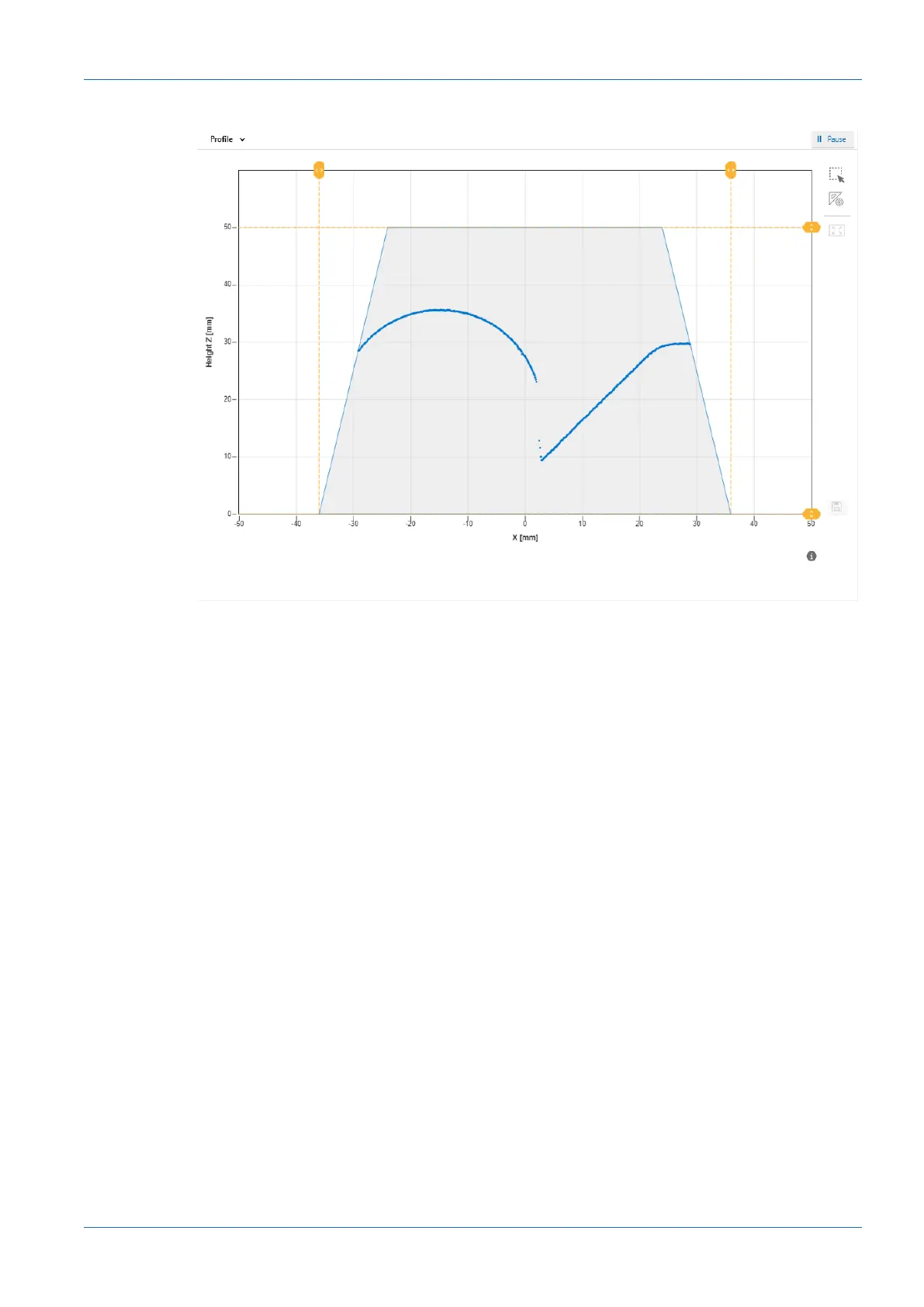
Profile
Ill.18: Web interface – Parametrisation mode – Profile view
The diagram in this view shows the profile points of the object. This diagram corresponds to the
bottom diagram in the Result over Time & Profile view.
9.2.2 Adjusting the internal resolution
Adjusting the internal resolution allows you to adjust the number of pixels transferred by the
camera. While this affects the measurement rate positively, it lowers the resolution and must
therefore be adjusted individually to the application. For this process, proceed as follows:
Condition:
ð The Expert Mode is activated (see Header [}34]).
Instruction:
a) Select mode Parametrization | Global Parametrization in the menu.
b) In the Global Parameters window, proceed to Data Acquisition | Internal Resolution.
c) In the drop-down list next to Number of points in x, select the desired number of points
along the X axis that should be read out by the camera of the sensor.
d) In the drop-down list next to Binning in z, select whether points along the Z axis should be
read out by the camera as a summary and as a combined point.



 To Next Page