9 | Web interface operation Baumer
52 Operating Manual OX100 | V2
9.2.10 Flex Mount: Moving the reference surface
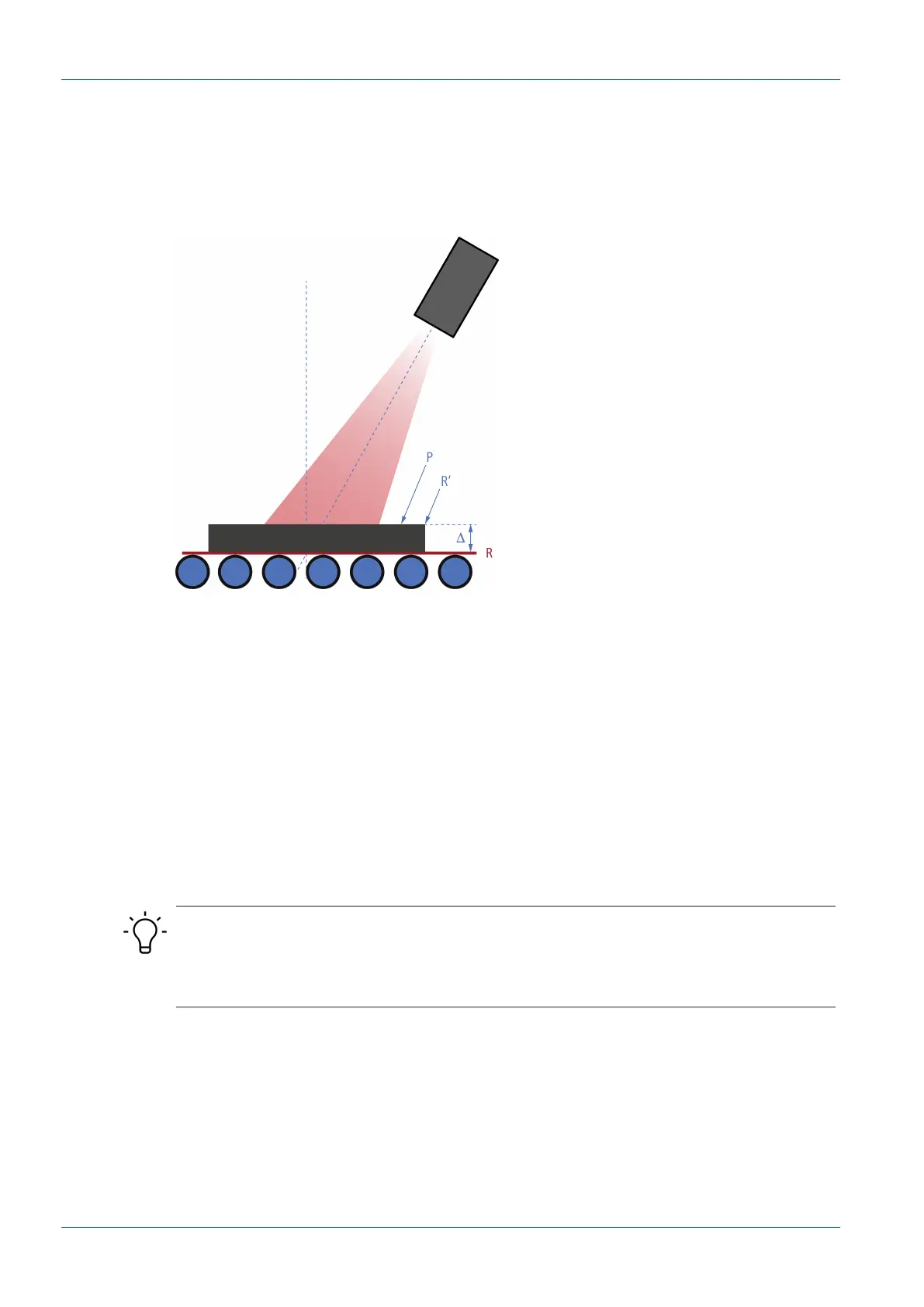
Moving the reference surface after teaching in is necessary if you want to deduct the thickness
of the auxiliary plate used during teaching in, for example.
Example: When using the Delta Height function within Parametrization | Measurement Tools,
the taught-in reference surface impairs the measurement result.
Ill.23: Flex Mount: Moving the reference surface
To move the reference surface, proceed as follows:
Instruction:
a) Select mode Parametrization | Global Parametrization in the menu.
b) In the Global Parameters window, proceed to Field of View | Flex Mount.
c) Set Flex Mount to On.
d) Click the Auto button.
e) In the Reference field, enter the value by which the reference surface should be moved
(e.g. -5).
Result:
ü The reference surface is placed over the originally taught-in reference surface (of the auxil-
iary plate), so that it is masked and no longer affects the measurement result.
INFO
If the reference surface should not be moved, the value in the Reference field must be 0mm.
As soon as the Flex Mount function is activated, the current measurement field is reset to the
maximum measurement field.



 To Next Page