Baumer Web interface operation | 9
V2 | OX100 Operating Manual 55
9.3.1 Setting the position tracking (ROI tracking)
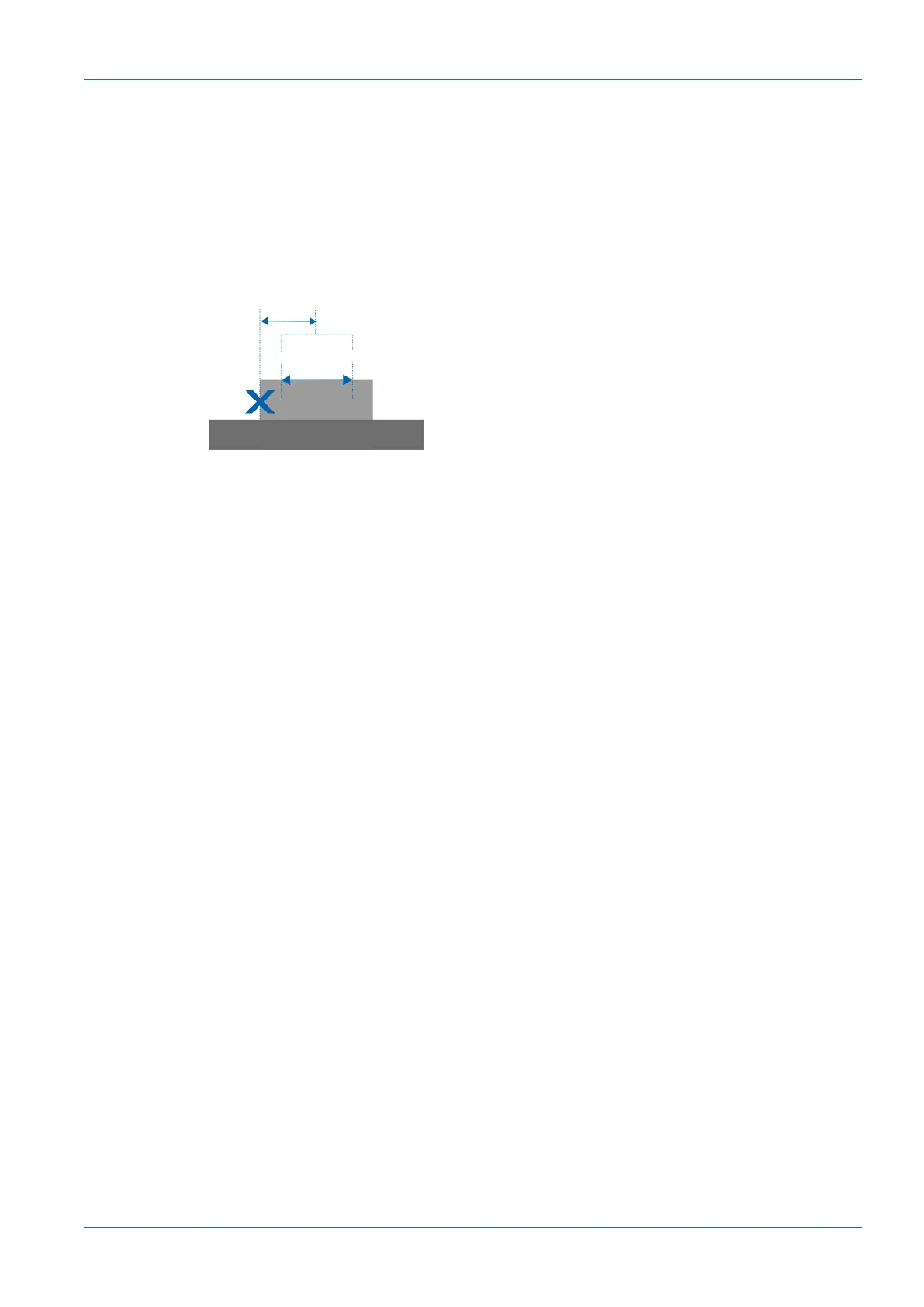
With position tracking (ROI tracking), a measurement can be carried out in a specific region of
an object relative to another distinctive feature (e.g. an edge). This way, variations of the object
position along the laser line can be compensated.
You can select any measurement point resulting from a previously defined measurement tool as
coupling source. For example, the calculation of a mean value can be coupled to the position of
an edge. If the position of the edge changes, the position of the ROI is dynamically tracked.
find
lock
Z
ave
Edge position & Z
ave
Ill.25: Position tracking (ROI tracking)
To set the position tracking, proceed as follows:
Instruction:
a) Select mode Parametrization | Measurement Tools Parametrization in the menu.
b) Create a measuring tool for a characteristic that you want to use as a reference characteris-
tic.
c) Create a measuring tool for whose position you want to track the measurement.
d) In the Measurement Tools window, go to the desired measurement tool and select Couple
ROI to.
e) Open the Select Tracking Source drop-down list and select the desired coupling source
(as defined in step b).



 To Next Page