Baumer Web interface operation | 9
V2 | OX100 Operating Manual 49
9.2.9 Flex Mount: Compensating mounting angles
INFO
Function Flex Mount is exclusively available in height mode.
With the Flex Mount function, you can compensate mounting angles up to ±30°. This is re-
quired if 90° mounting between the sensor and the reference surface is not possible or the
background of the measurement object is to be masked. The tilt angle and distance to the refer-
ence surface are automatically measured and stored in the sensor. The enables correct rotation
of the coordinate system by the software. The profile of the measurement object is determined
in line with normal alignment of the sensor to the reference surface (90°).
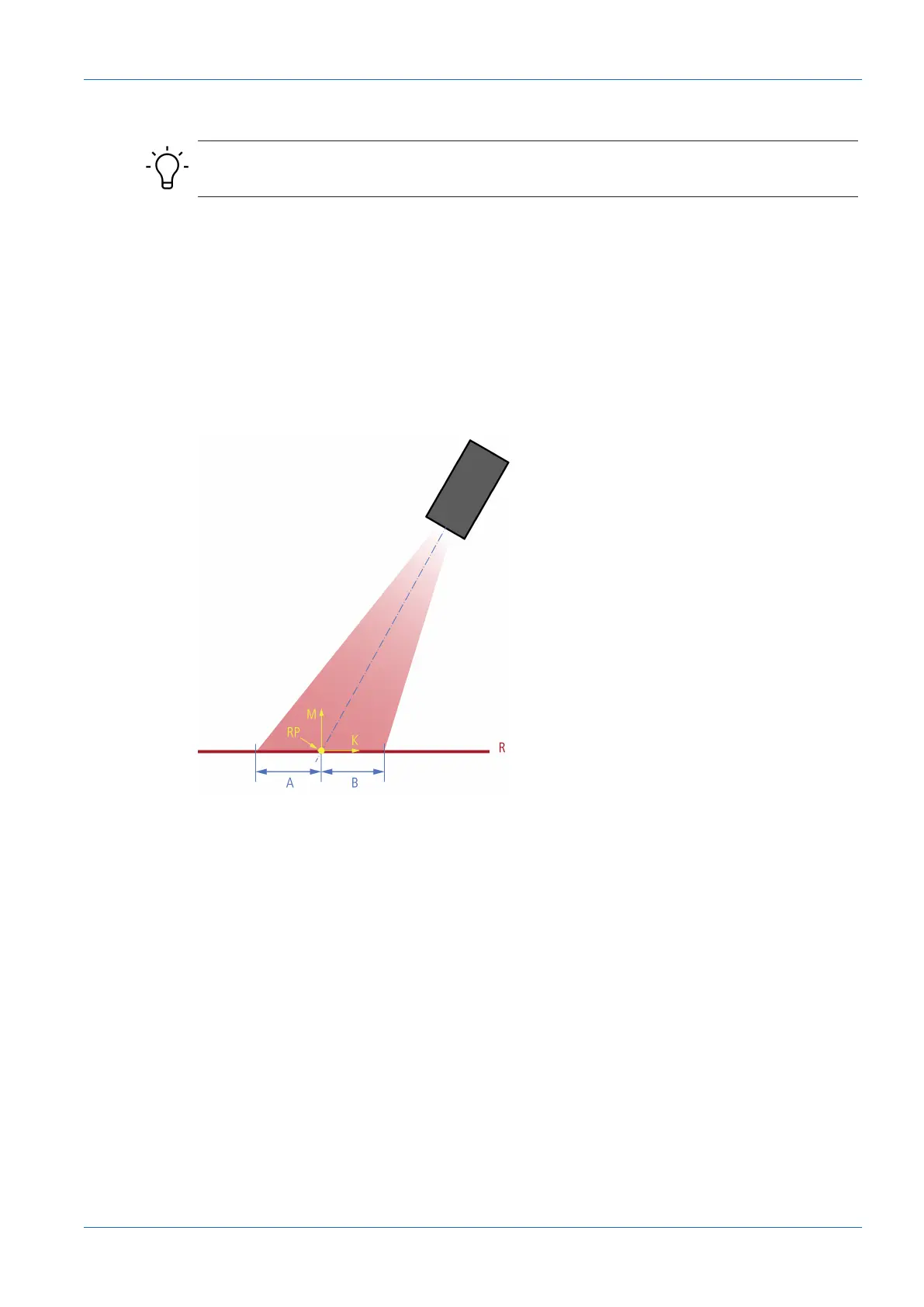
With angled mounting, the reference point (RP) of the K axis shifts from the centre of the mea-
surement field or the red visible laser line. By angling the sensor, the two sections of the mea-
surement field (measurement field width left (area A) and measurement field width right (area
B)) are no longer the same size.
Ill.20: Reference point for angled installation
For the teach-in process, make sure that the reference surface is even and that the maximum
possible measurement range of the sensor is covered. The detected line must have a minimum
length (50% relative to the field of view width) and must not exceed a maximum roughness.
Manual input and compensation are always possible. This function is recommended if the sen-
sor is not aligned normally to the reference surface, e.g., oriented to the base area of the mea-
surement object.



 To Next Page