9 | Web interface operation Baumer
58 Operating Manual OX100 | V2
9.4 Mode Outputs Parametrization
In Outputs Parametrization mode, you can allocate the corresponding measurement tools to
the sensor outputs.
Digital Output 1/2
− Switching Output
n
Each active measured value or the alarm can be assigned to
one of the switching outputs.
n
Select whether the switching output is in point mode (switching
point P1) or in window mode (switching point P1 and switching
point P2).
n
The behaviour in case of invalid measured values is set sepa-
rately for the measured value.
n
See also Processing an invalid measured value [}57].
n
The alarm output is output as a push-pull signal (Active High)
if it has been assigned to one of the switching outputs.
n
The alarm output is active when
▪ the profile quality is poor,
▪ the sensor is in the parametrisation mode.
− Hysteresis
n
Hysteresis input.
n
See also Setting the hysteresis [}60].
− Polarity
n
Selection of Active High / Active Low.
n
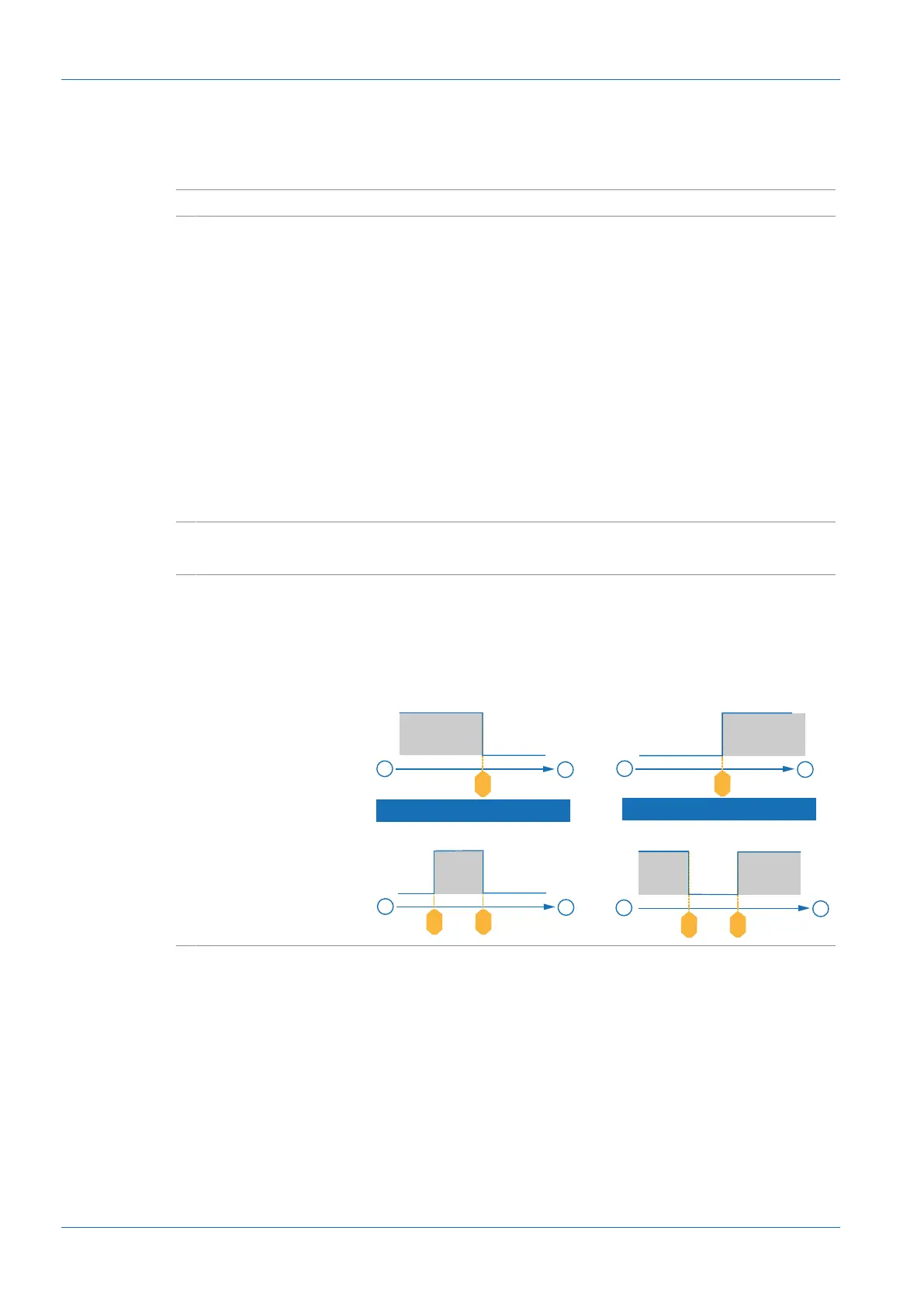
With Polarity, you can determine how the switching outputs
behave depending on the output level. On the web interface
the region where the switching outputs are set to high is
shown in grey.
< >
< >
SP2
SP1
–
+
1
0
< >
SP
–
+
1
0
SP
–
+
1
0
–
+
1
0
SP2SP1
Active high
Active low
< >
< >
< >



 To Next Page