9 | Web interface operation Baumer
62 Operating Manual OX100 | V2
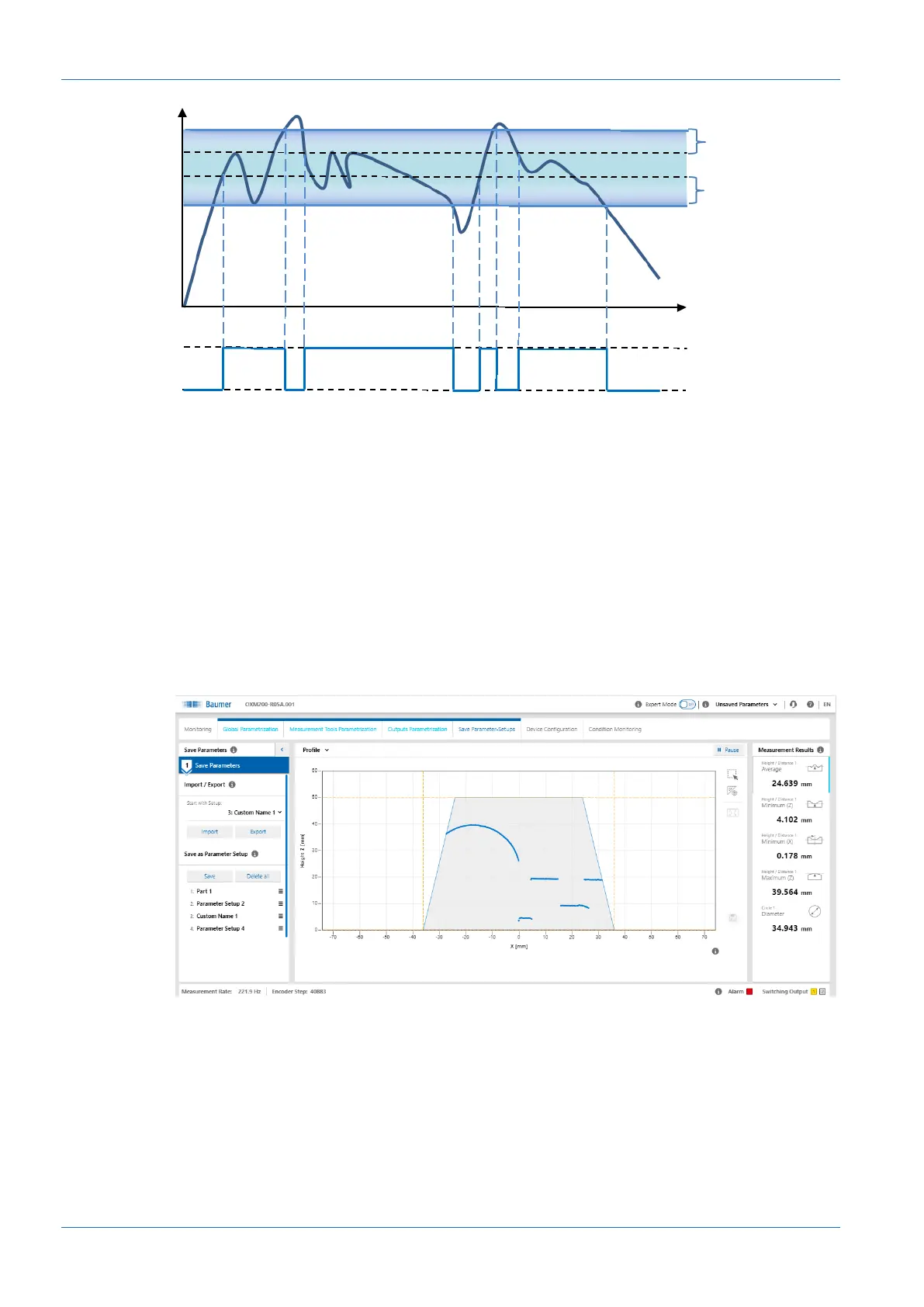
High
Low
Level
Hysteresis
Switching point P2
Active high level
Switching point P1
Hysteresis
Window
Ill.32: Behaviour of the switching output in window mode (negative hysteresis)
Polarity
With Polarity, you can invert the level with Active High or Active Low.
9.5 Mode Save Parameter-Setups
You can save up to 32 parameter setups in the Save Parameter-Setups mode. In addition, you
have the option to export and re-import parameter setups. External storage is in the .json for-
mat. The JSON file can be transferred to sensors with identical type code (measurement range
and interface). The parameter setups can be renamed individually using the Web interface. Indi-
vidual parameter setups can be saved, load or deleted. They are referenced via the process in-
terfaces through use of a unique number, which can also be displayed in the Web interface.
Ill.33: Web interface – Save parameter setup mode



 To Next Page