Embroidering preparation
109
2019-02 EN 5020079.00A.04
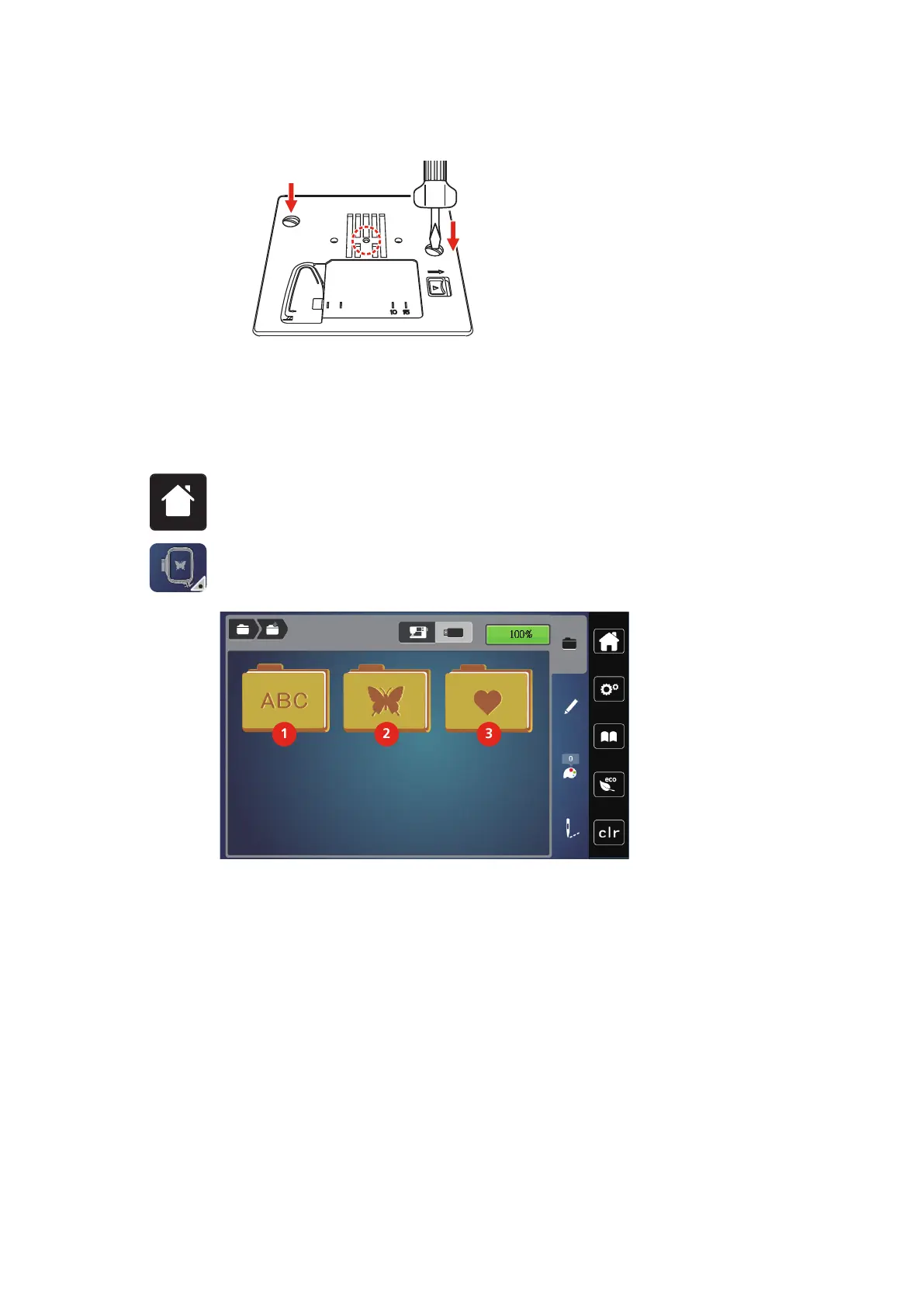
> Exchange the Straight-/CutWork stitch plate and tighten the screws with the screwdriver.
13.4 Selecting the embroidery motif
All embroidery motifs can be embroidered directly or they can be altered using the various functions the
embroidery machine provides. You can find all embroidery motifs at the end of the instruction manual. In
addition to that, embroidery motifs can be downloaded from the personal memory or from the USB stick
(optional accessory).
> Touch the icon «Home».
> Touch the icon «Embroidery mode».
> Select an alphabet, an embroidery motif, a stitch pattern or a personal embroidery motif from one of the
files.
1 Embroidery Alphabet 3 Personal Embroidery motif
2 Embroidery motif



 To Next Page