Creative embroidering
121
2019-02 EN 5020079.00A.04
14.6 Creating lettering
Overview embroidery alphabets
Embroidery motif Name
Swiss Block
Swiss Block vertical
Childs Play
Childs Play vertical
Victoria
Anniversary
Creating words/sentences
Lettering can be positioned within the hoop as you like. When the embroidery motif is positioned outside the
area to be embroidered, the hoop is outlined in red on the display. With the hoop selection it can be
checked whether or not the embroidery motif can be embroidered in another hoop. When the lettering does
not fit in any hoop, two single words can be combined and positioned below each other as the following
example will show.
> Select the file «Alphabets».
> Select the font.
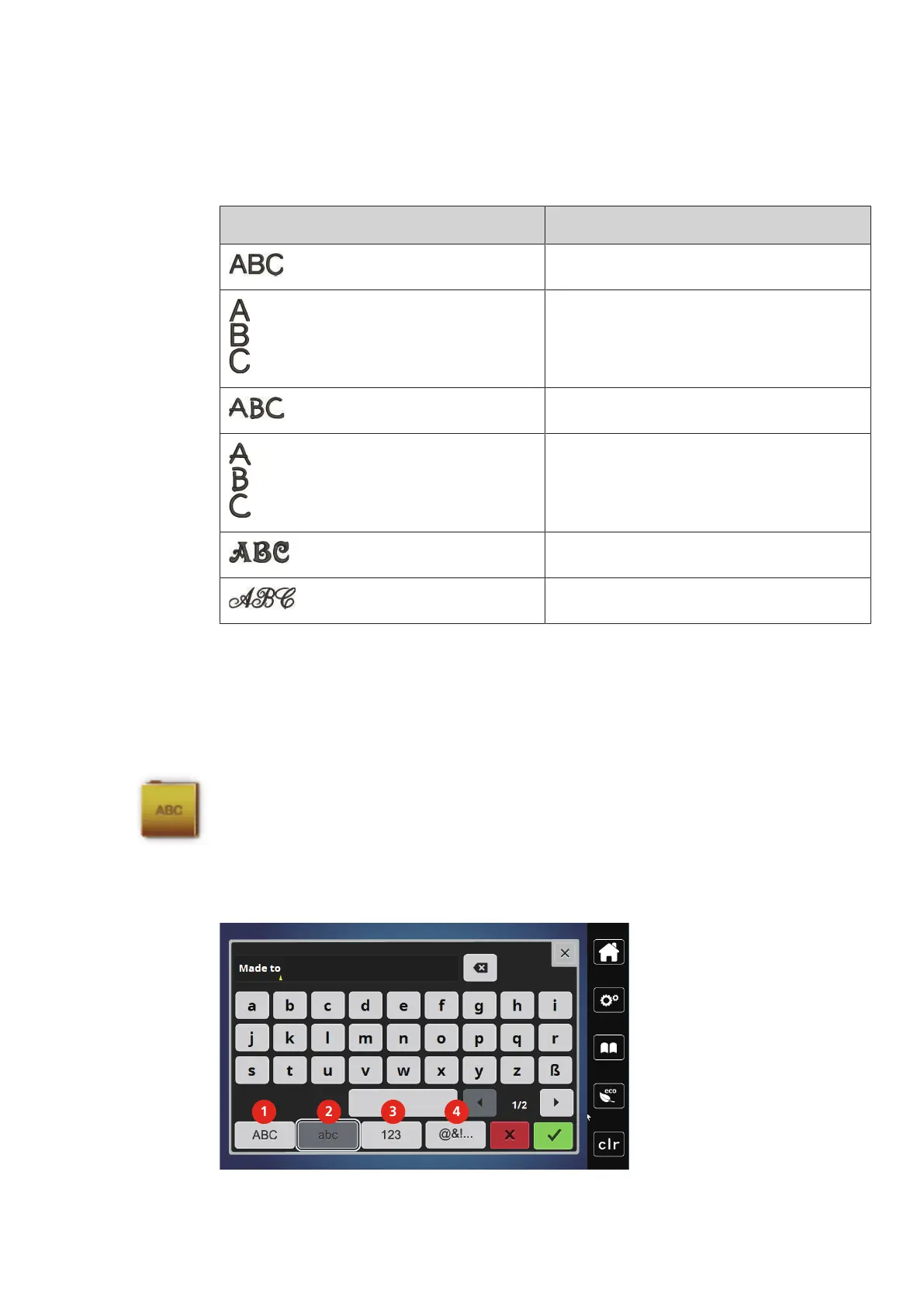
> Enter the text «Made to».
> Touch the icon (1) (standard setting) to use upper case letters.
> Touch the icon (2) to use lower case letters.
> Touch the icon (3) to use numbers and mathematic characters.
> Touch the icon (4) to use special characters.



 To Next Page