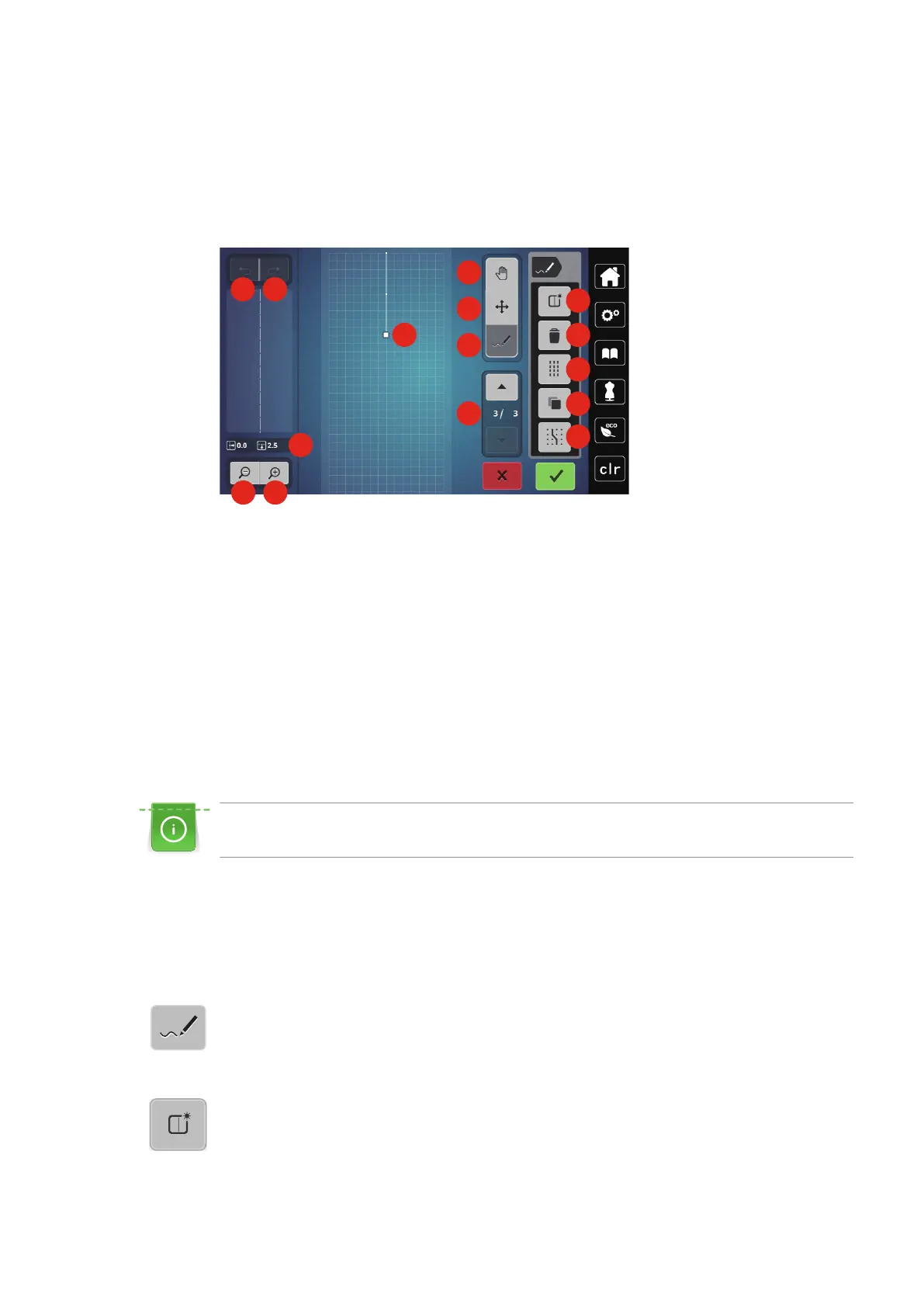
Stitch Designer
96
2019-02 EN 5020079.00A.04
11 Stitch Designer
11.1 Overview Stitch Designer
Buttonholes and darning stitches cannot be edited in the Stitch Designer.
1 Back 9 Inserting/Editing a stitch
2 Redo 10 Scrolling through points
3 Point position 11 Creating a new stitch pattern
4 Zoom out 12 Deleting
5 Zoom in 13 Triple stitch
6 Stitch pattern view 14 Duplicating
7 Moving the view 15 Engaging at the grid
8 Relocating points/Selecting points
11.2 Creating your own stitch pattern
The stitch patterns which have been created in the Stitch Designer can be saved in your «Personal
memory».
The Stitch Designer allows creating your personal stitch patterns as well as editing existing stitch patterns. By
moving the touchscreen pen or the finger, your personal stitch patterns can be created on the display.
In the left portion of the display the position of the currently active point is indicated additionally: The
horizontal distance of the point to the center line is indicated in millimeters. The vertical distance of the point
to the previous point is also indicated in millimeters.
Buttonholes and darning stitches cannot be edited in the Stitch Designer.
> Touch the icon «Stitch Designer».
– The last active stitch pattern appears in the «Stitch pattern view» and can be edited.
– The guides are displayed, the spacing is 0.5 mm.
– The function «Inserting/Editing a stitch» is activated.
> Touch the icon «Creating a new stitch pattern» to empty the «Stitch pattern view».
> Add a point on the display with the touchscreen pen/finger.
> Add more points on the display as desired.



 To Next Page