Creative embroidering
126
2019-02 EN 5020079.00A.04
Changing the thread brand
> Select an embroidery motif.
> Touch the icon «Color information».
> Touch the icon «Allocate thread brand».
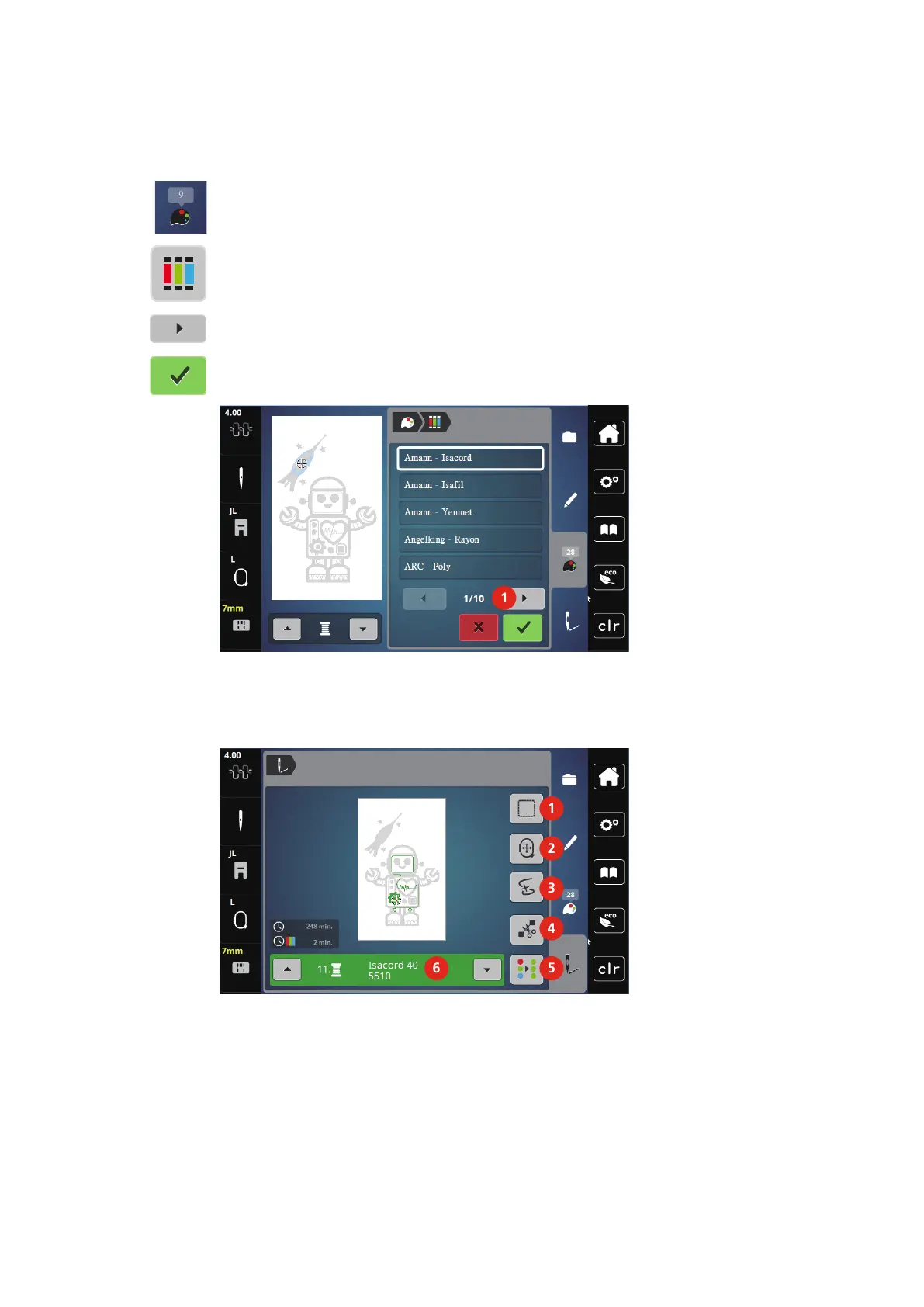
> Touch the icon «Scrolling» (1) to have further thread brands displayed.
> Select a thread brand and touch the icon «Confirm».
– Any thread colors of the selected embroidery motif will be matched with the selected thread brand.
14.9 Embroidering the embroidery motif
Overview Embroidery menu
1 Basting 4 Cutting connecting stitches
2 Moving the hoop 5 Multi-colored embroidery motif on/off
3 Embroidery sequence control 6 Color indication



 To Next Page