Embroidering preparation
114
2019-02 EN 5020079.00A.04
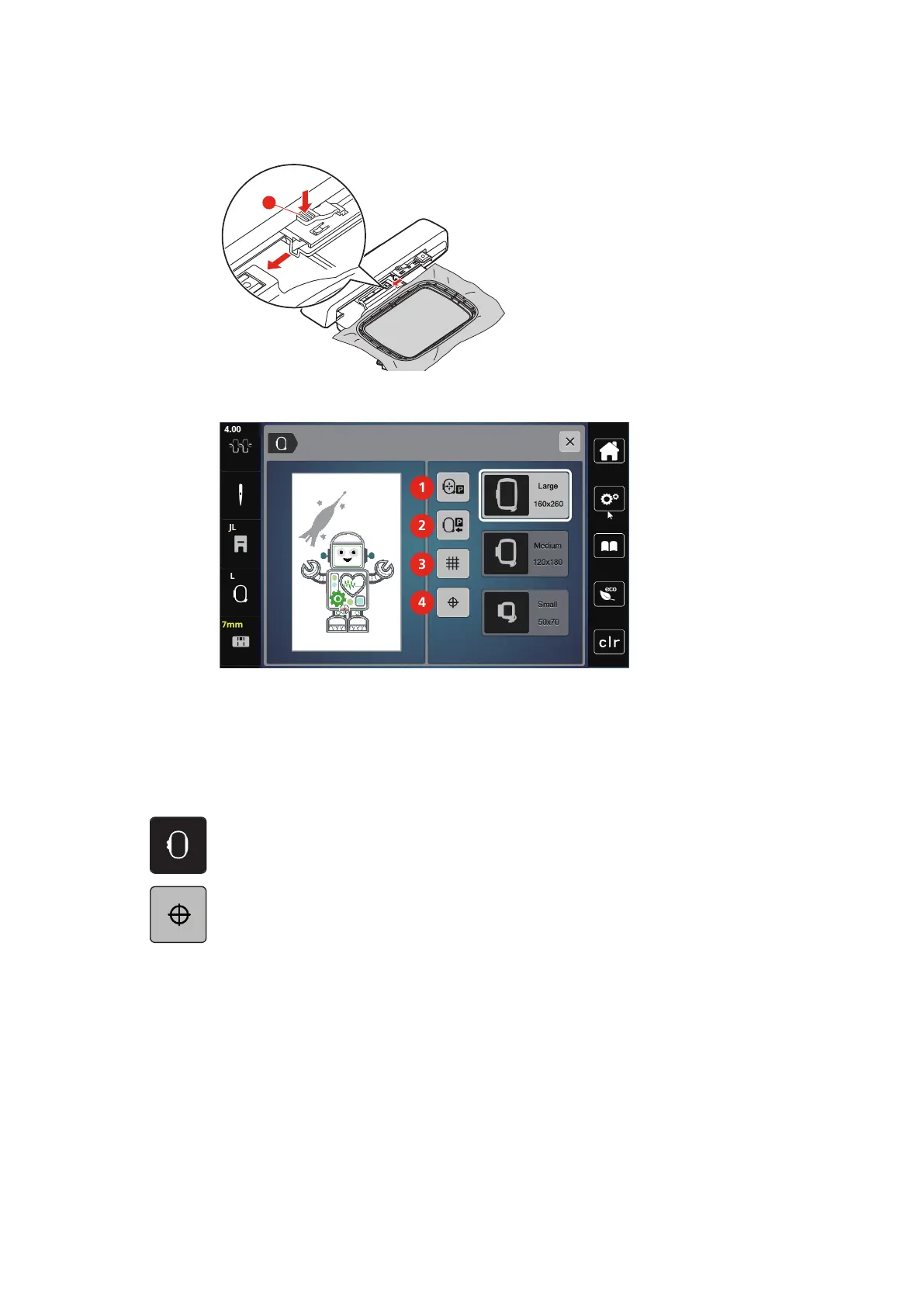
> To remove the hoop, press the securing lever and pull the hoop backwards.
Overview Embroidery functions
1 Center the needle to the embroidery hoop 3 Grid on/off
2 Embroidery arm return 4 Motif center
Locating the center of the embroidery motif
The embroidery hoop is positioned so that the needle is exactly above the center of the embroidery motif or
the motif begin.
> Touch the icon «Embroidery hoop display/Embroidery hoop selection».
> Touch the icon «Center of the embroidery motif» to position the hoop so that the needle is placed
exactly over the center of the embroidery motif.
> Touch the icon «Center of the embroidery motif» again to position the hoop so that the needle is placed
exactly over the motif start.



 To Next Page