Creative sewing
61
2019-02 EN 5020079.00A.04
Programming pattern repeat
> Select a stitch pattern or alphabet.
> Touch the icon «i»-Dialog.
> Touch the icon «Pattern repeat» once to repeat the stitch pattern.
> Touch the icon «Pattern repeat» twice up to 9 times to repeat the stitch pattern up to 9 times.
– The machine stops automatically after the programmed number of patterns has been sewn.
> To secure a step stitch at the sewing end, the icon «Securing» is activated.
> Touch the icon «Securing» to deactivate the securing.
Mirror image of stitch patterns
> Select a stitch pattern or alphabet.
> Touch the icon «i»-Dialog.
> Touch the icon «Mirror image left/right» to mirror the stitch pattern from left to tight.
> Touch the icon «Mirror image up/down» to mirror the stitch pattern contrary to the sewing direction.
Editing stitch pattern length
Stitches from category satin stitch pattern can be lengthwise extended or shortened.
> Select a stitch pattern.
> Touch the icon «i»-Dialog.
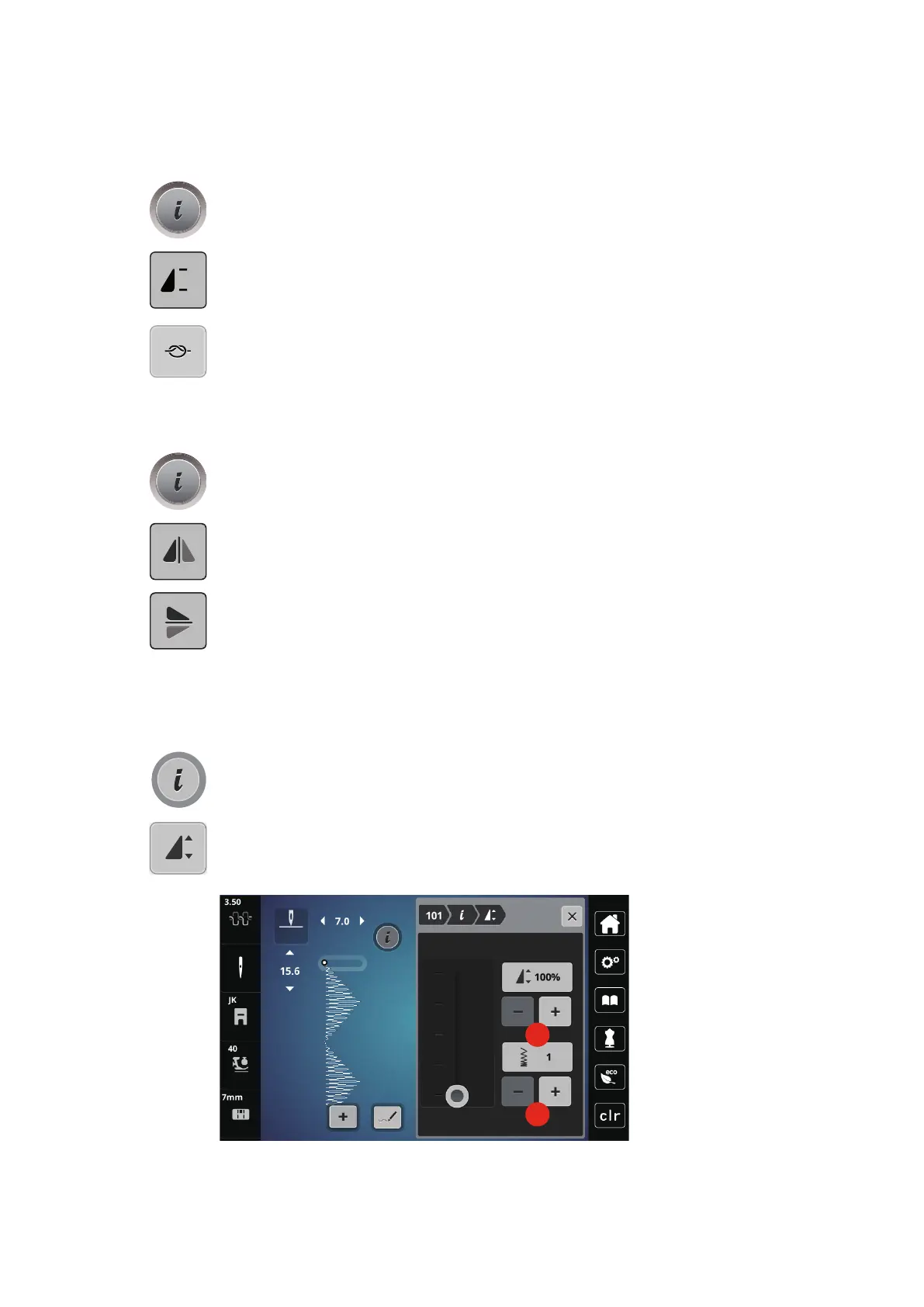
> Touch the icon «Editing stitch pattern length».
> Move the slide with or touch the «+»/«-» icons (1) to determine the length of the stitch pattern.
> Touch the icons «+»/ «-» (2) to determine the density of the stitch pattern.



 To Next Page