BERNINA CutWork Tool
134
2019-02 EN 5020079.00A.04
16 BERNINA CutWork Tool
16.1 Changing the CutWork Tool
The CutWork Tool accessory is optional. It is not included with this machine.
The CutWork Tool is a very sharp accessory. Special care is required when working with this tool and keep
fingers away from the sharp knife. You can find more information in the CutWork book, which is packaged
with the CutWork tool.
In CutWork Mode the upper thread, bobbin thread and cut thread sensor are disabled.
Prerequisite:
• Stitch plate CutWork/Straight ist attached.
> Remove the embroidery foot.
> Remove the needle.
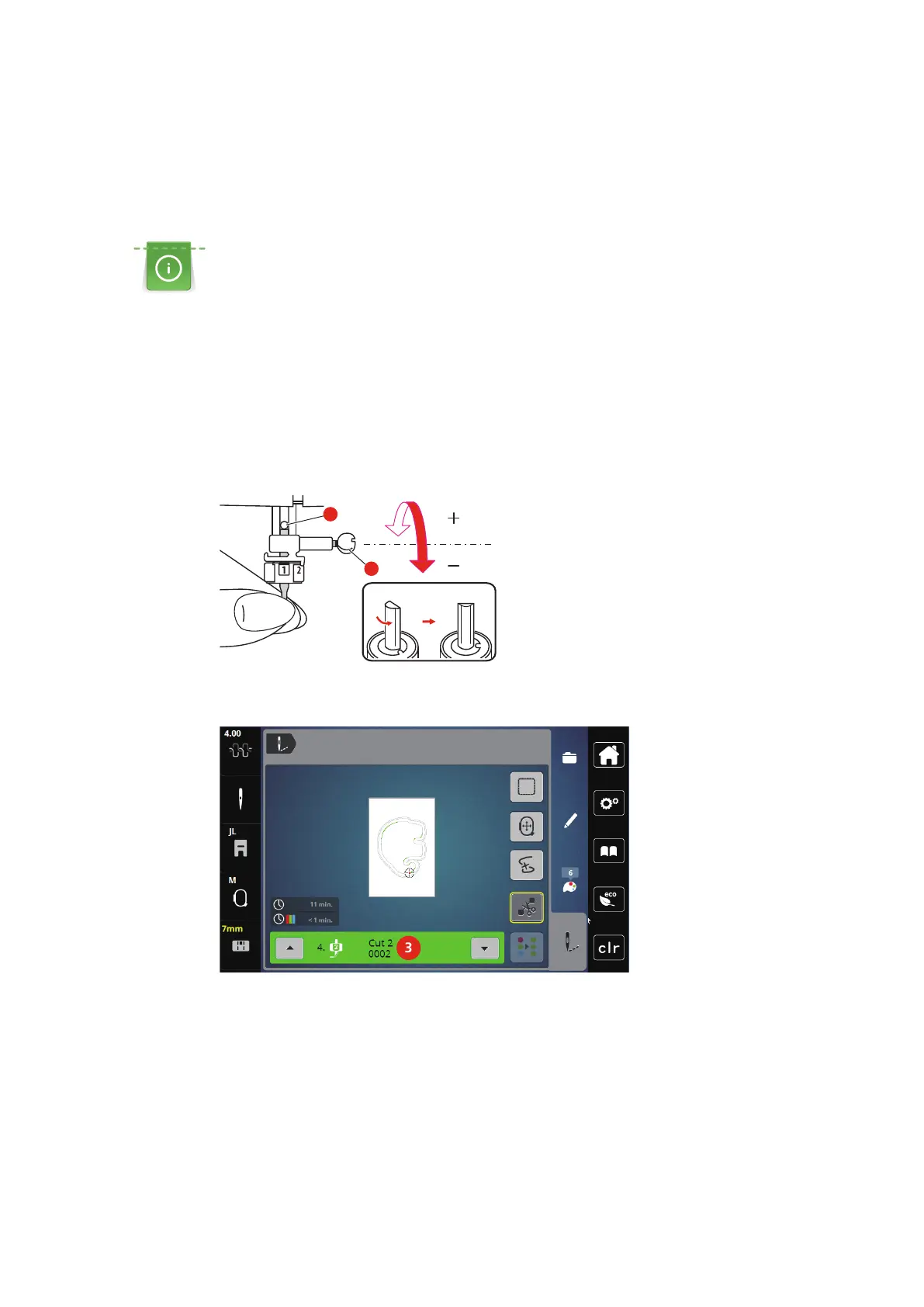
> Insert the CutWork Tool with the flat side back, fully up to the top (1). Tighten the needle clamp screw
(2).
> Attach the embroidery foot.
> Turn the CutWork Tool according to the information in the display of the color indication (3).



 To Next Page