Setup Program
44
2019-02 EN 5020079.00A.04
Adjusting the hovering height of the presser foot
The hovering height of the presser foot can be adjusted according to the fabric thickness from 1 to maximal
6 mm.
> Touch the icon «Setup Program».
> Touch the icon «Sewing settings».
> Touch the icon «Program buttons and icons».Touch the switch again to deactivate the presser foot raised
to hovering position with needle stop down.
> Touch the icon «Program the hovering position of the presser foot».
> Turn the «Upper Multifunction knob» or the «Lower Multifunction knob» or touch the icons «-» or «+»
to adjust the distance between the stitch plate and the presser foot.
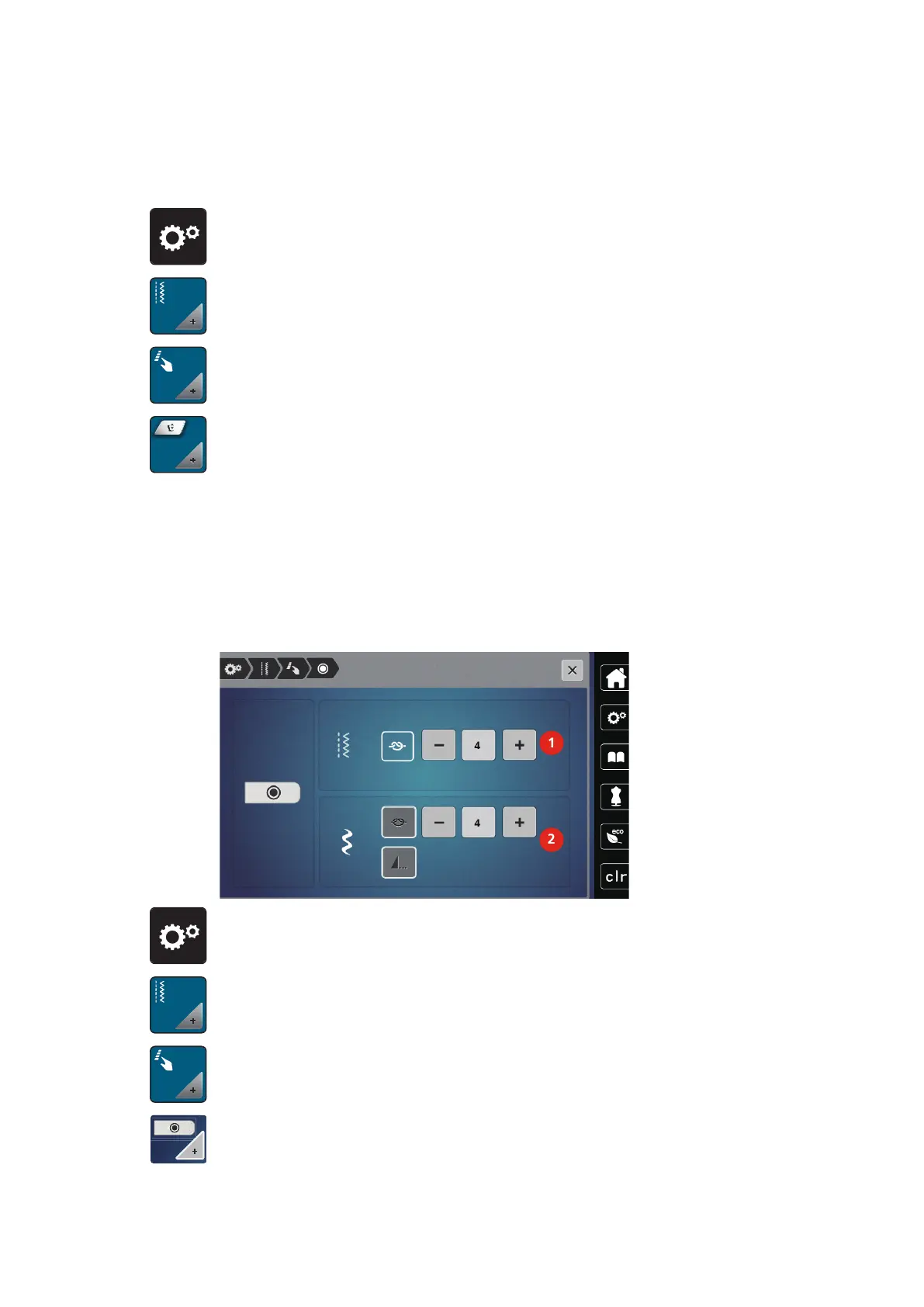
Programming the button «Securing»
Number and type of securing stitches can be programmed.
The number of securing stitches for practical stitches can be programmed in the upper section of the display
(1).
Securing of decorative stitches or stitch pattern combinations can be programmed in the lower section of the
display (2).
> Touch the icon «Setup Program».
> Touch the icon «Sewing settings».
> Touch the icon «Program buttons and icons».
> Touch the icon «Program securing».
> Touch the icons «-» or «+» in the upper section of the display (1) to program the number of securing
stitches in close succession for practical stitches.



 To Next Page