Creative embroidering
120
2019-02 EN 5020079.00A.04
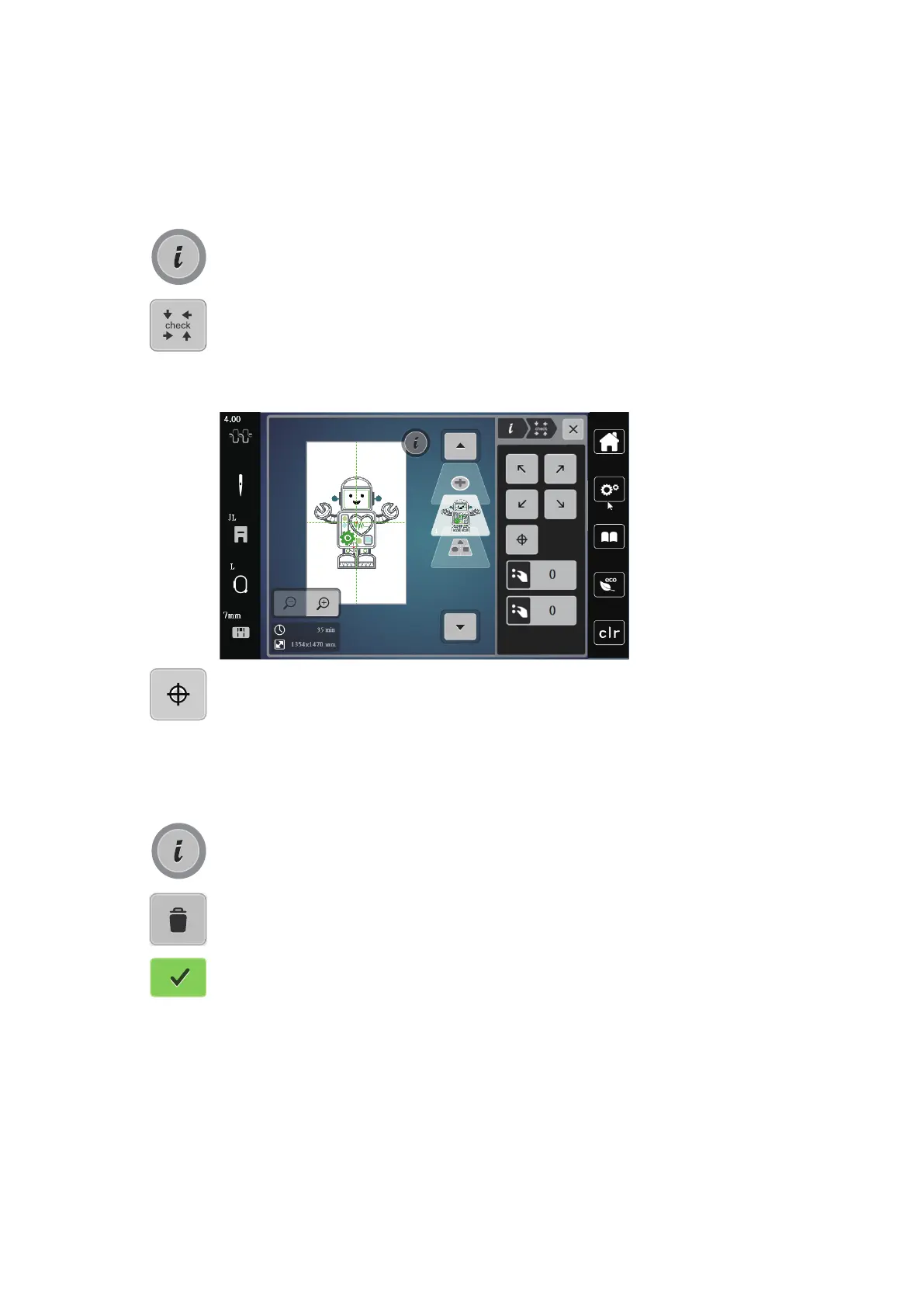
Checking the size and the position of the embroidery motif
It can be checked whether or not the embroidery motif matches the designated position/location on the
fabric.
> Select an embroidery motif.
> Touch the icon «i»-Dialog.
> Touch the icon «Checking the size of the embroidery motif».
– The embroidery hoop travels all the way until the needle is at the position as it is indicated in the
display.
– If the embroidery motif hasn't been positioned correctly yet, the position can be altered via the
«Upper/Lower Multifunction knobs» and the complete embroidery positions can be checked again.
> Touch the icon «Embroidery motif center» to bring the needle to the center of the embroidery motif.
> Turn the «Upper Multifunction knob» to move the embroidery motif horizontally.
> Turn the «Lower Multifunction knob »to move the embroidery motif vertically.
Deleting an embroidery motif
The active embroidery motif is deleted.
> Select an embroidery motif.
> Touch the icon «i»-Dialog.
> Touch the icon «Delete».
> Touch the icon «Confirm» to delete the embroidery motif.



 To Next Page