Embroidering preparation
110
2019-02 EN 5020079.00A.04
13.5 Embroidery hoop
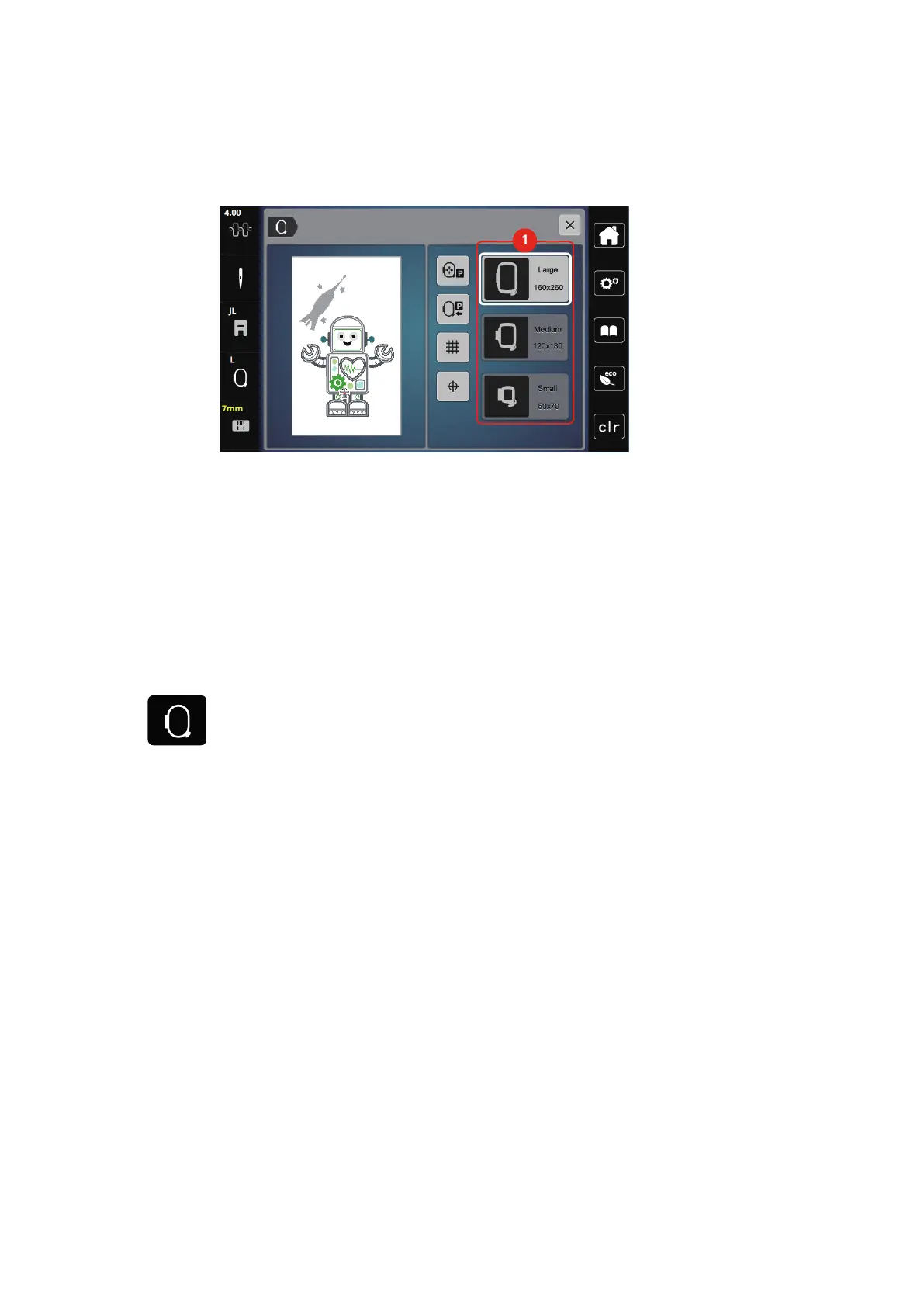
Overview embroidery hoop selection
1 Hoop selection
Selecting the embroidery hoop
The best embroidery result is achieved when the smallest possible embroidery hoop for the embroidery motif
is selected.
The embroidery motif has a pre-set size which is displayed.
Prerequisite:
• The embroidery motif is selected.
> Touch the icon «Embroidery hoop display/Embroidery hoop selection».
– The presently attached embroidery hoop is displayed.
– The machine selects the optimal embroidery hoop according to the size of the embroidery motif
automatically.
– If the preset embroidery hoop is not available, another desired embroidery hoop can be selected.
– When an embroidery hoop is attached which does not correspond with the selected one, the attached
hoop is considered active and the embroidery motif area is displayed accordingly.
> Select the desired embroidery hoop.
Tear-away stabilizers
Using a stabilizer ensures more stability of the embroidery project. A tear-away stabilizer suits all woven and
non-stretch materials. 1–2layers can be used. Stabilizers are available in different weights. With larger
embroidered areas the stabilizer will remain under the embroidery thread. The stabilizer is applied to the
wrong side of the fabric with temporary adhesive spray. Carefully tear away excess stabilizer after
embroidering.
Cut-away stabilizers
Using a stabilizer ensure more stability of the embroidery project. A cut-away stabilizer suits all elastic
materials. 1–2layers can be used. Stabilizers are available in different weights. With larger areas to be
embroidered the stabilizer will remain under the embroidery thread. The stabilizer is applied to the wrong
side of the fabric with temporary adhesive spray. Carefully cut away excess stabilizer after embroidering.



 To Next Page