Creative embroidering
125
2019-02 EN 5020079.00A.04
14.8 Changing the colors of the embroidery motif
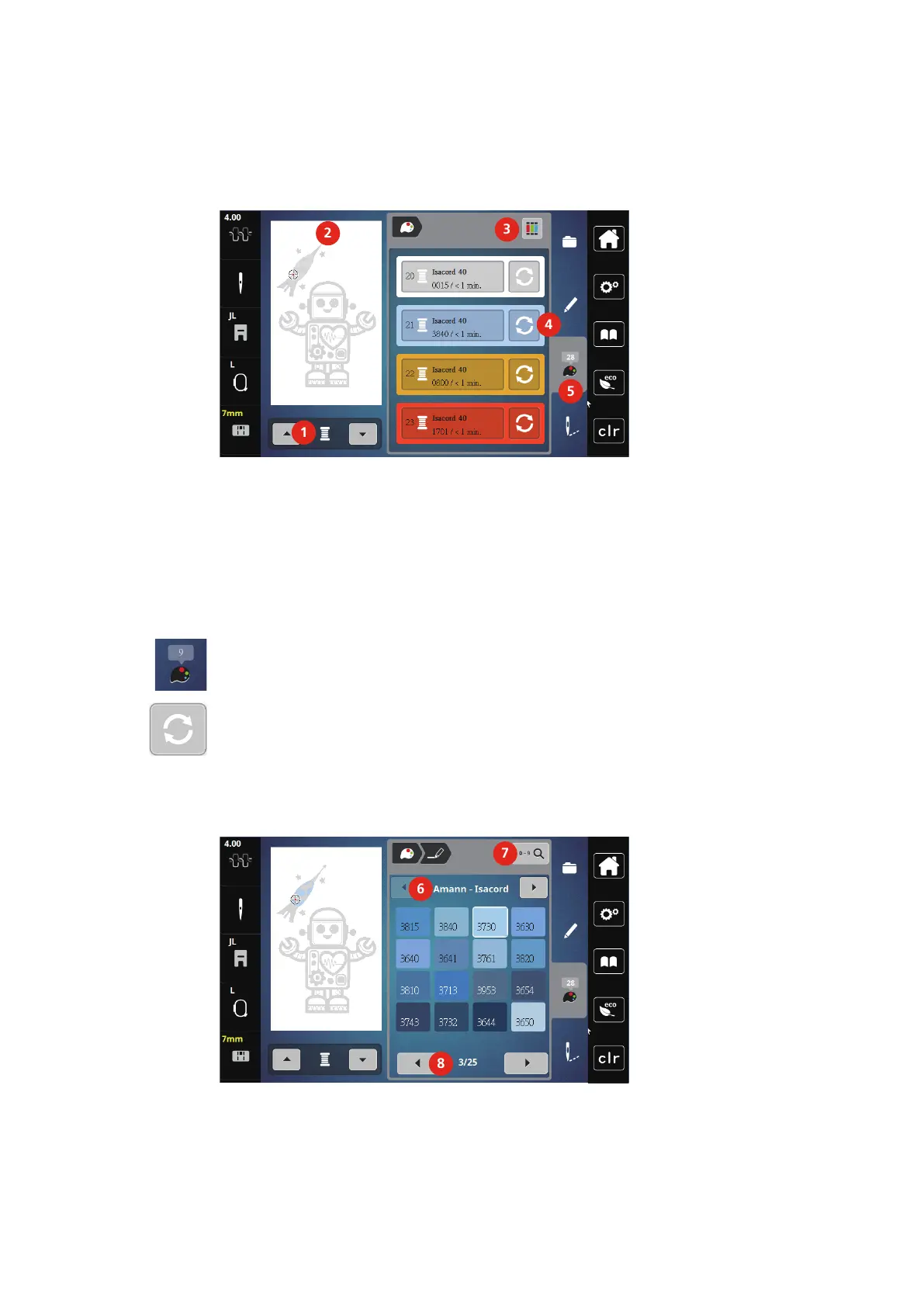
Overview changing the color
1 Colors of the embroidery motifs 4 Altering color
2 Preview for selected color 5 Color information
3 Allocating thread brand
Changing the colors
> Select an embroidery motif.
> Touch the icon «Color information».
> Touch the icon «Altering color» next to the color which is to be changed.
> Changing Colors by searching the theme brand.
– Touch the icon «Scrolling» (6) in the top right portion of the display to display other thread brands.
> Touch the icon «Color selection by number» (7) to select the color by entering the color number.
> Touch the icon «Scrolling» (8) in the lower right portion of the display to display other colors.
> Select the desired color.



 To Next Page