Buttonholes
88
2019-02 EN 5020079.00A.04
9.3 Sewing a buttonhole automatically
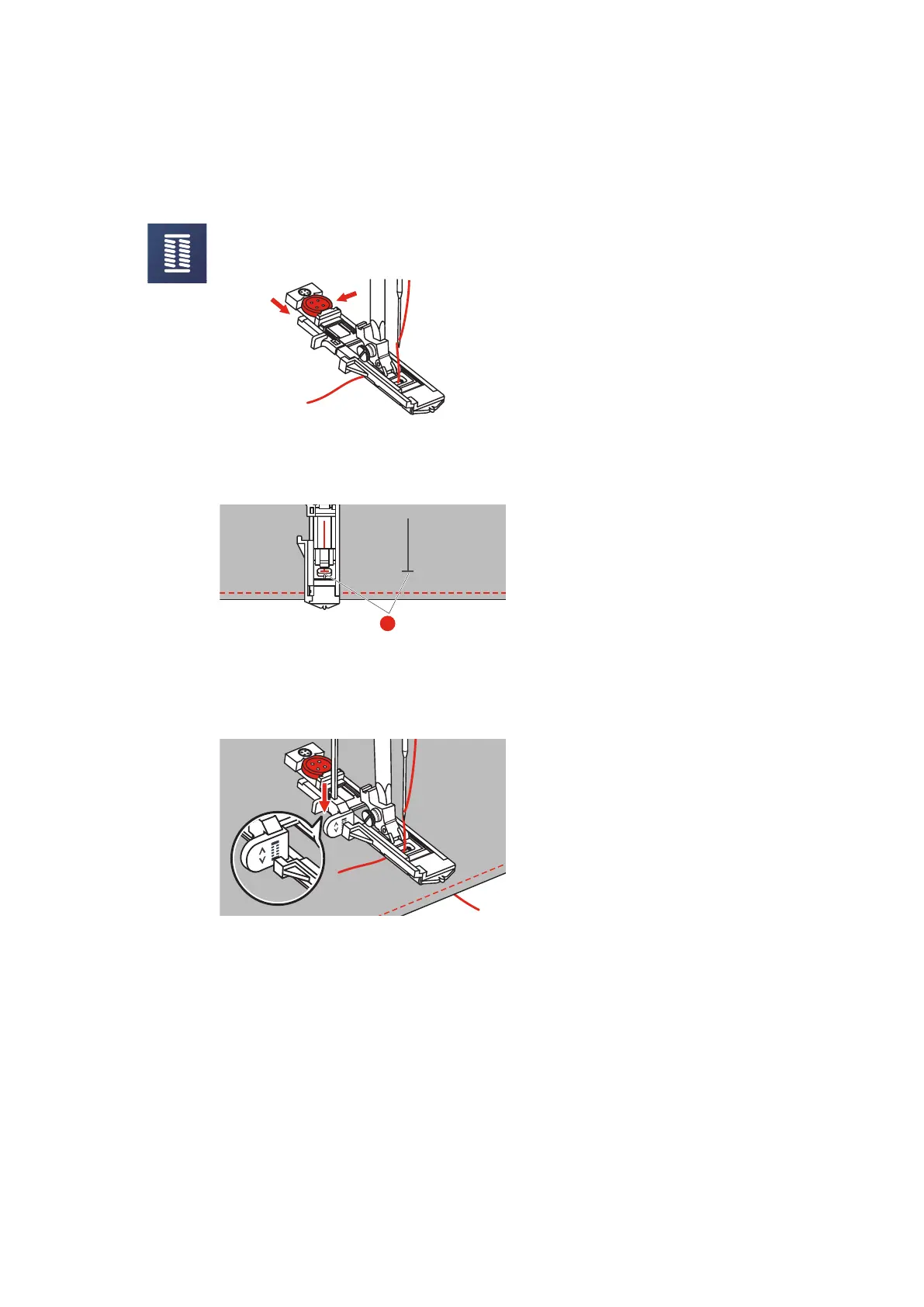
> Attach the Buttonhole foot with slide (RJ).
> Pull out the button holder plate and insert the button.
> Pass the thread trough the hole in the presser foot, then be placed the thread under the foot.
> Touch the icon «Buttonholes».
> Select the buttonhole.
> Adjust the stitch width and the stitch length to the desired width and density.
> Position the fabric under the presser foot so that the centerline‘s mark is aligned with the center of the
buttonhole foot (1).
> Push the button «Start/Stop».
– While the buttonhole lever is raised, the error message is displayed to remind you to lower the
buttonhole lever.
> Pull down the buttonhole lever as far as possible until it clicks into place.



 To Next Page