Buttonholes
91
2019-02 EN 5020079.00A.04
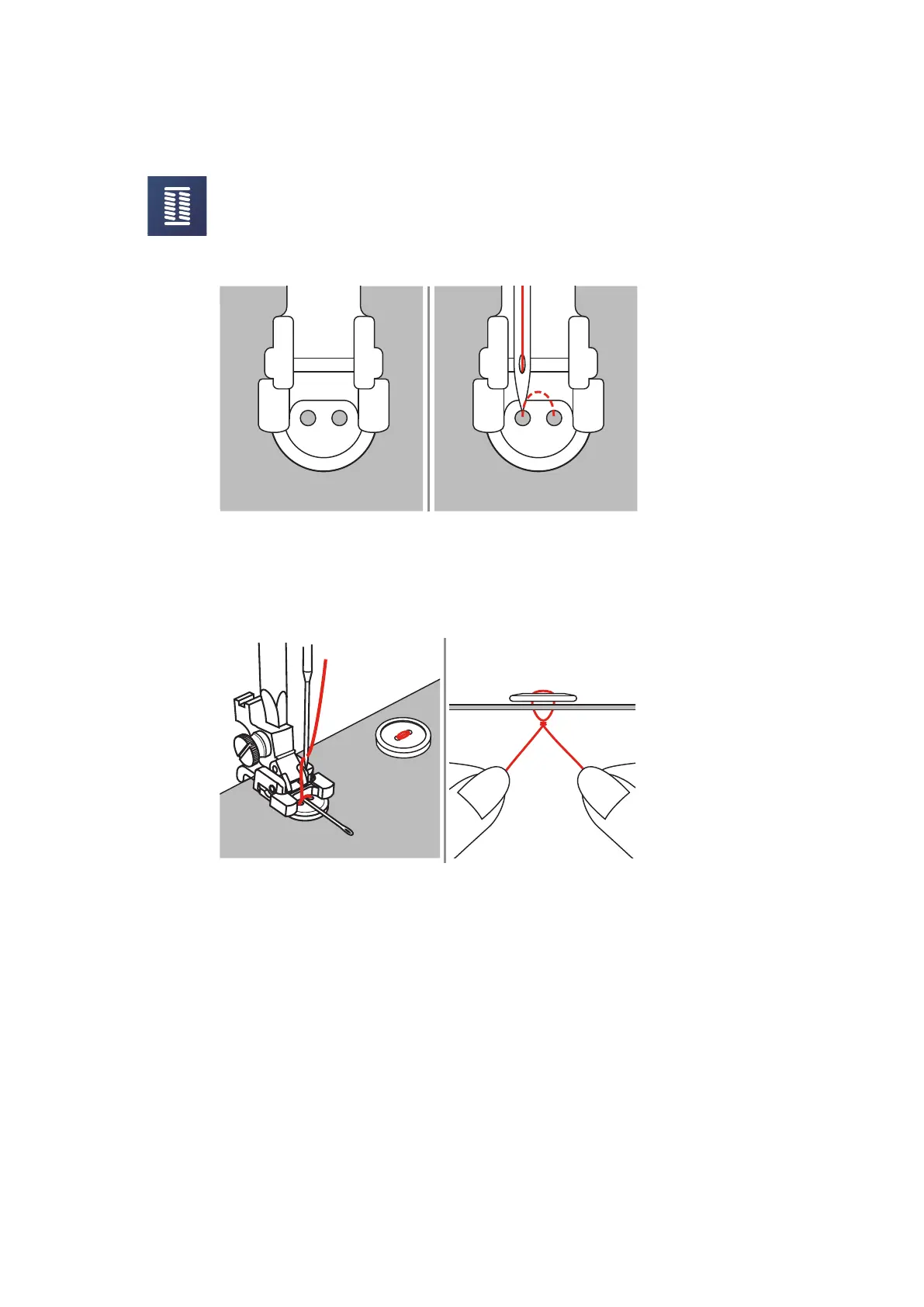
With the Button sew-on Program the first securing stitch is always stitched into the left hole of the button.
> Attach the Button-sew-on foot (RC).
> Touch the icon «Buttonholes».
> Lower the feed dog.
> Select the Button sew-on Program No. 60.
> Place the button on the sewing project.
> Check distances between holes with the handwheel. If necessary, alter the stitch width.
> Hold the threads when starting to sew.
– The machine sews the Button sew-on Program and stops automatically.
– If a shank is required, place a darning needle on top of the button and sew.
> Pull on both bobbin threads until the ends of the upper threads are visible on the wrong side.
> Knot the ends manually.



 To Next Page