Creative embroidering
170
Rotating motif
> Select an embroidery motif.
> Touch the icon «i»-Dialog.
> Touch the icon «Rotate the motif».
> Turn the «Upper Multifunctional knob» or the «Lower Multifunctional knob» to the right to rotate the
embroidery motif clockwise.
> Turn the «Upper Multifunctional knob» or the «Lower Multifunctional knob» to the left to rotate the
embroidery motif counter-clockwise.
> Touch the icon «Rotate the motif +90°» to rotate the embroidery motif in 90°-steps.
Altering the embroidery motif size proportionally
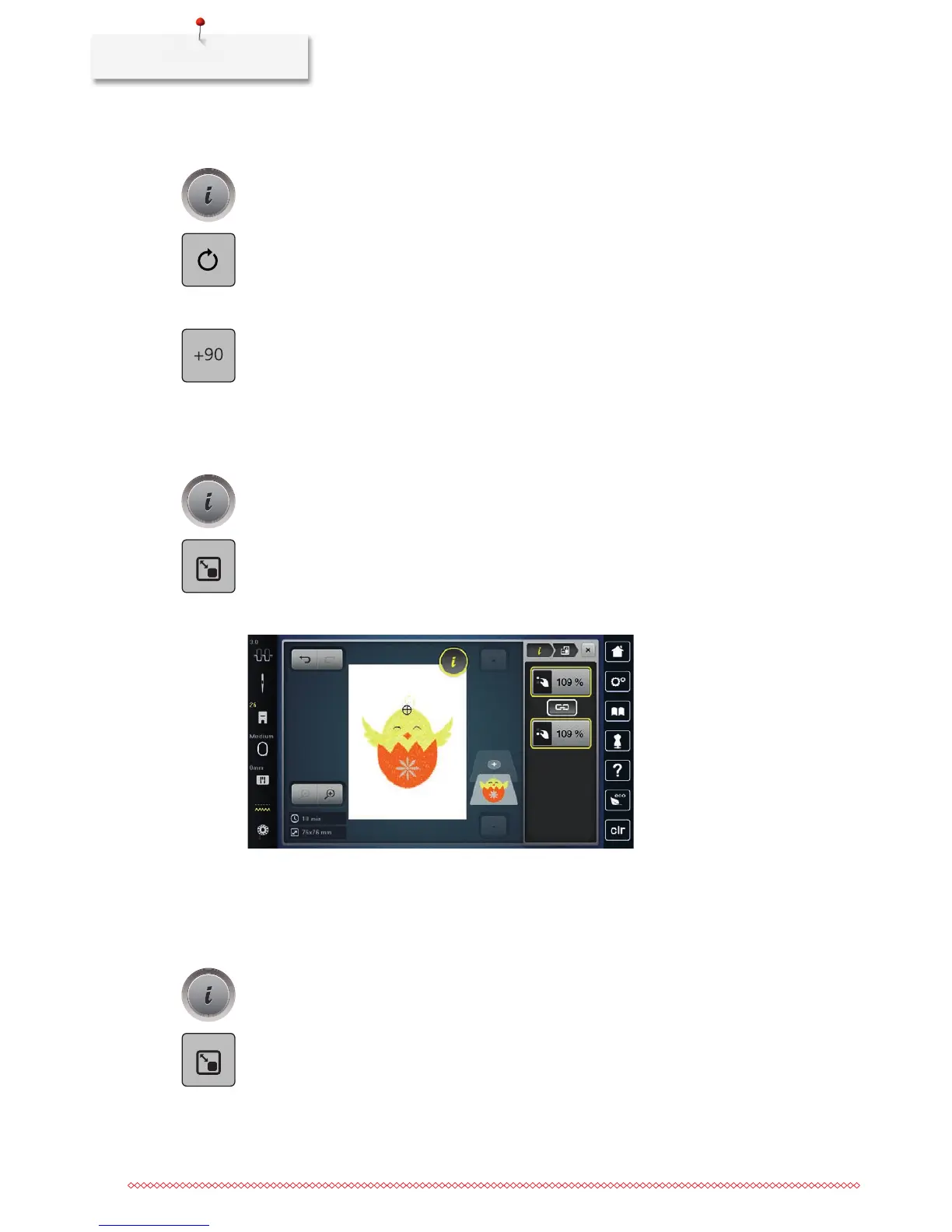
If the icon «Retain the proportions» is framed in white, the embroidery motif is altered proportionally.
> Select an embroidery motif.
> Touch the icon «i»-Dialog.
> Touch the icon «Alter the embroidery size».
> Turn the «Upper/Lower Multifunctional knob» to the right to scale up the embroidery motif
proportionally.
> Turn the «Upper/Lower Multifunctional knob» to the left to downsize the embroidery motif
proportionally.
Altering the embroidery motif size disproportionally
If the icon «Retain the proportions» is not outlined in white, the embroidery motif is altered
disproportionally.
> Select an embroidery motif.
> Touch the icon «i»-Dialog.
> Touch the icon «Alter the embroidery motif size» to alter the embroidery motif width and height
independent on each other.



 To Next Page