Creative sewing
94
5.8 Stitch Designer
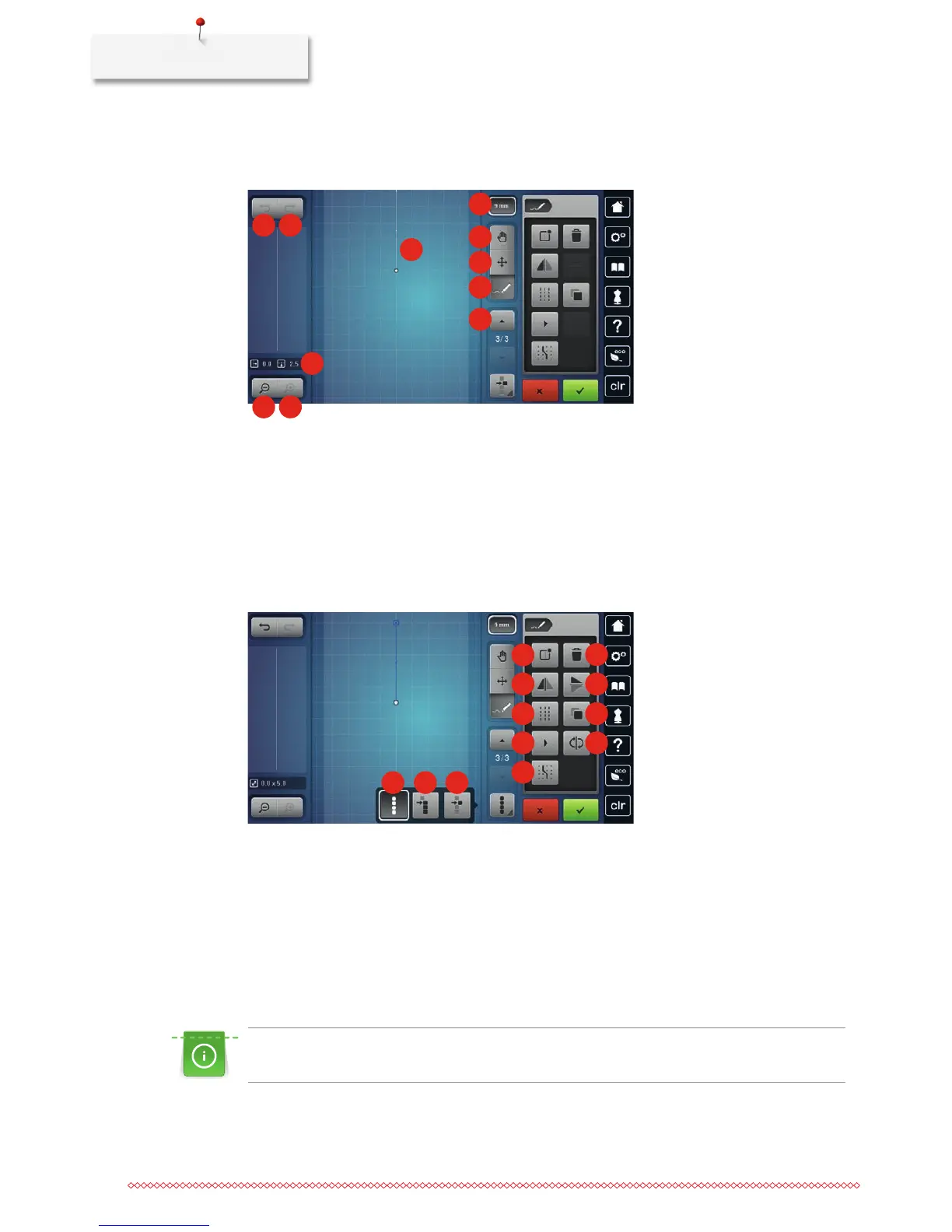
Overview Stitch Designer
1 2
3
8
4 5
7
9
10
11
6
1 Back 7 Limiting pattern width
2 Redo 8 Moving the view
3 Point position 9 Relocating points/Selecting points
4 Zoom out 10 Inserting/Editing a stitch
5 Zoom in 11 Scrolling through points
6 Stitch pattern view
1 2 3
8
4
5
7
6
9
12
10 11
1 Select all points 7 Mirror image up/down
2 Selecting from a particular point 8 Triple stitch
3 Single point is selected 9 Duplicating
4 Creating a new stitch pattern 10 Virtual sewing out
5 Deleting 11 Reversing the stitch sequence
6 Mirror image left/right 12 Engaging at the grid
Creating your own stitch pattern
The stitch patterns which have been created in the Stitch Designer can be saved in your «Personal
memory».
The Stitch Designer allows creating your personal stitch patterns as well as editing existing stitch patterns. By
moving the touchscreen pen/finger, your personal stitch patterns can be created on the display.



 To Next Page