Setup Program
58
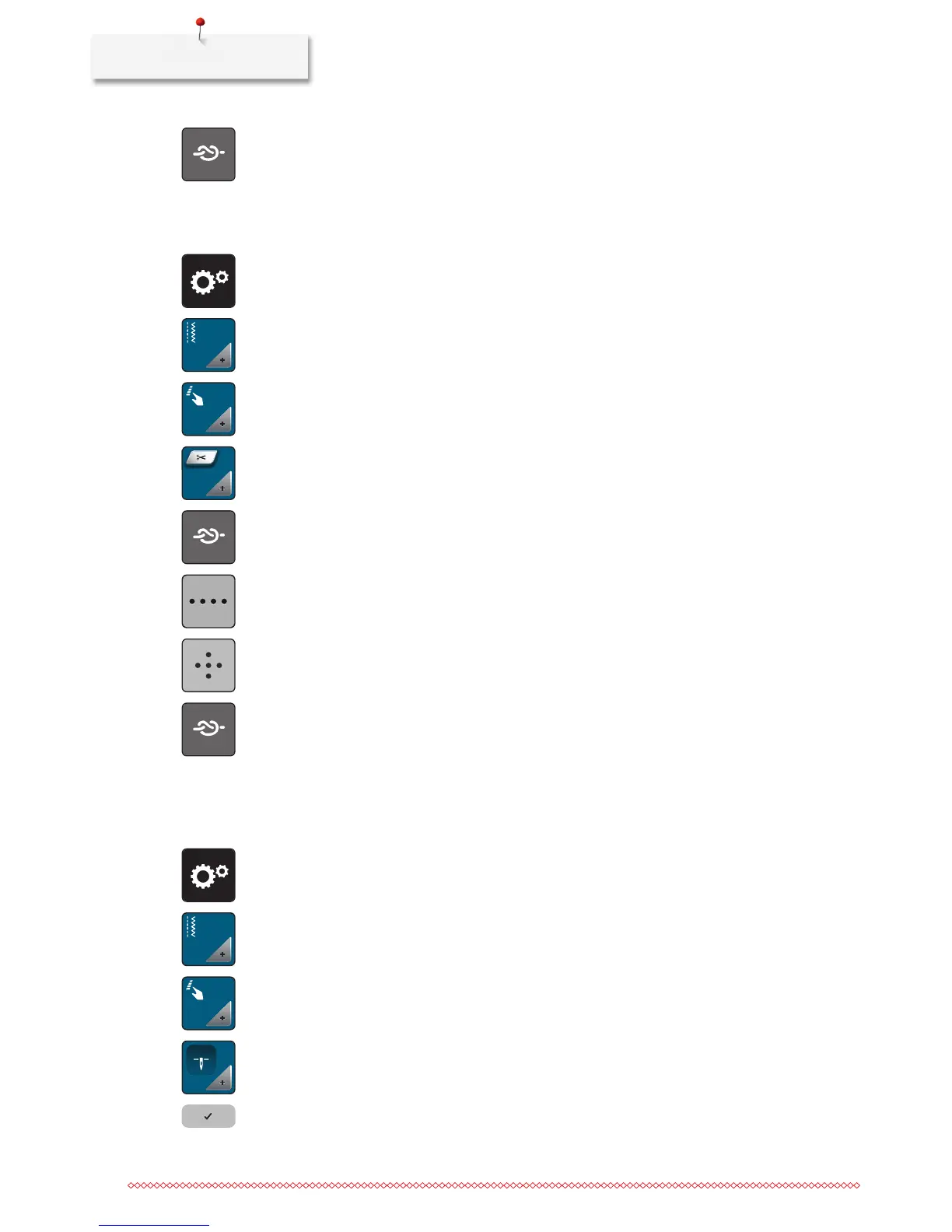
> Touch the icon «Secure» to deactive the automatic securing.
> Touch the icon «Secure» again to active the automatic securing.
Programming the button «Thread cutter»
The automatic securing can be programed before the thread cut takes place.
> Touch the icon «Setup Program».
> Touch the icon «Sewing settings».
> Touch the icon «Program buttons and icons».
> Touch the icon «Program the button thread cutter».
> Touch the icon «Secure» to program 4 securing stitches in place.
> Touch the icon «Number of securing stitches» to program the number of securing stitches in close
succession.
> Touch the icons «-» or «+» to program the number of securing stitches.
> Touch the icon «Securing stitches in place» to program 4 securing stitches in place.
> Touch the icon «Securing» to deactivate the automatic securing.
> Touch the icon «Securing» again to activate the automatic securing.
Adjusting the presser foot position with needle stop down
With lowered needle, 3 different presser foot position can be selected: the presser foot lowered, the presser
foot is raised to hovering position and the presser foot is raised to its maximum height.
> Touch the icon «Setup Program».
> Touch the icon «Sewing settings».
> Touch the icon «Program buttons and icons».
> Touch the icon «Adjust the presser foot position with needle stop down».
> Select the desired presser foot position.



 To Next Page