Creative sewing
80
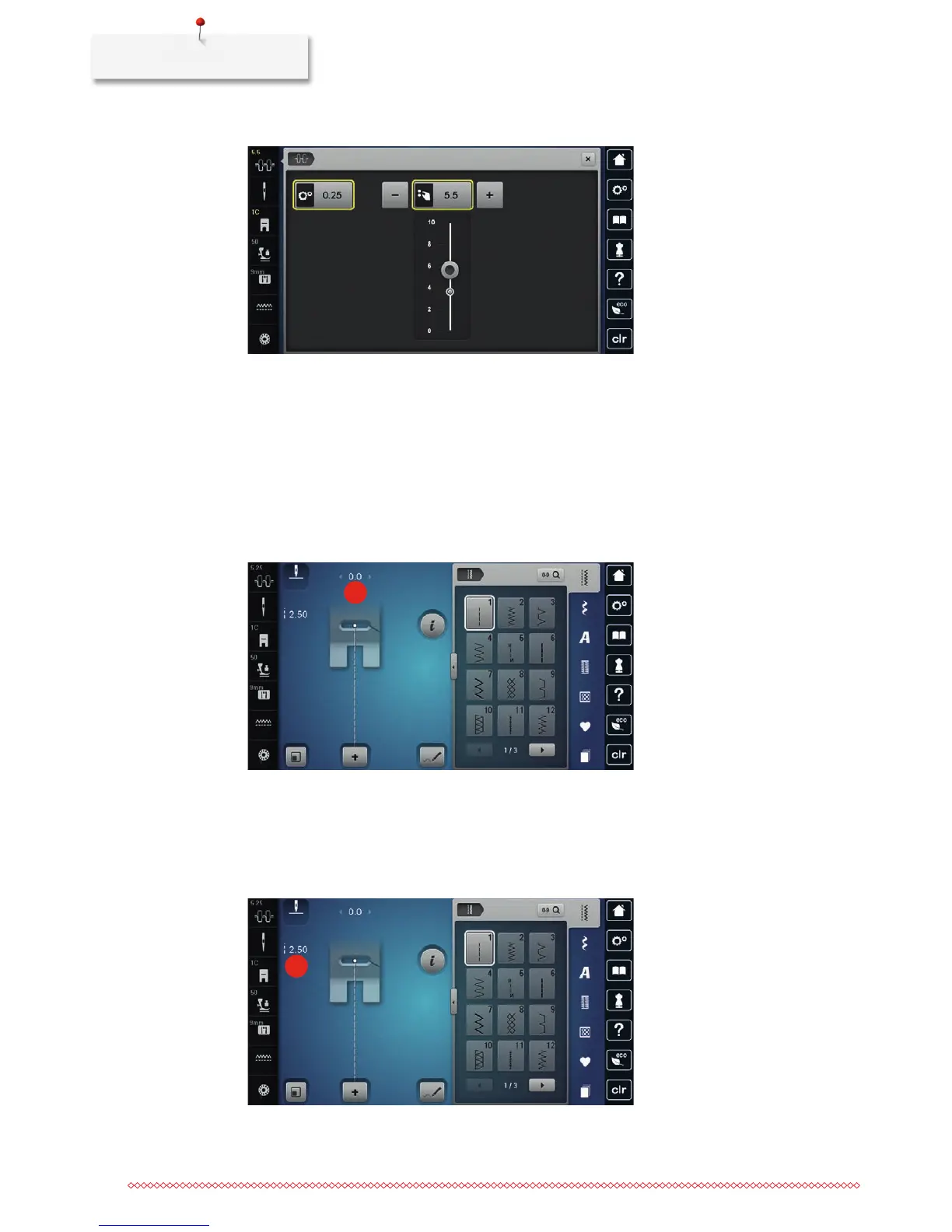
> Move the slide using the touchscreen pen/finger to increase or reduce the upper thread tension.
> Touch the yellow-framed icon on the right side to reset the alteration to default setting.
> Touch the yellow-framed icon on the left side to reset the alteration to default setting in the Setup
Program.
5.5 Editing stitch patterns
Changing the stitch width
> Turn the «Upper Multifunctional knob» to the left to narrow the stitch width.
> Turn the «Upper Multifunctional knob» to the right to widen the stitch width.
> Touch the icon «Stitch width» (1).
1
> Touch the yellow-framed icon to reset the alteration to default setting.
Changing the stitch length
> Turn the «Lower Multifunctional knob» to the left to shorten the stitch length.
> Turn the «Lower Multifunctional knob» to the right to elongate the stitch length.
> Touch the icon «Stitch length» (1).
1
> Touch the yellow-framed icon to reset the alteration to default setting.



 To Next Page