Creative embroidering
185
15.9 Changing the colors of the embroidery motif
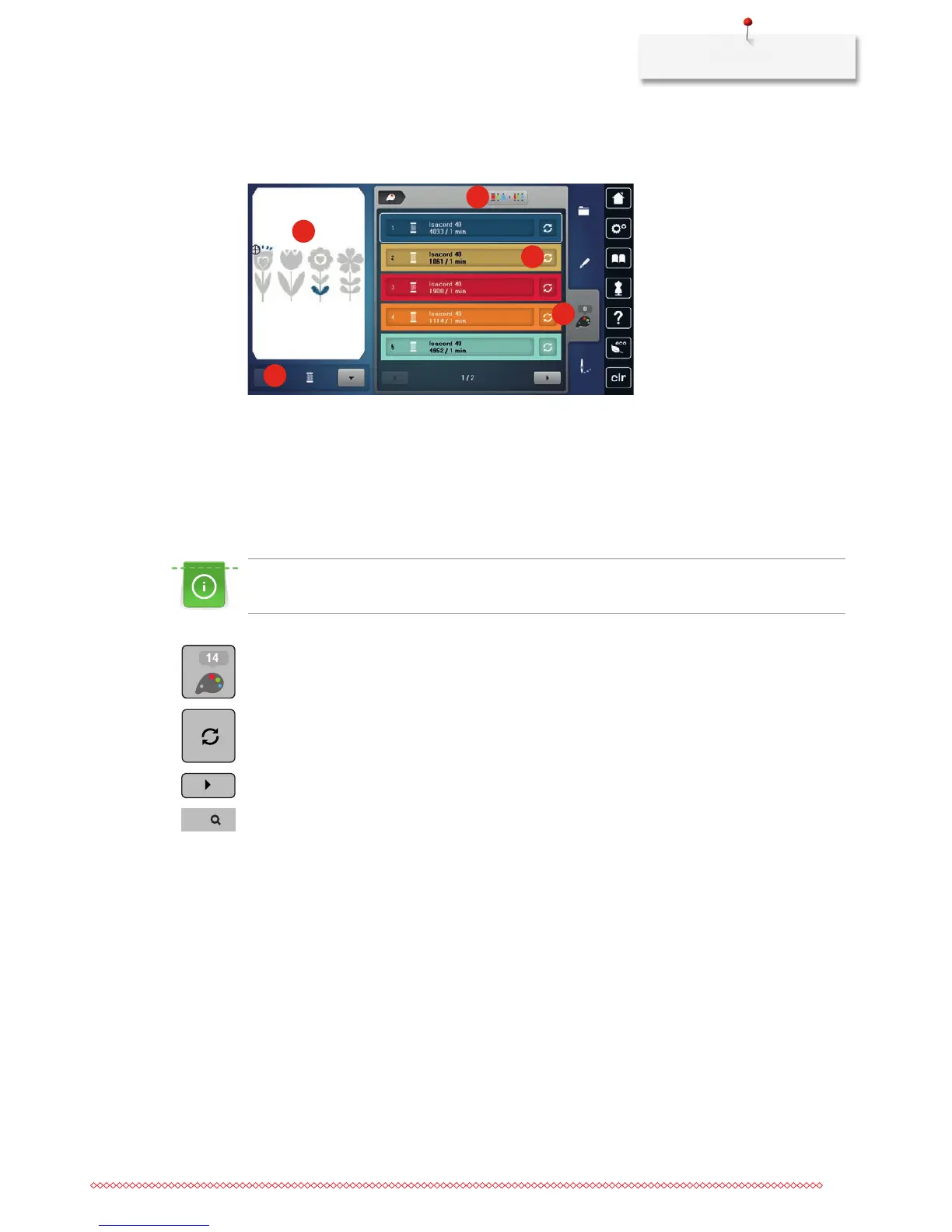
Overview changing the color
5
2
1
3
4
1 Colors of embroidery motifs 4 Altering color/brand
2 Preview for selected color 5 Color information
3 Allocating thread brand
Changing the colors
Lettering is always embroidered in one color. To embroider single letters or single words in another color,
every letter or every word has to be selected individually and placed in the area to be embroidered.
> Select an embroidery motif.
> Touch the icon «Color information».
> Touch the icon «Alter color/brand» next to the color which is to be changed.
> Touch the icon «Scroll right» in the lower portion of the display to display other colors.
> Touch the icon «Color selection by number» to select the color by entering the color number.
> Select the desired color.
> The color selection must be confirmed by touching the color bar on the right side.



 To Next Page