Setup Program
66
3.5 Activating the audio signals
> Touch the icon «Setup Program».
> Touch the icon «Audio signals».
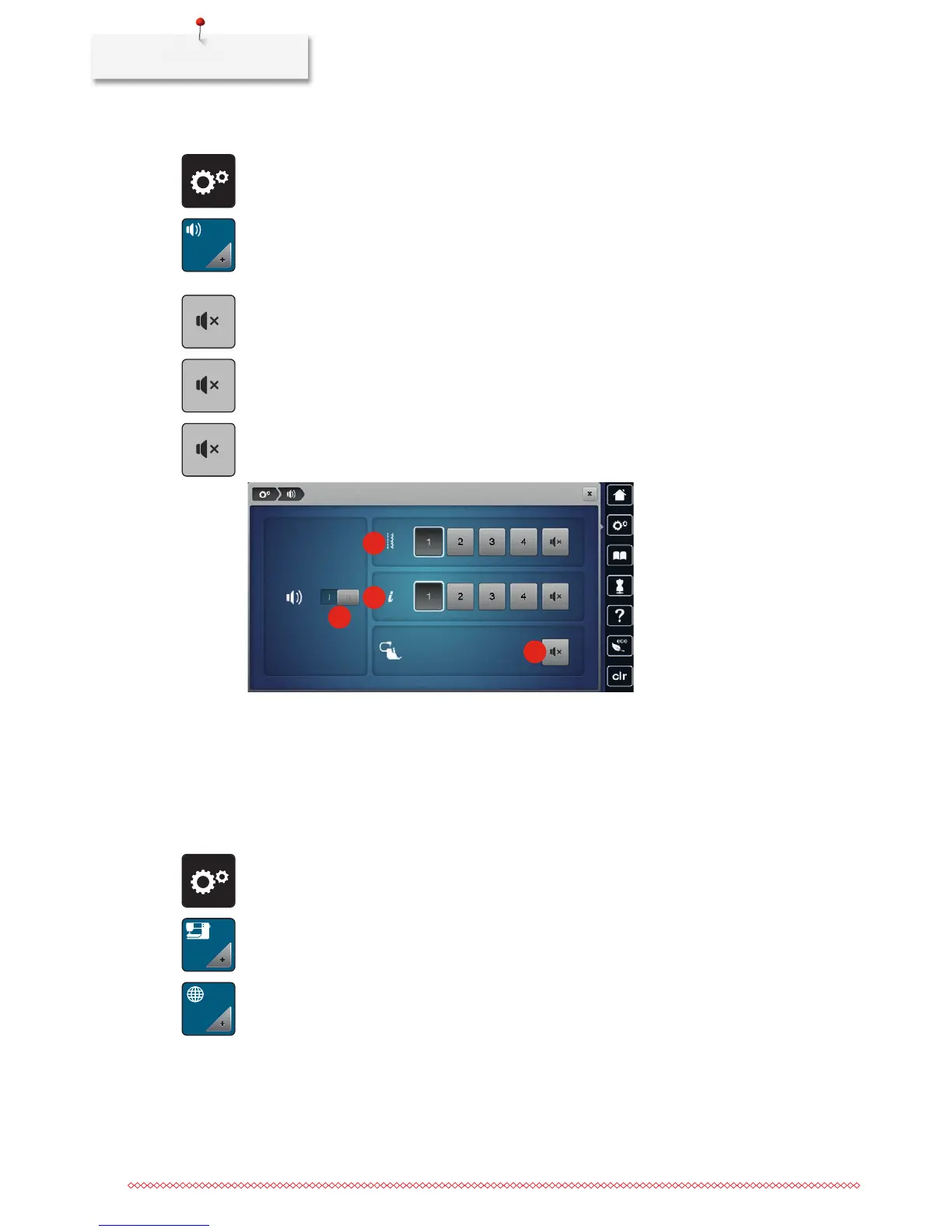
> Touch the switch (1) to deactivate any audio signals in general.
> Touch the switch (1) again to activate any audio signals in general.
> In the section (2) touch the icons «1 – 4» to set up the desired signal for the selection of a stitch pattern.
> In the section (2) touch the icon «Loudspeaker» to deactive the signal for the selection of a stitch pattern.
> In the section (3) touch the icons «1 – 4» to activate the signal for the selection of functions.
> In the section (3) touch the icon «Loudspeaker» to deactivate the signal for the selection of functions.
> In the section (4) touch the icon «Loudspeaker» to deactivate the signal when using the BSR modes.
> In the section (4) touch the icon «Loudspeaker» again to activate the signal when using the BSR modes.
1
2
3
4
3.6 Machine settings
Selecting a language
TheUserInterfacecanbeprogrammedindifferentlanguagesaccordingtothecustomer'swishbecause
BERNINA provides a wide range of international languages for the customers. Via firmware updates
additional languages for the User Interface can be provided.
> Touch the icon «Setup Program».
> Touch the icon «Machine settings».
> Touch the icon «Language selection».
> Select a language.



 To Next Page